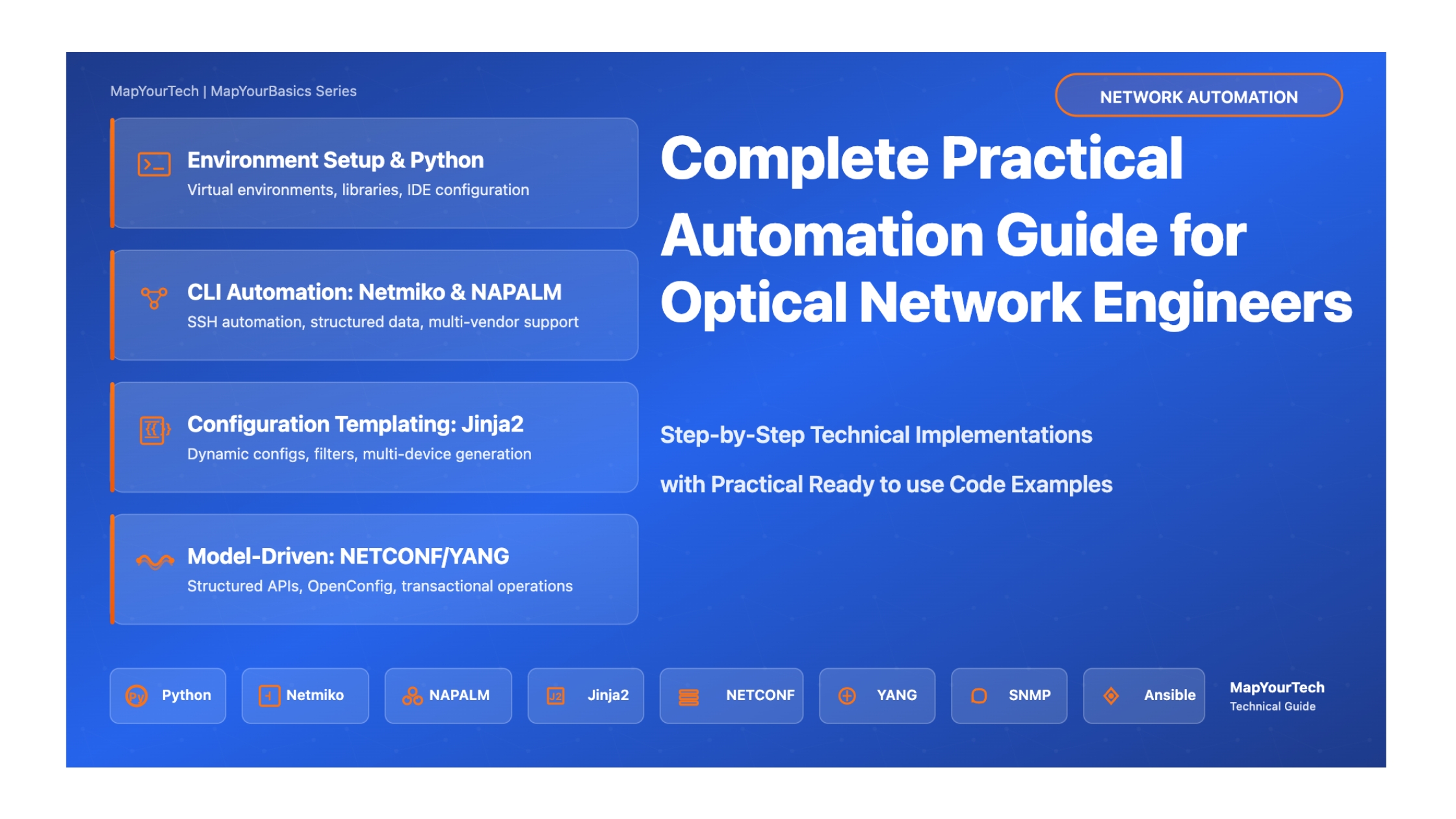
Practical Automation for Optical Network Engineers
Step-by-Step Implementation Guide with Real Code Examples, Best Practices, and Production-Ready Solutions
Your Automation Journey Starts Here
This comprehensive technical guide is designed to take you from automation basics to production-ready implementations. Every section includes hands-on code examples, detailed explanations, and practical advice based on real-world deployments.
What Makes This Guide Different
Practical Focus: Every concept is accompanied by working code you can run immediately
Real-World Context: Examples drawn from actual optical network automation scenarios
Progressive Learning: Builds from fundamentals to advanced topics systematically
Production-Ready: Includes error handling, security considerations, and best practices
Understanding Our Target Network Topology
Before diving into automation, let's understand the network infrastructure we'll be automating. This guide focuses on a realistic multi-vendor optical network spanning multiple data centers with DWDM transport, OTN switching, and IP/MPLS routing layers.
Sample Network Architecture
Scale: 3 Data Centers interconnected via DWDM optical network across India
Device Count: ~50 network elements (ROADMs, OTN switches, IP routers, optical amplifiers)
Vendors: Multi-vendor environment (representing real-world complexity)
Technologies: DWDM C-band (96 channels), 100G/400G coherent optics, OTN switching, IP/MPLS
Geographic Spread: Mumbai (West), Hyderabad (South), Delhi (North) - covering major Indian regions
Network Topology: Pan-India DWDM Optical Network
Our Automation Goals: The Complete Vision
By the end of this guide, you'll build a comprehensive automation framework that transforms how you manage this optical network. Here are the specific, measurable goals we're working toward:
Current State: Manual configuration takes 2-4 hours per device, error rate ~15%
Target State: Automated deployment in under 5 minutes per device, error rate <1%
Key Capabilities:
- Template-based configuration generation using Jinja2
- Pre-deployment validation and syntax checking
- Automatic rollback on failure
- Configuration versioning and change tracking
Current State: Manual Excel spreadsheets, often outdated, inventory audits take days
Target State: Real-time automated discovery, always-current inventory database
Key Capabilities:
- Automatic device discovery via LLDP/CDP
- Hardware and software inventory collection
- Interface and circuit mapping
- Optical channel and wavelength assignment tracking
- Integration with NetBox as source of truth
Current State: Reactive troubleshooting, 30-60 minute mean time to detect issues
Target State: Real-time monitoring with predictive alerts, <5 minute detection
Key Capabilities:
- Continuous optical power level monitoring (Tx/Rx)
- OSNR tracking and threshold alerting
- Pre-FEC and Post-FEC BER monitoring
- Chromatic dispersion and PMD tracking
- Temperature and component health monitoring
- Automated correlation of alarms across network layers
Current State: 3-5 day service turn-up time, manual path calculation
Target State: 1-hour automated provisioning, optimal path selection
Key Capabilities:
- Automated wavelength assignment and ROADM configuration
- End-to-end path computation considering OSNR budget
- OTN cross-connect automation
- IP/MPLS configuration for new circuits
- Pre and post-service validation testing
- Automatic service documentation generation
Current State: Quarterly manual audits, configuration drift undetected
Target State: Continuous compliance monitoring, instant drift detection
Key Capabilities:
- Automated configuration backup (daily)
- Configuration drift detection against golden configs
- Security policy compliance checking
- Unauthorized change detection and alerting
- Comprehensive audit logging
Current State: Separate management systems per vendor, no unified view
Target State: Single pane of glass, vendor-agnostic automation
Key Capabilities:
- Unified API layer using NETCONF/YANG with OpenConfig models
- Vendor-agnostic data collection using NAPALM
- Standardized configuration templates across vendors
- Cross-vendor service provisioning workflows
- Normalized telemetry data collection
Complete Automation Workflow: From Intent to Deployment
Measurable Success Metrics
Throughout this guide, we'll build toward achieving these specific, measurable improvements:
| Metric | Current (Manual) | Target (Automated) | Improvement |
|---|---|---|---|
| Service Provisioning Time | 3-5 days | 1-2 hours | 95% reduction |
| Configuration Errors | ~15% error rate | <1% error rate | 93% improvement |
| Mean Time to Detect (MTTD) | 30-60 minutes | <5 minutes | 90% faster |
| Configuration Backup | Weekly manual | Daily automated | 7x frequency |
| Inventory Accuracy | ~70% (outdated) | 99% (real-time) | 29% improvement |
| Compliance Audit Time | 3-5 days quarterly | Real-time continuous | 100% time savings |
| Engineer Productivity | ~30% manual tasks | ~90% value-add work | 3x productivity |
Part 1: Setting Up Your Development Environment
Step-by-Step Environment Configuration
For Linux (Ubuntu/Debian):
# Update package list
sudo apt update

# Install Python 3.11 (recommended version)
sudo apt install python3.11 python3.11-venv python3-pip

# Verify installation
python3 --version
pip3 --version

# Install development tools
sudo apt install git vim curl wget
For macOS:
# Install Homebrew if not already installed
/bin/bash -c "$(curl -fsSL https://raw.githubusercontent.com/Homebrew/install/HEAD/install.sh)"

# Install Python
brew install [email protected]

# Install Git
brew install git

# Verify installation
python3 --version
pip3 --version
For Windows:
# Download Python from python.org
# Select "Add Python to PATH" during installation
# Open PowerShell or Command Prompt

# Verify installation
python --version
pip --version

# Install Git for Windows
# Download from git-scm.com
Virtual environments isolate project dependencies and prevent conflicts between different automation projects.
# Create a directory for your automation project
mkdir ~/network-automation
cd ~/network-automation

# Create virtual environment
python3 -m venv venv

# Activate virtual environment
# On Linux/macOS:
source venv/bin/activate

# On Windows:
.\venv\Scripts\activate

# Your prompt should now show (venv)
# Install wheel for better package installation
pip install --upgrade pip wheel setuptools
With your virtual environment activated, install the core automation libraries:
# Core automation libraries
paramiko==3.3.1
netmiko==4.3.0
napalm==4.1.0
nornir==3.4.1
nornir-netmiko==1.0.1
nornir-napalm==0.5.0

# Configuration templating
jinja2==3.1.2

# NETCONF/YANG libraries
ncclient==0.6.15
xmltodict==0.13.0

# Data manipulation
pyyaml==6.0.1
pandas==2.1.3
openpyxl==3.1.2

# API interactions
requests==2.31.0

# Network testing
scapy==2.5.0

# Visualization
matplotlib==3.8.2

# SNMP
pysnmp==4.4.12

# CLI parsing
textfsm==1.1.3
ttp==0.9.5

# Version control
gitpython==3.1.40
Install all packages:
# Save the above content to requirements.txt
# Then install:
pip install -r requirements.txt

# Verify installations
python -c "import netmiko; print(f'Netmiko version: {netmiko.__version__}')"
python -c "import napalm; print('NAPALM installed successfully')"
python -c "import nornir; print(f'Nornir version: {nornir.__version__}')"
Visual Studio Code Setup (Recommended)
# Install VS Code from https://code.visualstudio.com/

# Essential Extensions to Install:
# 1. Python (by Microsoft)
# 2. Pylance (by Microsoft)
# 3. GitLens
# 4. YAML
# 5. Jinja
# 6. Better Comments
# 7. Code Spell Checker

# Install via command line:
code --install-extension ms-python.python
code --install-extension ms-python.vscode-pylance
code --install-extension eamodio.gitlens
code --install-extension redhat.vscode-yaml
code --install-extension wholroyd.jinja
PyCharm Setup (Alternative)
Download PyCharm Community Edition from jetbrains.com/pycharm. It includes built-in support for Python, Git, and debugging.
Organize your automation project with this recommended structure:
network-automation/
│
├── venv/                      # Virtual environment (don't commit to git)
├── inventory/                 # Device inventory files
│   ├── hosts.yaml
│   └── groups.yaml
│
├── configs/                   # Generated configurations
│   └── backups/
│
├── templates/                 # Jinja2 templates
│   ├── bgp_config.j2
│   ├── interface_config.j2
│   └── ospf_config.j2
│
├── scripts/                   # Automation scripts
│   ├── backup_configs.py
│   ├── deploy_configs.py
│   └── health_check.py
│
├── tests/                     # Test files
│   ├── test_connectivity.py
│   └── test_configurations.py
│
├── logs/                      # Log files
│
├── docs/                      # Documentation
│
├── .gitignore                 # Git ignore file
├── requirements.txt           # Python dependencies
├── README.md                  # Project documentation
└── config.yaml                # Global configuration
Create this structure:
#!/bin/bash
# create_project_structure.sh

mkdir -p inventory configs/backups templates scripts tests logs docs

# Create .gitignore
cat > .gitignore << 'EOF'
venv/
__pycache__/
*.pyc
*.pyo
*.log
configs/backups/*
.env
*.swp
.DS_Store
.vscode/
.idea/
EOF

# Create README
cat > README.md << 'EOF'
# Network Automation Project

## Setup
1. Create virtual environment: `python3 -m venv venv`
2. Activate: `source venv/bin/activate`
3. Install dependencies: `pip install -r requirements.txt`

## Usage
See docs/ for detailed instructions.
EOF

echo "Project structure created successfully!"
Part 2: Python Fundamentals for Network Engineers
Essential Python Concepts with Network Examples
Variables and Data Types
Understanding data types is crucial for handling network information effectively:
# String - for device names, IP addresses
device_name = "ROADM-01"
management_ip = "192.168.1.100"

# Integer - for port numbers, VLAN IDs
ssh_port = 22
vlan_id = 100

# Float - for optical power levels, OSNR values
optical_power = -3.5  # dBm
osnr_value = 22.8     # dB

# Boolean - for status checks
port_status = True
is_reachable = False

# List - for multiple similar items (ordered, mutable)
interfaces = ['GigabitEthernet0/1', 'GigabitEthernet0/2', 'GigabitEthernet0/3']
wavelengths = [1550.12, 1550.92, 1551.72, 1552.52]  # nm

# Dictionary - for structured device information (key-value pairs)
device = {
    'hostname': 'ROADM-01',
    'ip': '192.168.1.100',
    'vendor': 'Generic',
    'model': 'CDC-ROADM',
    'location': 'DC1-Floor2-Rack15'
}

# Tuple - for immutable data (ordered, cannot be changed)
coordinates = (37.7749, -122.4194)  # latitude, longitude

# Print examples
print(f"Device: {device_name}")
print(f"Optical Power: {optical_power} dBm")
print(f"Device Info: {device}")
print(f"First interface: {interfaces[0]}")

# Access dictionary values
print(f"Device hostname: {device['hostname']}")
print(f"Device location: {device['location']}")
Control Flow: Loops and Conditionals
# If-elif-else statements for decision making
def check_optical_power(power_dbm):
    """Check if optical power level is within acceptable range"""
    if power_dbm > 5:
        return "WARNING: Power too high! Risk of receiver damage"
    elif power_dbm >= -10:
        return "OK: Power within normal range"
    elif power_dbm >= -20:
        return "CAUTION: Power low, monitor link"
    else:
        return "CRITICAL: Power too low, link may fail"

# Test the function
test_powers = [8, -3, -15, -25]
for power in test_powers:
    status = check_optical_power(power)
    print(f"Power: {power} dBm -> {status}")

print("\n" + "="*50 + "\n")

# For loops - iterate through devices
devices = [
    {'name': 'ROADM-01', 'ip': '192.168.1.100'},
    {'name': 'ROADM-02', 'ip': '192.168.1.101'},
    {'name': 'ROADM-03', 'ip': '192.168.1.102'}
]

print("Checking device reachability:")
for device in devices:
    # In real scenario, you'd use ping or socket check
    print(f"Connecting to {device['name']} ({device['ip']})...")

print("\n" + "="*50 + "\n")

# While loops - useful for polling
def wait_for_interface_up(max_attempts=5):
    """Simulate waiting for interface to come up"""
    attempt = 0
    interface_status = "down"

    while attempt < max_attempts and interface_status != "up":
        attempt += 1
        print(f"Attempt {attempt}: Checking interface status...")

        # Simulate status check
        if attempt >= 3:  # Interface comes up on 3rd attempt
            interface_status = "up"

    return interface_status == "up"

# Test the function
success = wait_for_interface_up()
print(f"Interface is {'UP' if success else 'DOWN'}")

print("\n" + "="*50 + "\n")

# List comprehension - powerful one-liner for creating lists
# Filter wavelengths in C-band (1530-1565 nm)
all_wavelengths = [1520.5, 1535.8, 1545.3, 1555.7, 1570.2, 1580.4]
c_band_wavelengths = [wl for wl in all_wavelengths if 1530 <= wl <= 1565]
print(f"C-band wavelengths: {c_band_wavelengths}")

# Create list of interface names
interface_list = [f"TenGigE0/0/{i}" for i in range(1, 9)]
print(f"Interfaces: {interface_list}")
Functions for Reusable Code
import math

def calculate_osnr(ptx, gtotal, ltotal, namp, nfavg):
    """
    Calculate Optical Signal-to-Noise Ratio

    Formula: OSNR = PTX + Gtotal - Ltotal - 10×log(Namp) - NFavg + 58

    Parameters:
        ptx (float): Transmit power in dBm
        gtotal (float): Total gain in dB
        ltotal (float): Total loss in dB
        namp (int): Number of amplifiers
        nfavg (float): Average noise figure in dB

    Returns:
        float: OSNR in dB
    """
    osnr = ptx + gtotal - ltotal - 10 * math.log10(namp) - nfavg + 58
    return round(osnr, 2)

def db_to_mw(power_dbm):
    """Convert power from dBm to milliwatts"""
    return 10 ** (power_dbm / 10)

def mw_to_db(power_mw):
    """Convert power from milliwatts to dBm"""
    return 10 * math.log10(power_mw)

def parse_interface_name(interface_full):
    """
    Parse interface name into components

    Example: 'TenGigE0/0/0/15' -> ('TenGigE', '0/0/0/15')
    """
    parts = interface_full.split('0', 1)
    if len(parts) == 2:
        return parts[0].strip(), '0' + parts[1]
    return interface_full, ''

def calculate_link_budget(tx_power, rx_sensitivity, margin=3):
    """
    Calculate link budget for optical link

    Returns:
        dict: Link budget components
    """
    available_budget = tx_power - rx_sensitivity
    usable_budget = available_budget - margin

    return {
        'tx_power_dbm': tx_power,
        'rx_sensitivity_dbm': rx_sensitivity,
        'margin_db': margin,
        'available_budget_db': available_budget,
        'usable_budget_db': usable_budget,
        'status': 'OK' if usable_budget > 0 else 'INSUFFICIENT'
    }

# Example usage
if __name__ == "__main__":
    # Calculate OSNR
    osnr = calculate_osnr(
        ptx=0,      # 0 dBm launch power
        gtotal=80,  # 80 dB total gain
        ltotal=82,  # 82 dB total loss
        namp=4,     # 4 amplifiers
        nfavg=5.5   # 5.5 dB average NF
    )
    print(f"Calculated OSNR: {osnr} dB")

    # Power conversions
    power_dbm = 10
    power_mw = db_to_mw(power_dbm)
    print(f"{power_dbm} dBm = {power_mw:.2f} mW")

    # Link budget calculation
    budget = calculate_link_budget(
        tx_power=5,           # +5 dBm
        rx_sensitivity=-28,   # -28 dBm
        margin=3              # 3 dB margin
    )

    print(f"\nLink Budget Analysis:")
    for key, value in budget.items():
        print(f"  {key}: {value}")

    # Interface parsing
    interface = "TenGigE0/0/0/15"
    int_type, int_number = parse_interface_name(interface)
    print(f"\nInterface: {interface}")
    print(f"  Type: {int_type}")
    print(f"  Number: {int_number}")
Key Python Concepts to Master
Data Types: Strings, integers, floats, booleans, lists, dictionaries, tuples
Control Flow: if/elif/else, for loops, while loops, break/continue
Functions: Defining functions, parameters, return values, docstrings
Error Handling: try/except blocks for robust code
File I/O: Reading and writing files (configs, logs, data)
Modules & Imports: Organizing code and using libraries
Working with Files
import os
import json
import yaml
import csv
from datetime import datetime

def read_device_inventory(filename='inventory/devices.yaml'):
    """Read device inventory from YAML file"""
    try:
        with open(filename, 'r') as file:
            inventory = yaml.safe_load(file)
        return inventory
    except FileNotFoundError:
        print(f"Error: {filename} not found")
        return None
    except yaml.YAMLError as e:
        print(f"Error parsing YAML: {e}")
        return None

def write_json_report(data, filename):
    """Write data to JSON file with timestamp"""
    timestamp = datetime.now().strftime("%Y%m%d_%H%M%S")
    output_file = f"logs/{filename}_{timestamp}.json"

    try:
        with open(output_file, 'w') as file:
            json.dump(data, file, indent=2)
        print(f"Report saved to: {output_file}")
        return output_file
    except IOError as e:
        print(f"Error writing file: {e}")
        return None

def append_to_log(message, logfile='logs/automation.log'):
    """Append message to log file with timestamp"""
    timestamp = datetime.now().strftime("%Y-%m-%d %H:%M:%S")
    log_entry = f"[{timestamp}] {message}\n"

    # Create logs directory if it doesn't exist
    os.makedirs('logs', exist_ok=True)

    with open(logfile, 'a') as file:
        file.write(log_entry)

def export_to_csv(data_list, filename, headers):
    """Export list of dictionaries to CSV"""
    try:
        with open(filename, 'w', newline='') as csvfile:
            writer = csv.DictWriter(csvfile, fieldnames=headers)
            writer.writeheader()
            writer.writerows(data_list)
        print(f"Data exported to: {filename}")
    except IOError as e:
        print(f"Error writing CSV: {e}")

# Example usage
if __name__ == "__main__":
    # Sample device inventory structure
    sample_inventory = {
        'optical_devices': [
            {
                'hostname': 'ROADM-01',
                'ip': '192.168.1.100',
                'location': 'DC1',
                'type': 'roadm'
            },
            {
                'hostname': 'OTN-SWITCH-01',
                'ip': '192.168.1.101',
                'location': 'DC1',
                'type': 'otn_switch'
            }
        ]
    }

    # Write sample inventory
    os.makedirs('inventory', exist_ok=True)
    with open('inventory/devices.yaml', 'w') as f:
        yaml.dump(sample_inventory, f, default_flow_style=False)

    # Read inventory
    inventory = read_device_inventory()
    if inventory:
        print("Device Inventory:")
        print(json.dumps(inventory, indent=2))

    # Write JSON report
    report_data = {
        'report_type': 'health_check',
        'timestamp': datetime.now().isoformat(),
        'devices_checked': 2,
        'status': 'completed'
    }
    write_json_report(report_data, 'health_check_report')

    # Append to log
    append_to_log("Automation script started")
    append_to_log("Inventory loaded successfully")

    # Export to CSV
    device_status = [
        {'device': 'ROADM-01', 'status': 'up', 'uptime_hours': 720},
        {'device': 'OTN-SWITCH-01', 'status': 'up', 'uptime_hours': 168}
    ]
    export_to_csv(device_status, 'logs/device_status.csv',
                  ['device', 'status', 'uptime_hours'])
Error Handling
import sys
import logging

# Configure logging
logging.basicConfig(
    level=logging.INFO,
    format='%(asctime)s - %(levelname)s - %(message)s',
    handlers=[
        logging.FileHandler('logs/automation.log'),
        logging.StreamHandler(sys.stdout)
    ]
)

def connect_to_device(device_ip, timeout=10):
    """
    Connect to network device with proper error handling
    """
    try:
        logging.info(f"Attempting to connect to {device_ip}")

        # Simulated connection (replace with actual netmiko connection)
        if not device_ip:
            raise ValueError("Device IP cannot be empty")

        # Simulate connection logic
        logging.info(f"Successfully connected to {device_ip}")
        return True

    except ValueError as e:
        logging.error(f"Invalid input: {e}")
        return False
    except ConnectionError as e:
        logging.error(f"Connection failed to {device_ip}: {e}")
        return False
    except Exception as e:
        logging.error(f"Unexpected error connecting to {device_ip}: {e}")
        return False

def safe_divide(a, b):
    """Safely divide two numbers with error handling"""
    try:
        result = a / b
        return result
    except ZeroDivisionError:
        logging.error("Cannot divide by zero")
        return None
    except TypeError:
        logging.error("Invalid types for division")
        return None

def validate_optical_power(power_dbm):
    """Validate optical power reading with specific exceptions"""
    try:
        # Convert to float if string
        power = float(power_dbm)

        # Check if value is reasonable
        if power < -40:
            raise ValueError(f"Power too low: {power} dBm (< -40 dBm)")
        if power > 20:
            raise ValueError(f"Power too high: {power} dBm (> +20 dBm)")

        return power

    except ValueError as e:
        logging.warning(f"Invalid power value: {e}")
        return None
    except Exception as e:
        logging.error(f"Unexpected error validating power: {e}")
        return None

# Example usage with multiple exception handling
def process_device_list(device_file):
    """Process device list with comprehensive error handling"""
    try:
        with open(device_file, 'r') as f:
            devices = f.readlines()

        results = []
        for device in devices:
            device = device.strip()
            if device:  # Skip empty lines
                try:
                    success = connect_to_device(device)
                    results.append({'device': device, 'status': success})
                except Exception as e:
                    logging.error(f"Error processing {device}: {e}")
                    results.append({'device': device, 'status': False})

        return results

    except FileNotFoundError:
        logging.error(f"Device file not found: {device_file}")
        return []
    except IOError as e:
        logging.error(f"Error reading file {device_file}: {e}")
        return []
    finally:
        logging.info("Device processing completed")

if __name__ == "__main__":
    # Test error handling
    logging.info("Starting error handling examples")

    # Test connection
    connect_to_device("192.168.1.100")
    connect_to_device("")  # Will raise ValueError

    # Test division
    result = safe_divide(10, 2)
    logging.info(f"10 / 2 = {result}")

    result = safe_divide(10, 0)  # Will handle ZeroDivisionError

    # Test power validation
    validate_optical_power(-5.5)   # Valid
    validate_optical_power(-50)    # Too low
    validate_optical_power(25)     # Too high
    validate_optical_power("abc")  # Invalid type
Part 3: Mastering Netmiko for Device Automation
Netmiko is the most widely used Python library for CLI-based device automation. It provides a consistent interface across multiple vendor platforms.
Understanding Netmiko Basics
What is Netmiko?
Netmiko is a multi-vendor SSH library built on top of Paramiko. It simplifies network device interaction by handling:
Automatic Device Type Detection: Identifies vendor/platform automatically
Prompt Handling: Deals with different CLI prompts and pagination
Enable Mode: Automatically enters privileged mode when needed
Configuration Mode: Handles configuration commands properly
Basic Netmiko Connection
from netmiko import ConnectHandler
import getpass

# Device connection parameters
device = {
    'device_type': 'cisco_ios',  # Or 'juniper_junos', 'arista_eos', etc.
    'host': '192.168.1.100',
    'username': 'admin',
    'password': getpass.getpass('Enter password: '),  # Secure password input
    'port': 22,
    'secret': '',  # Enable secret if needed
    'verbose': False,
}

try:
    # Establish connection
    print(f"Connecting to {device['host']}...")
    connection = ConnectHandler(**device)

    # Send a command and get output
    output = connection.send_command('show version')
    print("\n=== Show Version Output ===")
    print(output)

    # Get hostname
    hostname = connection.find_prompt()
    print(f"\nDevice Hostname: {hostname}")

    # Disconnect
    connection.disconnect()
    print("\nDisconnected successfully")

except Exception as e:
    print(f"Error: {e}")
Executing Multiple Commands
from netmiko import ConnectHandler
import logging

# Enable logging for debugging
logging.basicConfig(level=logging.DEBUG)

device = {
    'device_type': 'cisco_ios',
    'host': '192.168.1.100',
    'username': 'admin',
    'password': 'password',
}

# List of show commands to execute
show_commands = [
    'show version',
    'show interfaces status',
    'show ip interface brief',
    'show running-config',
    'show inventory',
]

def collect_device_information(device_params, commands):
    """
    Collect information from device using multiple show commands

    Returns:
        dict: Command outputs keyed by command
    """
    results = {}

    try:
        # Connect to device
        print(f"Connecting to {device_params['host']}...")
        connection = ConnectHandler(**device_params)

        # Execute each command
        for cmd in commands:
            print(f"Executing: {cmd}")
            output = connection.send_command(cmd, read_timeout=30)
            results[cmd] = output

        # Disconnect
        connection.disconnect()
        print("Collection completed successfully")

    except Exception as e:
        print(f"Error during collection: {e}")
        return None

    return results

# Execute collection
if __name__ == "__main__":
    outputs = collect_device_information(device, show_commands)

    if outputs:
        # Save outputs to files
        import os
        os.makedirs('collected_data', exist_ok=True)

        for command, output in outputs.items():
            # Create filename from command
            filename = command.replace(' ', '_') + '.txt'
            filepath = os.path.join('collected_data', filename)

            with open(filepath, 'w') as f:
                f.write(output)

            print(f"Saved: {filepath}")
Configuration Management with Netmiko
from netmiko import ConnectHandler
from datetime import datetime
import os

def backup_configuration(device_params, backup_dir='configs/backups'):
    """
    Backup device running configuration

    Returns:
        str: Path to backup file or None on error
    """
    try:
        # Create backup directory if it doesn't exist
        os.makedirs(backup_dir, exist_ok=True)

        # Connect to device
        print(f"Connecting to {device_params['host']}...")
        connection = ConnectHandler(**device_params)

        # Get running config
        print("Retrieving running configuration...")
        config = connection.send_command('show running-config')

        # Generate filename with timestamp
        hostname = connection.find_prompt().strip('#>')
        timestamp = datetime.now().strftime("%Y%m%d_%H%M%S")
        filename = f"{hostname}_{timestamp}.cfg"
        filepath = os.path.join(backup_dir, filename)

        # Save configuration
        with open(filepath, 'w') as f:
            f.write(config)

        # Disconnect
        connection.disconnect()

        print(f"Configuration backed up to: {filepath}")
        return filepath

    except Exception as e:
        print(f"Error backing up configuration: {e}")
        return None

def deploy_configuration(device_params, config_commands):
    """
    Deploy configuration commands to device

    Args:
        device_params (dict): Device connection parameters
        config_commands (list): List of configuration commands

    Returns:
        bool: True if successful, False otherwise
    """
    try:
        # Connect to device
        print(f"Connecting to {device_params['host']}...")
        connection = ConnectHandler(**device_params)

        # Backup current config before making changes
        print("Creating pre-change backup...")
        backup_configuration(device_params)

        # Enter configuration mode and send commands
        print("Deploying configuration...")
        output = connection.send_config_set(config_commands)
        print(output)

        # Save configuration
        print("Saving configuration...")
        save_output = connection.save_config()
        print(save_output)

        # Disconnect
        connection.disconnect()

        print("Configuration deployed successfully")
        return True

    except Exception as e:
        print(f"Error deploying configuration: {e}")
        return False

def configure_interface(device_params, interface, description, ip_address=None):
    """
    Configure interface with description and optional IP address
    """
    config_commands = [
        f'interface {interface}',
        f'description {description}',
    ]

    if ip_address:
        config_commands.extend([
            f'ip address {ip_address["ip"]} {ip_address["mask"]}',
            'no shutdown'
        ])

    return deploy_configuration(device_params, config_commands)

# Example usage
if __name__ == "__main__":
    device = {
        'device_type': 'cisco_ios',
        'host': '192.168.1.100',
        'username': 'admin',
        'password': 'password',
    }

    # Backup configuration
    backup_configuration(device)

    # Deploy sample configuration
    sample_config = [
        'interface Loopback100',
        'description Management Loopback',
        'ip address 10.255.255.1 255.255.255.255',
        'no shutdown',
    ]

    # Uncomment to actually deploy
    # deploy_configuration(device, sample_config)

    # Configure specific interface
    # configure_interface(
    #     device,
    #     interface='GigabitEthernet0/1',
    #     description='Link to Core Switch',
    #     ip_address={'ip': '10.1.1.1', 'mask': '255.255.255.252'}
    # )
- Always backup configurations before making changes
- Test commands in lab environment first
- Use connection timeouts to prevent hanging
- Implement try-except blocks for error handling
- Log all actions for audit trail
- Consider implementing change windows and approval workflows
Part 4: NAPALM for Vendor-Agnostic Automation
NAPALM (Network Automation and Programmability Abstraction Layer with Multivendor support) provides a unified API across different network vendors.
NAPALM Benefits Over Raw CLI
Why Use NAPALM?
Structured Data: Returns Python dictionaries instead of raw text
Vendor Agnostic: Same code works across Cisco, Juniper, Arista, etc.
Atomic Operations: Configuration changes with automatic rollback
Built-in Validation: Compare and verify configurations before applying
NAPALM Basic Operations
from napalm import get_network_driver
import json

# Device parameters
device_params = {
    'hostname': '192.168.1.100',
    'username': 'admin',
    'password': 'password',
    'optional_args': {'port': 22}
}

# Get the appropriate driver
driver = get_network_driver('ios')  # or 'junos', 'eos', 'nxos'
device = driver(**device_params)

try:
    # Open connection
    print("Connecting to device...")
    device.open()

    # Get device facts
    print("\n=== Device Facts ===")
    facts = device.get_facts()
    print(json.dumps(facts, indent=2))

    # Get interface information
    print("\n=== Interfaces ===")
    interfaces = device.get_interfaces()
    for interface, details in interfaces.items():
        print(f"{interface}:")
        print(f"  Status: {'up' if details['is_up'] else 'down'}")
        print(f"  Speed: {details['speed']} Mbps")
        print(f"  MAC: {details['mac_address']}")

    # Get interface IP addresses
    print("\n=== Interface IP Addresses ===")
    ips = device.get_interfaces_ip()
    for interface, ip_data in ips.items():
        if ip_data:
            print(f"{interface}:")
            for ip, details in ip_data.items():
                print(f"  {ip}: {details}")

    # Get ARP table
    print("\n=== ARP Table ===")
    arp_table = device.get_arp_table()
    for entry in arp_table[:5]:  # Show first 5 entries
        print(f"IP: {entry['ip']}, MAC: {entry['mac']}, Interface: {entry['interface']}")

    # Get LLDP neighbors
    print("\n=== LLDP Neighbors ===")
    lldp = device.get_lldp_neighbors()
    for local_port, neighbors in lldp.items():
        for neighbor in neighbors:
            print(f"{local_port} -> {neighbor['hostname']} ({neighbor['port']})")

finally:
    # Always close connection
    device.close()
    print("\nConnection closed")
Configuration Management with NAPALM
from napalm import get_network_driver
from datetime import datetime
import difflib

def safe_config_deployment(device_params, config_file):
    """
    Safely deploy configuration with automatic rollback capability

    NAPALM provides atomic configuration deployment:
    1. Load configuration into candidate config
    2. Compare with running config
    3. Review changes
    4. Commit or discard
    """
    driver = get_network_driver(device_params['driver'])
    device = driver(
        hostname=device_params['hostname'],
        username=device_params['username'],
        password=device_params['password']
    )

    try:
        # Open connection
        print(f"Connecting to {device_params['hostname']}...")
        device.open()

        # Load configuration (doesn't apply it yet)
        print(f"Loading configuration from {config_file}...")
        device.load_merge_candidate(filename=config_file)

        # Get the diff between running and candidate config
        print("\n=== Configuration Diff ===")
        diff = device.compare_config()
        if diff:
            print(diff)

            # Ask for confirmation
            confirm = input("\nApply this configuration? (yes/no): ")

            if confirm.lower() == 'yes':
                print("Committing configuration...")
                device.commit_config()
                print("Configuration applied successfully")
            else:
                print("Discarding changes...")
                device.discard_config()
                print("Changes discarded")
        else:
            print("No configuration changes detected")
            device.discard_config()

    except Exception as e:
        print(f"Error during configuration deployment: {e}")
        print("Discarding changes and rolling back...")
        device.discard_config()

    finally:
        device.close()

def rollback_configuration(device_params, rollback_steps=1):
    """
    Rollback to previous configuration

    Note: Rollback availability depends on platform
    """
    driver = get_network_driver(device_params['driver'])
    device = driver(
        hostname=device_params['hostname'],
        username=device_params['username'],
        password=device_params['password']
    )

    try:
        device.open()

        print(f"Rolling back {rollback_steps} configuration(s)...")
        device.rollback()
        print("Rollback completed")

    except Exception as e:
        print(f"Error during rollback: {e}")
    finally:
        device.close()

def validate_configuration_syntax(config_file):
    """
    Validate configuration file syntax before deployment
    """
    try:
        with open(config_file, 'r') as f:
            config = f.read()

        # Basic validation checks
        errors = []

        # Check for common syntax errors
        if 'interface' in config and 'no shutdown' not in config:
            errors.append("Warning: No 'no shutdown' command found")

        if errors:
            print("Validation warnings:")
            for error in errors:
                print(f"  - {error}")
            return False

        print("Configuration syntax validation passed")
        return True

    except Exception as e:
        print(f"Error validating configuration: {e}")
        return False

# Example usage
if __name__ == "__main__":
    device_params = {
        'driver': 'ios',
        'hostname': '192.168.1.100',
        'username': 'admin',
        'password': 'password'
    }

    # Create sample configuration file
    sample_config = """
interface Loopback200
 description NAPALM Test Loopback
 ip address 10.200.200.1 255.255.255.255
 no shutdown
"""

    with open('sample_config.txt', 'w') as f:
        f.write(sample_config)

    # Validate and deploy
    if validate_configuration_syntax('sample_config.txt'):
        # Uncomment to actually deploy
        # safe_config_deployment(device_params, 'sample_config.txt')
        pass
Part 5: Configuration Templating with Jinja2
Jinja2 allows you to create dynamic configuration templates that adapt to different devices and scenarios, eliminating repetitive configuration work.
Jinja2 Template Basics
Simple Template Example
interface {{ interface_name }}
 description {{ description }}
 {% if ip_address %}
 ip address {{ ip_address }} {{ subnet_mask }}
 {% endif %}
 {% if vlan_id %}
 switchport mode access
 switchport access vlan {{ vlan_id }}
 {% endif %}
 no shutdown
!
from jinja2 import Environment, FileSystemLoader
import os

# Set up Jinja2 environment
template_dir = 'templates'
env = Environment(loader=FileSystemLoader(template_dir))

# Load template
template = env.get_template('interface_config.j2')

# Data for rendering
interface_data = {
    'interface_name': 'GigabitEthernet0/1',
    'description': 'Link to Core Router',
    'ip_address': '10.1.1.1',
    'subnet_mask': '255.255.255.252',
}

# Render template
config = template.render(interface_data)
print(config)
Advanced Jinja2 Features
!
! Configuration for {{ hostname }}
! Generated: {{ generation_time }}
! Location: {{ location }}
!
hostname {{ hostname }}
!
{% if dns_servers %}
{% for dns in dns_servers %}
ip name-server {{ dns }}
{% endfor %}
{% endif %}
!
{% if ntp_servers %}
{% for ntp in ntp_servers %}
ntp server {{ ntp }}
{% endfor %}
{% endif %}
!
! Optical Interfaces Configuration
{% for port in optical_ports %}
interface {{ port.name }}
 description {{ port.description }}
 {% if port.wavelength %}
 wavelength {{ port.wavelength }} nm
 {% endif %}
 {% if port.tx_power %}
 optical-power transmit {{ port.tx_power }} dBm
 {% endif %}
 {% if port.fec_mode %}
 fec-mode {{ port.fec_mode }}
 {% endif %}
 no shutdown
!
{% endfor %}
!
{% if bgp_config %}
router bgp {{ bgp_config.asn }}
 bgp log-neighbor-changes
 {% for neighbor in bgp_config.neighbors %}
 neighbor {{ neighbor.ip }} remote-as {{ neighbor.remote_asn }}
 neighbor {{ neighbor.ip }} description {{ neighbor.description }}
 {% endfor %}
 !
 address-family ipv4
 {% for neighbor in bgp_config.neighbors %}
  neighbor {{ neighbor.ip }} activate
 {% endfor %}
 exit-address-family
{% endif %}
!
end
from jinja2 import Environment, FileSystemLoader
from datetime import datetime
import yaml

def generate_device_config(device_data, template_name):
    """
    Generate device configuration from template and data

    Args:
        device_data (dict): Device-specific data
        template_name (str): Name of Jinja2 template file

    Returns:
        str: Rendered configuration
    """
    # Set up Jinja2 environment
    env = Environment(
        loader=FileSystemLoader('templates'),
        trim_blocks=True,
        lstrip_blocks=True
    )

    # Add generation timestamp
    device_data['generation_time'] = datetime.now().strftime("%Y-%m-%d %H:%M:%S")

    # Load and render template
    template = env.get_template(template_name)
    config = template.render(device_data)

    return config

# Example device data
device_data = {
    'hostname': 'ROADM-DC1-01',
    'location': 'DataCenter-1 Floor-2 Rack-15',
    'dns_servers': ['8.8.8.8', '8.8.4.4'],
    'ntp_servers': ['0.pool.ntp.org', '1.pool.ntp.org'],
    'optical_ports': [
        {
            'name': 'OpticalEthernet0/0/0/1',
            'description': 'C-band wavelength to ROADM-DC2-01',
            'wavelength': 1550.12,
            'tx_power': 0,
            'fec_mode': 'enhanced'
        },
        {
            'name': 'OpticalEthernet0/0/0/2',
            'description': 'C-band wavelength to ROADM-DC3-01',
            'wavelength': 1550.92,
            'tx_power': 0,
            'fec_mode': 'enhanced'
        }
    ],
    'bgp_config': {
        'asn': 65001,
        'neighbors': [
            {
                'ip': '10.1.1.2',
                'remote_asn': 65002,
                'description': 'BGP peer to DC2'
            },
            {
                'ip': '10.1.1.6',
                'remote_asn': 65003,
                'description': 'BGP peer to DC3'
            }
        ]
    }
}

# Generate configuration
if __name__ == "__main__":
    config = generate_device_config(device_data, 'optical_device_config.j2')
    print(config)

    # Save to file
    output_file = f"configs/{device_data['hostname']}_config.txt"
    with open(output_file, 'w') as f:
        f.write(config)
    print(f"\nConfiguration saved to: {output_file}")
Jinja2 Filters and Tests
!
! Using Jinja2 Filters
!
hostname {{ hostname | upper }}
!
{% for interface in interfaces %}
! Interface {{ loop.index }} of {{ loop.length }}
interface {{ interface.name }}
 description {{ interface.description | default('No description') }}
 {% if interface.ip_address is defined %}
 ip address {{ interface.ip_address }} {{ interface.mask }}
 {% endif %}
 {% if interface.bandwidth %}
 bandwidth {{ interface.bandwidth | int }}
 {% endif %}
!
{% endfor %}
!
! Conditional Logic
{% if optical_power < -20 %}
! WARNING: Optical power critically low!
{% elif optical_power < -10 %}
! CAUTION: Optical power below optimal range
{% else %}
! Optical power within acceptable range
{% endif %}
!
! Loop with Conditionals
{% for wavelength in wavelengths %}
{% if wavelength >= 1530 and wavelength <= 1565 %}
! Wavelength {{ wavelength }} nm is in C-band
{% endif %}
{% endfor %}
!
! Using Math Filters
! Total interfaces: {{ interfaces | length }}
! Average bandwidth: {{ (interfaces | sum(attribute='bandwidth')) / (interfaces | length) }}
!
from jinja2 import Environment, FileSystemLoader

# Custom filter function
def dbm_to_mw(power_dbm):
    """Convert dBm to milliwatts"""
    return round(10 ** (power_dbm / 10), 2)

# Set up environment with custom filter
env = Environment(loader=FileSystemLoader('templates'))
env.filters['dbm_to_mw'] = dbm_to_mw

# Template with custom filter
template_str = """
Optical Power Readings:
{% for reading in power_readings %}
  Port {{ reading.port }}: {{ reading.power_dbm }} dBm ({{ reading.power_dbm | dbm_to_mw }} mW)
{% endfor %}
"""

template = env.from_string(template_str)

# Data
data = {
    'power_readings': [
        {'port': 1, 'power_dbm': 0},
        {'port': 2, 'power_dbm': -3},
        {'port': 3, 'power_dbm': -10},
    ]
}

# Render
output = template.render(data)
print(output)
Part 7: Model-Driven Automation with NETCONF/YANG
NETCONF and YANG represent the future of network automation, providing structured, standardized interfaces for multi-vendor environments.
Understanding NETCONF and YANG
What are NETCONF and YANG?
YANG: Data modeling language that defines the structure of configuration and operational data
NETCONF: Network configuration protocol that provides operations to retrieve and edit configuration using YANG models
Benefits: Structured data (XML/JSON), transactional operations, candidate configuration, automatic rollback
NETCONF Basic Operations
from ncclient import manager
import xml.dom.minidom as minidom
import logging

# Enable logging for debugging
logging.basicConfig(level=logging.INFO)

def connect_netconf(host, username, password, port=830):
    """
    Establish NETCONF connection

    Returns:
        manager: NETCONF manager object
    """
    return manager.connect(
        host=host,
        port=port,
        username=username,
        password=password,
        hostkey_verify=False,
        device_params={'name': 'default'},
        timeout=30
    )

def get_capabilities(connection):
    """Get NETCONF capabilities supported by device"""
    print("=== Device Capabilities ===")
    for capability in connection.server_capabilities:
        print(capability)

def get_running_config(connection, filter=None):
    """
    Retrieve running configuration

    Args:
        connection: NETCONF manager object
        filter: Optional XML filter to retrieve specific data
    """
    if filter:
        config = connection.get_config(source='running', filter=filter)
    else:
        config = connection.get_config(source='running')

    # Pretty print XML
    xml_str = minidom.parseString(str(config)).toprettyxml(indent="  ")
    return xml_str

def get_interface_statistics(connection):
    """
    Get interface statistics using NETCONF

    Example for OpenConfig model
    """
    filter_xml = """


    """

    try:
        result = connection.get(filter=filter_xml)
        return result
    except Exception as e:
        print(f"Error retrieving interface statistics: {e}")
        return None

# Example usage
if __name__ == "__main__":
    device = {
        'host': '192.168.1.100',
        'username': 'admin',
        'password': 'password',
        'port': 830
    }

    try:
        print("Connecting via NETCONF...")
        conn = connect_netconf(**device)

        # Get capabilities
        get_capabilities(conn)

        # Get running config (be careful, can be large!)
        # config = get_running_config(conn)
        # print(config)

        print("\nNETCONF session established successfully")

    except Exception as e:
        print(f"Error: {e}")

    finally:
        if 'conn' in locals():
            conn.close_session()
            print("NETCONF session closed")
NETCONF Configuration Management
from ncclient import manager
from ncclient.operations import RPCError
import xml.etree.ElementTree as ET

def configure_interface_netconf(connection, interface_name, ip_address, mask):
    """
    Configure interface using NETCONF

    This example uses OpenConfig YANG models
    """
    config_xml = f"""


                {interface_name}

                    {interface_name}

                        ianaift:ethernetCsmacd

                    true


                        0


                                    {ip_address}

                                        {ip_address}
                                        {mask}


    """

    try:
        # Load configuration into candidate
        print("Loading configuration...")
        conn.edit_config(target='candidate', config=config_xml)

        # Validate configuration
        print("Validating configuration...")
        conn.validate(source='candidate')

        # Commit configuration
        print("Committing configuration...")
        conn.commit()

        print("Configuration applied successfully")
        return True

    except RPCError as e:
        print(f"RPC Error: {e}")
        # Discard changes on error
        conn.discard_changes()
        return False
    except Exception as e:
        print(f"Error: {e}")
        return False

def configure_optical_channel(connection, channel_config):
    """
    Configure optical channel parameters

    Using OpenConfig terminal-device model
    """
    config_xml = f"""


                    {channel_config['index']}

                        {channel_config['index']}
                        {channel_config['description']}
                        ENABLED


                            {channel_config['frequency']}
                            {channel_config['power']}
                            {channel_config['mode']}


    """

    try:
        conn.edit_config(target='candidate', config=config_xml)
        conn.commit()
        print(f"Optical channel {channel_config['index']} configured successfully")
        return True
    except Exception as e:
        print(f"Error configuring optical channel: {e}")
        conn.discard_changes()
        return False

def get_optical_power_monitoring(connection):
    """
    Retrieve optical power levels using NETCONF
    """
    filter_xml = """


    """

    try:
        result = connection.get(filter=filter_xml)
        return result.data_xml
    except Exception as e:
        print(f"Error retrieving optical power: {e}")
        return None

# Example usage
if __name__ == "__main__":
    device = {
        'host': '192.168.1.100',
        'username': 'admin',
        'password': 'password',
        'port': 830
    }

    try:
        conn = manager.connect(
            host=device['host'],
            port=device['port'],
            username=device['username'],
            password=device['password'],
            hostkey_verify=False,
            device_params={'name': 'default'}
        )

        # Configure optical channel
        channel_config = {
            'index': 1,
            'description': 'DWDM Channel to Remote Site',
            'frequency': 193100000,  # 193.1 THz (1550.12 nm)
            'power': 0,  # 0 dBm target output power
            'mode': '100'  # 100G operational mode
        }

        # Uncomment to actually configure
        # configure_optical_channel(conn, channel_config)

        # Get optical power monitoring
        # power_data = get_optical_power_monitoring(conn)
        # print(power_data)

    except Exception as e:
        print(f"Error: {e}")
    finally:
        if 'conn' in locals():
            conn.close_session()
Part 9: Monitoring and Streaming Telemetry
SNMP-Based Monitoring
from pysnmp.hlapi import *
from datetime import datetime
import time

def snmp_get(device_ip, community, oid):
    """
    Perform SNMP GET operation

    Args:
        device_ip (str): IP address of device
        community (str): SNMP community string
        oid (str): OID to query

    Returns:
        Value retrieved from device
    """
    iterator = getCmd(
        SnmpEngine(),
        CommunityData(community),
        UdpTransportTarget((device_ip, 161)),
        ContextData(),
        ObjectType(ObjectIdentity(oid))
    )

    errorIndication, errorStatus, errorIndex, varBinds = next(iterator)

    if errorIndication:
        print(f"Error: {errorIndication}")
        return None
    elif errorStatus:
        print(f"Error: {errorStatus.prettyPrint()}")
        return None
    else:
        for varBind in varBinds:
            return varBind[1]

def monitor_optical_power_snmp(device_ip, community, port_index):
    """
    Monitor optical power levels via SNMP

    Common OIDs for optical monitoring:
    - Optical TX power: .1.3.6.1.4.1.9.9.719.1.7.1.1.3 (Cisco)
    - Optical RX power: .1.3.6.1.4.1.9.9.719.1.7.1.1.4 (Cisco)
    """
    # Example OID (vendor-specific)
    tx_power_oid = f'.1.3.6.1.4.1.9.9.719.1.7.1.1.3.{port_index}'
    rx_power_oid = f'.1.3.6.1.4.1.9.9.719.1.7.1.1.4.{port_index}'

    tx_power = snmp_get(device_ip, community, tx_power_oid)
    rx_power = snmp_get(device_ip, community, rx_power_oid)

    if tx_power and rx_power:
        # Convert to dBm (values usually in tenths of dBm)
        tx_power_dbm = int(tx_power) / 10.0
        rx_power_dbm = int(rx_power) / 10.0

        return {
            'timestamp': datetime.now().isoformat(),
            'port_index': port_index,
            'tx_power_dbm': tx_power_dbm,
            'rx_power_dbm': rx_power_dbm
        }

    return None

def continuous_monitoring(device_ip, community, port_indices, interval=60):
    """
    Continuously monitor optical power levels

    Args:
        device_ip (str): Device IP address
        community (str): SNMP community
        port_indices (list): List of port indices to monitor
        interval (int): Polling interval in seconds
    """
    print(f"Starting continuous monitoring (interval: {interval}s)")
    print("Press Ctrl+C to stop\n")

    try:
        while True:
            print(f"=== Polling at {datetime.now().strftime('%Y-%m-%d %H:%M:%S')} ===")

            for port_index in port_indices:
                data = monitor_optical_power_snmp(device_ip, community, port_index)

                if data:
                    print(f"Port {port_index}:")
                    print(f"  TX Power: {data['tx_power_dbm']:.2f} dBm")
                    print(f"  RX Power: {data['rx_power_dbm']:.2f} dBm")

                    # Check thresholds
                    if data['rx_power_dbm'] < -20:
                        print(f"  WARNING: RX power below threshold!")

                    # Log to file
                    with open('logs/optical_power_monitor.log', 'a') as f:
                        f.write(f"{data['timestamp']},{port_index},"
                               f"{data['tx_power_dbm']},{data['rx_power_dbm']}\n")

            print()
            time.sleep(interval)

    except KeyboardInterrupt:
        print("\nMonitoring stopped")

def get_interface_status(device_ip, community):
    """
    Get interface operational status via SNMP

    ifOperStatus OID: 1.3.6.1.2.1.2.2.1.8
    Values: 1=up, 2=down, 3=testing, 4=unknown, 5=dormant, 6=notPresent, 7=lowerLayerDown
    """
    # Walk the interface table
    interfaces = {}

    for (errorIndication,
         errorStatus,
         errorIndex,
         varBinds) in nextCmd(SnmpEngine(),
                             CommunityData(community),
                             UdpTransportTarget((device_ip, 161)),
                             ContextData(),
                             ObjectType(ObjectIdentity('1.3.6.1.2.1.2.2.1.8')),
                             lexicographicMode=False):

        if errorIndication:
            print(f"Error: {errorIndication}")
            break
        elif errorStatus:
            print(f"Error: {errorStatus.prettyPrint()}")
            break
        else:
            for varBind in varBinds:
                oid_str = str(varBind[0])
                index = oid_str.split('.')[-1]
                status_code = int(varBind[1])

                status_map = {
                    1: 'up',
                    2: 'down',
                    3: 'testing',
                    4: 'unknown',
                    5: 'dormant',
                    6: 'notPresent',
                    7: 'lowerLayerDown'
                }

                interfaces[index] = status_map.get(status_code, 'unknown')

    return interfaces

# Example usage
if __name__ == "__main__":
    device = '192.168.1.100'
    community = 'public'

    # Get interface status
    print("=== Interface Status ===")
    interfaces = get_interface_status(device, community)
    for index, status in interfaces.items():
        print(f"Interface {index}: {status}")

    # Monitor optical power for specific ports
    # Uncomment to run continuous monitoring
    # continuous_monitoring(device, community, port_indices=[1, 2, 3], interval=60)
Streaming Telemetry with gNMI
Why Streaming Telemetry?
Real-Time Data: Continuous streaming vs periodic polling
Higher Frequency: Sub-second updates for critical metrics
Lower Overhead: More efficient than SNMP polling
Structured Data: JSON-encoded, schema-defined data
"""
gNMI Streaming Telemetry Example

Note: This requires additional libraries:
pip install grpcio grpcio-tools protobuf
"""

# Conceptual example - actual implementation requires gNMI proto files

def gnmi_subscribe_optical_power(device_ip, port, path):
    """
    Subscribe to optical power telemetry stream

    Args:
        device_ip: Device IP address
        port: gNMI port (typically 57400)
        path: YANG path to subscribe to
    """
    # This is a simplified conceptual example
    # Full implementation requires gNMI stub and proto compilation

    subscription_path = {
        'prefix': {
            'origin': 'openconfig',
            'target': device_ip
        },
        'subscription': [
            {
                'path': {
                    'elem': [
                        {'name': 'interfaces'},
                        {'name': 'interface', 'key': {'name': 'Ethernet1/1'}},
                        {'name': 'state'},
                        {'name': 'optical-channel'},
                        {'name': 'output-power'}
                    ]
                },
                'mode': 'ON_CHANGE',  # or 'SAMPLE' with sample_interval
                'sample_interval': 10000000000  # 10 seconds in nanoseconds
            }
        ],
        'mode': 'STREAM',
        'encoding': 'JSON_IETF'
    }

    # Connect and subscribe (pseudo-code)
    # for update in subscribe_stream(subscription_path):
    #     process_telemetry_update(update)

    print("gNMI telemetry subscription configured")
    print(f"Path: {path}")
    print(f"Mode: ON_CHANGE")

# For actual implementation, use libraries like:
# - cisco-gnmi (Cisco devices)
# - pygnmi (generic gNMI client)

print("gNMI telemetry requires additional setup and proto compilation")
print("Refer to vendor documentation for specific implementation")
Part 12: Production Deployment Best Practices
Security Best Practices
import os
from getpass import getpass
from cryptography.fernet import Fernet
import keyring
import json

class SecureCredentialManager:
    """
    Secure credential management for automation scripts
    """

    def __init__(self, service_name='network_automation'):
        self.service_name = service_name

    def store_credential(self, username, password):
        """
        Store credential securely using system keyring
        """
        keyring.set_password(self.service_name, username, password)
        print(f"Credential stored securely for {username}")

    def get_credential(self, username):
        """
        Retrieve credential from system keyring
        """
        password = keyring.get_password(self.service_name, username)
        if password:
            return {'username': username, 'password': password}
        return None

    def delete_credential(self, username):
        """
        Delete stored credential
        """
        try:
            keyring.delete_password(self.service_name, username)
            print(f"Credential deleted for {username}")
        except keyring.errors.PasswordDeleteError:
            print(f"No credential found for {username}")

def use_environment_variables():
    """
    Use environment variables for credentials
    Recommended for CI/CD pipelines
    """
    credentials = {
        'username': os.getenv('NETWORK_USERNAME'),
        'password': os.getenv('NETWORK_PASSWORD'),
        'enable_secret': os.getenv('NETWORK_ENABLE_SECRET')
    }

    # Validate that all required variables are set
    missing = [k for k, v in credentials.items() if v is None]
    if missing:
        raise EnvironmentError(f"Missing environment variables: {', '.join(missing)}")

    return credentials

def encrypt_config_file(config_data, key_file='encryption.key'):
    """
    Encrypt sensitive configuration data
    """
    # Generate or load encryption key
    if os.path.exists(key_file):
        with open(key_file, 'rb') as f:
            key = f.read()
    else:
        key = Fernet.generate_key()
        with open(key_file, 'wb') as f:
            f.write(key)
        os.chmod(key_file, 0o600)  # Restrict permissions

    # Encrypt data
    fernet = Fernet(key)
    encrypted_data = fernet.encrypt(json.dumps(config_data).encode())

    return encrypted_data

def decrypt_config_file(encrypted_data, key_file='encryption.key'):
    """
    Decrypt sensitive configuration data
    """
    with open(key_file, 'rb') as f:
        key = f.read()

    fernet = Fernet(key)
    decrypted_data = fernet.decrypt(encrypted_data)

    return json.loads(decrypted_data.decode())

# Example usage
if __name__ == "__main__":
    # Method 1: System keyring
    cred_manager = SecureCredentialManager()

    # Store credential (do this once)
    # username = input("Username: ")
    # password = getpass("Password: ")
    # cred_manager.store_credential(username, password)

    # Retrieve credential
    # creds = cred_manager.get_credential('admin')
    # print(f"Retrieved credentials for: {creds['username']}")

    # Method 2: Environment variables (recommended for production)
    # Set environment variables first:
    # export NETWORK_USERNAME='admin'
    # export NETWORK_PASSWORD='secure_password'

    # creds = use_environment_variables()

    # Method 3: Encrypted configuration file
    config = {
        'devices': {
            'router1': {'username': 'admin', 'password': 'password123'},
            'router2': {'username': 'admin', 'password': 'password456'}
        }
    }

    # Encrypt
    encrypted = encrypt_config_file(config)
    with open('config.encrypted', 'wb') as f:
        f.write(encrypted)

    # Decrypt
    with open('config.encrypted', 'rb') as f:
        encrypted_data = f.read()
    decrypted = decrypt_config_file(encrypted_data)
    print("Decrypted config:", decrypted)
Logging and Audit Trail
import logging
import logging.handlers
from datetime import datetime
import json
import sys

class AutomationLogger:
    """
    Comprehensive logging for network automation
    """

    def __init__(self, log_name='network_automation'):
        self.logger = logging.getLogger(log_name)
        self.logger.setLevel(logging.DEBUG)

        # Create formatters
        detailed_formatter = logging.Formatter(
            '%(asctime)s - %(name)s - %(levelname)s - [%(filename)s:%(lineno)d] - %(message)s'
        )

        simple_formatter = logging.Formatter(
            '%(asctime)s - %(levelname)s - %(message)s'
        )

        # Console handler (INFO and above)
        console_handler = logging.StreamHandler(sys.stdout)
        console_handler.setLevel(logging.INFO)
        console_handler.setFormatter(simple_formatter)
        self.logger.addHandler(console_handler)

        # File handler (DEBUG and above)
        file_handler = logging.handlers.RotatingFileHandler(
            'logs/automation_detailed.log',
            maxBytes=10*1024*1024,  # 10MB
            backupCount=5
        )
        file_handler.setLevel(logging.DEBUG)
        file_handler.setFormatter(detailed_formatter)
        self.logger.addHandler(file_handler)

        # Audit log handler (INFO and above)
        audit_handler = logging.FileHandler('logs/audit_trail.log')
        audit_handler.setLevel(logging.INFO)
        audit_handler.setFormatter(detailed_formatter)
        self.logger.addHandler(audit_handler)

    def log_device_action(self, device, action, status, details=None):
        """
        Log device-specific action with structured data
        """
        log_entry = {
            'timestamp': datetime.now().isoformat(),
            'device': device,
            'action': action,
            'status': status,
            'details': details or {}
        }

        if status == 'success':
            self.logger.info(f"Device Action: {json.dumps(log_entry)}")
        elif status == 'failed':
            self.logger.error(f"Device Action Failed: {json.dumps(log_entry)}")
        else:
            self.logger.warning(f"Device Action Warning: {json.dumps(log_entry)}")

    def log_config_change(self, device, change_type, config_before, config_after):
        """
        Log configuration changes with before/after states
        """
        change_log = {
            'timestamp': datetime.now().isoformat(),
            'device': device,
            'change_type': change_type,
            'config_before': config_before,
            'config_after': config_after
        }

        # Save to dedicated config change log
        with open('logs/config_changes.jsonl', 'a') as f:
            f.write(json.dumps(change_log) + '\n')

        self.logger.info(f"Configuration changed on {device}: {change_type}")

# Example usage
if __name__ == "__main__":
    logger = AutomationLogger()

    # Log device actions
    logger.log_device_action(
        device='192.168.1.100',
        action='backup_configuration',
        status='success',
        details={'backup_file': '/backups/router1_20250110.cfg'}
    )

    logger.log_device_action(
        device='192.168.1.101',
        action='deploy_configuration',
        status='failed',
        details={'error': 'Connection timeout after 30 seconds'}
    )

    # Log configuration changes
    logger.log_config_change(
        device='192.168.1.100',
        change_type='interface_configuration',
        config_before='interface GigabitEthernet0/1\n shutdown',
        config_after='interface GigabitEthernet0/1\n no shutdown\n description Uplink'
    )
Error Handling and Rollback
import traceback
from datetime import datetime
import sys

class AutomationError(Exception):
    """Base exception for automation errors"""
    pass

class DeviceConnectionError(AutomationError):
    """Device connection failed"""
    pass

class ConfigurationError(AutomationError):
    """Configuration deployment failed"""
    pass

class ValidationError(AutomationError):
    """Pre/post validation failed"""
    pass

def safe_automation_wrapper(func):
    """
    Decorator for safe automation execution with rollback
    """
    def wrapper(*args, **kwargs):
        start_time = datetime.now()

        try:
            print(f"Starting: {func.__name__}")
            result = func(*args, **kwargs)

            duration = (datetime.now() - start_time).total_seconds()
            print(f"Completed successfully in {duration:.2f} seconds")

            return result

        except DeviceConnectionError as e:
            print(f"Connection Error: {e}")
            print("Action: Check device reachability and credentials")
            return None

        except ConfigurationError as e:
            print(f"Configuration Error: {e}")
            print("Action: Rolling back changes...")
            # Implement rollback logic here
            return None

        except ValidationError as e:
            print(f"Validation Error: {e}")
            print("Action: Discarding changes")
            return None

        except Exception as e:
            print(f"Unexpected Error: {e}")
            print("Stack trace:")
            traceback.print_exc()
            return None

    return wrapper

@safe_automation_wrapper
def deploy_configuration_safely(device, config):
    """
    Deploy configuration with comprehensive error handling
    """
    # Pre-deployment validation
    print("Step 1: Pre-deployment validation")
    if not validate_configuration(config):
        raise ValidationError("Configuration validation failed")

    # Backup current configuration
    print("Step 2: Backing up current configuration")
    backup = backup_configuration(device)
    if not backup:
        raise ConfigurationError("Backup failed, aborting deployment")

    # Deploy configuration
    print("Step 3: Deploying configuration")
    success = deploy_config(device, config)
    if not success:
        print("Deployment failed, restoring backup...")
        restore_configuration(device, backup)
        raise ConfigurationError("Configuration deployment failed")

    # Post-deployment validation
    print("Step 4: Post-deployment validation")
    if not post_deployment_validation(device):
        print("Post-deployment validation failed, rolling back...")
        restore_configuration(device, backup)
        raise ValidationError("Post-deployment validation failed")

    print("Configuration deployed successfully")
    return True

def validate_configuration(config):
    """Validate configuration before deployment"""
    # Implement validation logic
    return True

def backup_configuration(device):
    """Backup current configuration"""
    # Implement backup logic
    return "backup_data"

def deploy_config(device, config):
    """Deploy configuration to device"""
    # Implement deployment logic
    return True

def restore_configuration(device, backup):
    """Restore configuration from backup"""
    # Implement restore logic
    print(f"Configuration restored from backup")
    return True

def post_deployment_validation(device):
    """Validate device after configuration"""
    # Implement validation logic
    return True

# Example usage
if __name__ == "__main__":
    device = {'host': '192.168.1.100', 'username': 'admin', 'password': 'password'}
    config = ['interface GigabitEthernet0/1', 'no shutdown']

    result = deploy_configuration_safely(device, config)
All the Best with your Journey Ahead!!!
This comprehensive technical guide has covered the essential practical skills for optical network automation, from basic Python programming to advanced NETCONF/YANG implementations. The key to success is consistent practice and gradual skill building.
Additional Resources
- Documentation: Official docs for Netmiko, NAPALM, Nornir, ncclient
- GitHub: Study open-source network automation projects
- Community: Join Network to Code Slack, Reddit r/networking
- Practice: Use GNS3/EVE-NG for lab environments
- Certifications: Cisco DevNet, Red Hat Ansible, vendor-specific certs
- MapYourTech Book: Automation for Network Engineers Using Python and Jinja2 - Comprehensive guide covering Python, Jinja2, and network automation fundamentals
Important: All code examples in this guide are provided for educational purposes. Always test automation scripts in a lab environment before deploying to production networks. Follow your organization's change management procedures and security policies.
Developed by MapYourTech Team
Complete Technical Implementation Guide for Optical Network Automation

Optical Communications & Network Automation Expert | Author of 3 Books for Optical Engineers | Founder, MapYourTech
Optical networking engineer with nearly two decades of experience across DWDM, OTN, coherent optics, submarine systems, and cloud infrastructure. Founder of MapYourTech. Read full bio →
Follow on LinkedInRelated Articles on MapYourTech