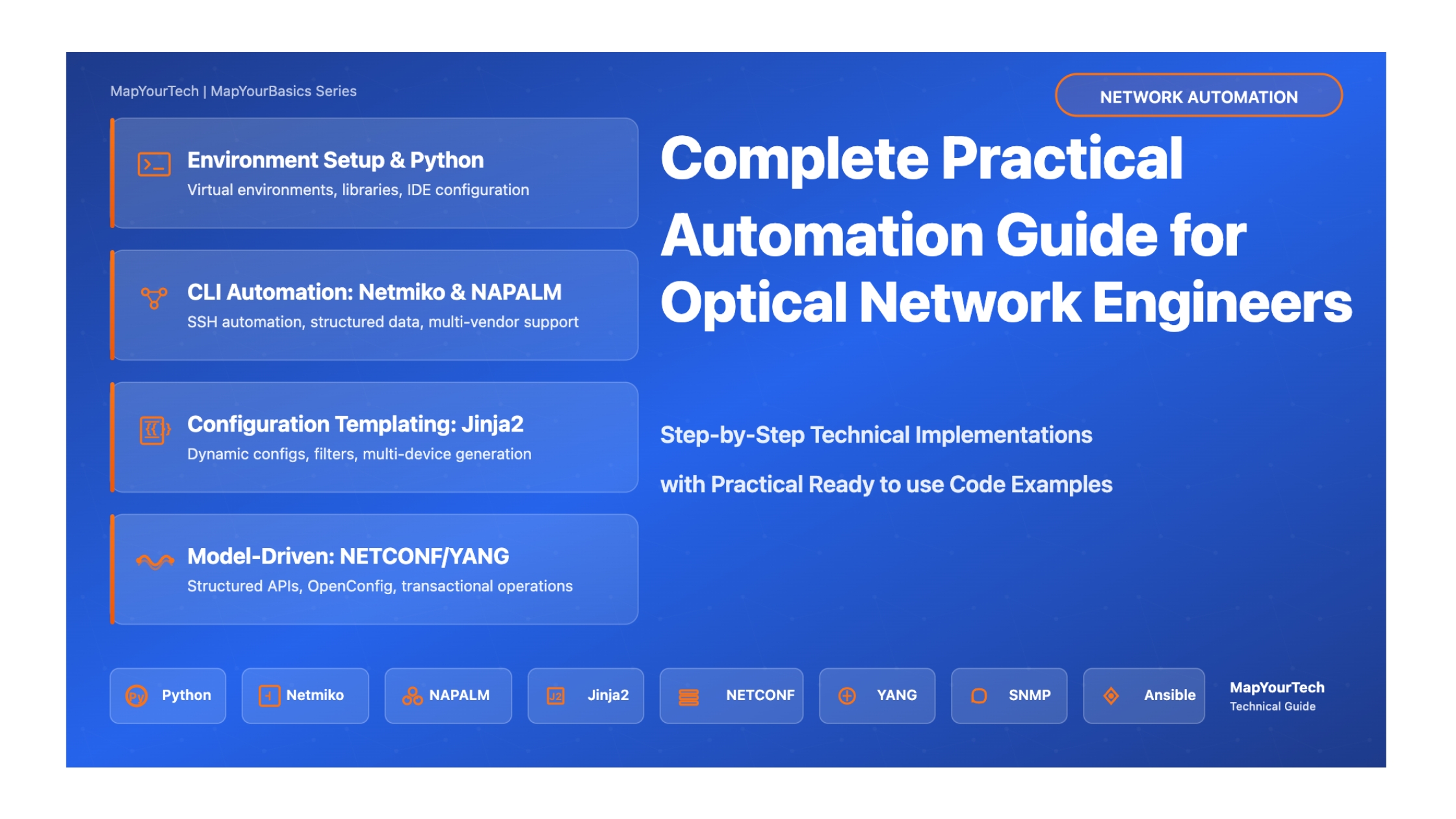
Practical Automation for Optical Network Engineers
Step-by-Step Implementation Guide with Real Code Examples, Best Practices, and Production-Ready Solutions
Your Automation Journey Starts Here
This comprehensive technical guide is designed to take you from automation basics to production-ready implementations. Every section includes hands-on code examples, detailed explanations, and practical advice based on real-world deployments.
What Makes This Guide Different
Practical Focus: Every concept is accompanied by working code you can run immediately
Real-World Context: Examples drawn from actual optical network automation scenarios
Progressive Learning: Builds from fundamentals to advanced topics systematically
Production-Ready: Includes error handling, security considerations, and best practices
Understanding Our Target Network Topology
Before diving into automation, let's understand the network infrastructure we'll be automating. This guide focuses on a realistic multi-vendor optical network spanning multiple data centers with DWDM transport, OTN switching, and IP/MPLS routing layers.
Sample Network Architecture
Scale: 3 Data Centers interconnected via DWDM optical network across India
Device Count: ~50 network elements (ROADMs, OTN switches, IP routers, optical amplifiers)
Vendors: Multi-vendor environment (representing real-world complexity)
Technologies: DWDM C-band (96 channels), 100G/400G coherent optics, OTN switching, IP/MPLS
Geographic Spread: Mumbai (West), Hyderabad (South), Delhi (North) - covering major Indian regions
Network Topology: Pan-India DWDM Optical Network
Our Automation Goals: The Complete Vision
By the end of this guide, you'll build a comprehensive automation framework that transforms how you manage this optical network. Here are the specific, measurable goals we're working toward:
Current State: Manual configuration takes 2-4 hours per device, error rate ~15%
Target State: Automated deployment in under 5 minutes per device, error rate <1%
Key Capabilities:
- Template-based configuration generation using Jinja2
- Pre-deployment validation and syntax checking
- Automatic rollback on failure
- Configuration versioning and change tracking
Current State: Manual Excel spreadsheets, often outdated, inventory audits take days
Target State: Real-time automated discovery, always-current inventory database
Key Capabilities:
- Automatic device discovery via LLDP/CDP
- Hardware and software inventory collection
- Interface and circuit mapping
- Optical channel and wavelength assignment tracking
- Integration with NetBox as source of truth
Current State: Reactive troubleshooting, 30-60 minute mean time to detect issues
Target State: Real-time monitoring with predictive alerts, <5 minute detection
Key Capabilities:
- Continuous optical power level monitoring (Tx/Rx)
- OSNR tracking and threshold alerting
- Pre-FEC and Post-FEC BER monitoring
- Chromatic dispersion and PMD tracking
- Temperature and component health monitoring
- Automated correlation of alarms across network layers
Current State: 3-5 day service turn-up time, manual path calculation
Target State: 1-hour automated provisioning, optimal path selection
Key Capabilities:
- Automated wavelength assignment and ROADM configuration
- End-to-end path computation considering OSNR budget
- OTN cross-connect automation
- IP/MPLS configuration for new circuits
- Pre and post-service validation testing
- Automatic service documentation generation
Current State: Quarterly manual audits, configuration drift undetected
Target State: Continuous compliance monitoring, instant drift detection
Key Capabilities:
- Automated configuration backup (daily)
- Configuration drift detection against golden configs
- Security policy compliance checking
- Unauthorized change detection and alerting
- Comprehensive audit logging
Current State: Separate management systems per vendor, no unified view
Target State: Single pane of glass, vendor-agnostic automation
Key Capabilities:
- Unified API layer using NETCONF/YANG with OpenConfig models
- Vendor-agnostic data collection using NAPALM
- Standardized configuration templates across vendors
- Cross-vendor service provisioning workflows
- Normalized telemetry data collection
Complete Automation Workflow: From Intent to Deployment
Measurable Success Metrics
Throughout this guide, we'll build toward achieving these specific, measurable improvements:
| Metric | Current (Manual) | Target (Automated) | Improvement |
|---|---|---|---|
| Service Provisioning Time | 3-5 days | 1-2 hours | 95% reduction |
| Configuration Errors | ~15% error rate | <1% error rate | 93% improvement |
| Mean Time to Detect (MTTD) | 30-60 minutes | <5 minutes | 90% faster |
| Configuration Backup | Weekly manual | Daily automated | 7x frequency |
| Inventory Accuracy | ~70% (outdated) | 99% (real-time) | 29% improvement |
| Compliance Audit Time | 3-5 days quarterly | Real-time continuous | 100% time savings |
| Engineer Productivity | ~30% manual tasks | ~90% value-add work | 3x productivity |
Part 1: Setting Up Your Development Environment
Step-by-Step Environment Configuration
For Linux (Ubuntu/Debian):
# Update package list
sudo apt update

# Install Python 3.11 (recommended version)
sudo apt install python3.11 python3.11-venv python3-pip

# Verify installation
python3 --version
pip3 --version

# Install development tools
sudo apt install git vim curl wget
For macOS:
# Install Homebrew if not already installed
/bin/bash -c "$(curl -fsSL https://raw.githubusercontent.com/Homebrew/install/HEAD/install.sh)"

# Install Python
brew install [email protected]

# Install Git
brew install git

# Verify installation
python3 --version
pip3 --version
For Windows:
# Download Python from python.org
# Select "Add Python to PATH" during installation
# Open PowerShell or Command Prompt

# Verify installation
python --version
pip --version

# Install Git for Windows
# Download from git-scm.com
Virtual environments isolate project dependencies and prevent conflicts between different automation projects.
# Create a directory for your automation project
mkdir ~/network-automation
cd ~/network-automation

# Create virtual environment
python3 -m venv venv

# Activate virtual environment
# On Linux/macOS:
source venv/bin/activate

# On Windows:
.\venv\Scripts\activate

# Your prompt should now show (venv)
# Install wheel for better package installation
pip install --upgrade pip wheel setuptools
With your virtual environment activated, install the core automation libraries:
# Core automation libraries
paramiko==3.3.1
netmiko==4.3.0
napalm==4.1.0
nornir==3.4.1
nornir-netmiko==1.0.1
nornir-napalm==0.5.0

# Configuration templating
jinja2==3.1.2

# NETCONF/YANG libraries
ncclient==0.6.15
xmltodict==0.13.0

# Data manipulation
pyyaml==6.0.1
pandas==2.1.3
openpyxl==3.1.2

# API interactions
requests==2.31.0

# Network testing
scapy==2.5.0

# Visualization
matplotlib==3.8.2

# SNMP
pysnmp==4.4.12

# CLI parsing
textfsm==1.1.3
ttp==0.9.5

# Version control
gitpython==3.1.40
Install all packages:
# Save the above content to requirements.txt
# Then install:
pip install -r requirements.txt

# Verify installations
python -c "import netmiko; print(f'Netmiko version: {netmiko.__version__}')"
python -c "import napalm; print('NAPALM installed successfully')"
python -c "import nornir; print(f'Nornir version: {nornir.__version__}')"
Visual Studio Code Setup (Recommended)
# Install VS Code from https://code.visualstudio.com/

# Essential Extensions to Install:
# 1. Python (by Microsoft)
# 2. Pylance (by Microsoft)
# 3. GitLens
# 4. YAML
# 5. Jinja
# 6. Better Comments
# 7. Code Spell Checker

# Install via command line:
code --install-extension ms-python.python
code --install-extension ms-python.vscode-pylance
code --install-extension eamodio.gitlens
code --install-extension redhat.vscode-yaml
code --install-extension wholroyd.jinja
PyCharm Setup (Alternative)
Download PyCharm Community Edition from jetbrains.com/pycharm. It includes built-in support for Python, Git, and debugging.
Organize your automation project with this recommended structure:
network-automation/
│
├── venv/                      # Virtual environment (don't commit to git)
├── inventory/                 # Device inventory files
│   ├── hosts.yaml
│   └── groups.yaml
│
├── configs/                   # Generated configurations
│   └── backups/
│
├── templates/                 # Jinja2 templates
│   ├── bgp_config.j2
│   ├── interface_config.j2
│   └── ospf_config.j2
│
├── scripts/                   # Automation scripts
│   ├── backup_configs.py
│   ├── deploy_configs.py
│   └── health_check.py
│
├── tests/                     # Test files
│   ├── test_connectivity.py
│   └── test_configurations.py
│
├── logs/                      # Log files
│
├── docs/                      # Documentation
│
├── .gitignore                 # Git ignore file
├── requirements.txt           # Python dependencies
├── README.md                  # Project documentation
└── config.yaml                # Global configuration
Create this structure:
#!/bin/bash
# create_project_structure.sh

mkdir -p inventory configs/backups templates scripts tests logs docs

# Create .gitignore
cat > .gitignore << 'EOF'
venv/
__pycache__/
*.pyc
*.pyo
*.log
configs/backups/*
.env
*.swp
.DS_Store
.vscode/
.idea/
EOF

# Create README
cat > README.md << 'EOF'
# Network Automation Project

## Setup
1. Create virtual environment: `python3 -m venv venv`
2. Activate: `source venv/bin/activate`
3. Install dependencies: `pip install -r requirements.txt`

## Usage
See docs/ for detailed instructions.
EOF

echo "Project structure created successfully!"
Part 2: Python Fundamentals for Network Engineers
Essential Python Concepts with Network Examples
Variables and Data Types
Understanding data types is crucial for handling network information effectively:
# String - for device names, IP addresses
device_name = "ROADM-01"
management_ip = "192.168.1.100"

# Integer - for port numbers, VLAN IDs
ssh_port = 22
vlan_id = 100

# Float - for optical power levels, OSNR values
optical_power = -3.5  # dBm
osnr_value = 22.8     # dB

# Boolean - for status checks
port_status = True
is_reachable = False

# List - for multiple similar items (ordered, mutable)
interfaces = ['GigabitEthernet0/1', 'GigabitEthernet0/2', 'GigabitEthernet0/3']
wavelengths = [1550.12, 1550.92, 1551.72, 1552.52]  # nm

# Dictionary - for structured device information (key-value pairs)
device = {
    'hostname': 'ROADM-01',
    'ip': '192.168.1.100',
    'vendor': 'Generic',
    'model': 'CDC-ROADM',
    'location': 'DC1-Floor2-Rack15'
}

# Tuple - for immutable data (ordered, cannot be changed)
coordinates = (37.7749, -122.4194)  # latitude, longitude

# Print examples
print(f"Device: {device_name}")
print(f"Optical Power: {optical_power} dBm")
print(f"Device Info: {device}")
print(f"First interface: {interfaces[0]}")

# Access dictionary values
print(f"Device hostname: {device['hostname']}")
print(f"Device location: {device['location']}")
Control Flow: Loops and Conditionals
# If-elif-else statements for decision making
def check_optical_power(power_dbm):
    """Check if optical power level is within acceptable range"""
    if power_dbm > 5:
        return "WARNING: Power too high! Risk of receiver damage"
    elif power_dbm >= -10:
        return "OK: Power within normal range"
    elif power_dbm >= -20:
        return "CAUTION: Power low, monitor link"
    else:
        return "CRITICAL: Power too low, link may fail"

# Test the function
test_powers = [8, -3, -15, -25]
for power in test_powers:
    status = check_optical_power(power)
    print(f"Power: {power} dBm -> {status}")

print("\n" + "="*50 + "\n")

# For loops - iterate through devices
devices = [
    {'name': 'ROADM-01', 'ip': '192.168.1.100'},
    {'name': 'ROADM-02', 'ip': '192.168.1.101'},
    {'name': 'ROADM-03', 'ip': '192.168.1.102'}
]

print("Checking device reachability:")
for device in devices:
    # In real scenario, you'd use ping or socket check
    print(f"Connecting to {device['name']} ({device['ip']})...")

print("\n" + "="*50 + "\n")

# While loops - useful for polling
def wait_for_interface_up(max_attempts=5):
    """Simulate waiting for interface to come up"""
    attempt = 0
    interface_status = "down"

    while attempt < max_attempts and interface_status != "up":
        attempt += 1
        print(f"Attempt {attempt}: Checking interface status...")

        # Simulate status check
        if attempt >= 3:  # Interface comes up on 3rd attempt
            interface_status = "up"

    return interface_status == "up"

# Test the function
success = wait_for_interface_up()
print(f"Interface is {'UP' if success else 'DOWN'}")

print("\n" + "="*50 + "\n")

# List comprehension - powerful one-liner for creating lists
# Filter wavelengths in C-band (1530-1565 nm)
all_wavelengths = [1520.5, 1535.8, 1545.3, 1555.7, 1570.2, 1580.4]
c_band_wavelengths = [wl for wl in all_wavelengths if 1530 <= wl <= 1565]
print(f"C-band wavelengths: {c_band_wavelengths}")

# Create list of interface names
interface_list = [f"TenGigE0/0/{i}" for i in range(1, 9)]
print(f"Interfaces: {interface_list}")
Functions for Reusable Code
import math

def calculate_osnr(ptx, gtotal, ltotal, namp, nfavg):
    """
    Calculate Optical Signal-to-Noise Ratio

    Formula: OSNR = PTX + Gtotal - Ltotal - 10×log(Namp) - NFavg + 58

    Parameters:
        ptx (float): Transmit power in dBm
        gtotal (float): Total gain in dB
        ltotal (float): Total loss in dB
        namp (int): Number of amplifiers
        nfavg (float): Average noise figure in dB

    Returns:
        float: OSNR in dB
    """
    osnr = ptx + gtotal - ltotal - 10 * math.log10(namp) - nfavg + 58
    return round(osnr, 2)

def db_to_mw(power_dbm):
    """Convert power from dBm to milliwatts"""
    return 10 ** (power_dbm / 10)

def mw_to_db(power_mw):
    """Convert power from milliwatts to dBm"""
    return 10 * math.log10(power_mw)

def parse_interface_name(interface_full):
    """
    Parse interface name into components

    Example: 'TenGigE0/0/0/15' -> ('TenGigE', '0/0/0/15')
    """
    parts = interface_full.split('0', 1)
    if len(parts) == 2:
        return parts[0].strip(), '0' + parts[1]
    return interface_full, ''

def calculate_link_budget(tx_power, rx_sensitivity, margin=3):
    """
    Calculate link budget for optical link

    Returns:
        dict: Link budget components
    """
    available_budget = tx_power - rx_sensitivity
    usable_budget = available_budget - margin

    return {
        'tx_power_dbm': tx_power,
        'rx_sensitivity_dbm': rx_sensitivity,
        'margin_db': margin,
        'available_budget_db': available_budget,
        'usable_budget_db': usable_budget,
        'status': 'OK' if usable_budget > 0 else 'INSUFFICIENT'
    }

# Example usage
if __name__ == "__main__":
    # Calculate OSNR
    osnr = calculate_osnr(
        ptx=0,      # 0 dBm launch power
        gtotal=80,  # 80 dB total gain
        ltotal=82,  # 82 dB total loss
        namp=4,     # 4 amplifiers
        nfavg=5.5   # 5.5 dB average NF
    )
    print(f"Calculated OSNR: {osnr} dB")

    # Power conversions
    power_dbm = 10
    power_mw = db_to_mw(power_dbm)
    print(f"{power_dbm} dBm = {power_mw:.2f} mW")

    # Link budget calculation
    budget = calculate_link_budget(
        tx_power=5,           # +5 dBm
        rx_sensitivity=-28,   # -28 dBm
        margin=3              # 3 dB margin
    )

    print(f"\nLink Budget Analysis:")
    for key, value in budget.items():
        print(f"  {key}: {value}")

    # Interface parsing
    interface = "TenGigE0/0/0/15"
    int_type, int_number = parse_interface_name(interface)
    print(f"\nInterface: {interface}")
    print(f"  Type: {int_type}")
    print(f"  Number: {int_number}")
Key Python Concepts to Master
Data Types: Strings, integers, floats, booleans, lists, dictionaries, tuples
Control Flow: if/elif/else, for loops, while loops, break/continue
Functions: Defining functions, parameters, return values, docstrings
Error Handling: try/except blocks for robust code
File I/O: Reading and writing files (configs, logs, data)
Modules & Imports: Organizing code and using libraries
Working with Files
import os
import json
import yaml
import csv
from datetime import datetime

def read_device_inventory(filename='inventory/devices.yaml'):
    """Read device inventory from YAML file"""
    try:
        with open(filename, 'r') as file:
            inventory = yaml.safe_load(file)
        return inventory
    except FileNotFoundError:
        print(f"Error: {filename} not found")
        return None
    except yaml.YAMLError as e:
        print(f"Error parsing YAML: {e}")
        return None

def write_json_report(data, filename):
    """Write data to JSON file with timestamp"""
    timestamp = datetime.now().strftime("%Y%m%d_%H%M%S")
    output_file = f"logs/{filename}_{timestamp}.json"

    try:
        with open(output_file, 'w') as file:
            json.dump(data, file, indent=2)
        print(f"Report saved to: {output_file}")
        return output_file
    except IOError as e:
        print(f"Error writing file: {e}")
        return None

def append_to_log(message, logfile='logs/automation.log'):
    """Append message to log file with timestamp"""
    timestamp = datetime.now().strftime("%Y-%m-%d %H:%M:%S")
    log_entry = f"[{timestamp}] {message}\n"

    # Create logs directory if it doesn't exist
    os.makedirs('logs', exist_ok=True)

    with open(logfile, 'a') as file:
        file.write(log_entry)

def export_to_csv(data_list, filename, headers):
    """Export list of dictionaries to CSV"""
    try:
        with open(filename, 'w', newline='') as csvfile:
            writer = csv.DictWriter(csvfile, fieldnames=headers)
            writer.writeheader()
            writer.writerows(data_list)
        print(f"Data exported to: {filename}")
    except IOError as e:
        print(f"Error writing CSV: {e}")

# Example usage
if __name__ == "__main__":
    # Sample device inventory structure
    sample_inventory = {
        'optical_devices': [
            {
                'hostname': 'ROADM-01',
                'ip': '192.168.1.100',
                'location': 'DC1',
                'type': 'roadm'
            },
            {
                'hostname': 'OTN-SWITCH-01',
                'ip': '192.168.1.101',
                'location': 'DC1',
                'type': 'otn_switch'
            }
        ]
    }

    # Write sample inventory
    os.makedirs('inventory', exist_ok=True)
    with open('inventory/devices.yaml', 'w') as f:
        yaml.dump(sample_inventory, f, default_flow_style=False)

    # Read inventory
    inventory = read_device_inventory()
    if inventory:
        print("Device Inventory:")
        print(json.dumps(inventory, indent=2))

    # Write JSON report
    report_data = {
        'report_type': 'health_check',
        'timestamp': datetime.now().isoformat(),
        'devices_checked': 2,
        'status': 'completed'
    }
    write_json_report(report_data, 'health_check_report')

    # Append to log
    append_to_log("Automation script started")
    append_to_log("Inventory loaded successfully")

    # Export to CSV
    device_status = [
        {'device': 'ROADM-01', 'status': 'up', 'uptime_hours': 720},
        {'device': 'OTN-SWITCH-01', 'status': 'up', 'uptime_hours': 168}
    ]
    export_to_csv(device_status, 'logs/device_status.csv',
                  ['device', 'status', 'uptime_hours'])
Error Handling
import sys
import logging

# Configure logging
logging.basicConfig(
    level=logging.INFO,
    format='%(asctime)s - %(levelname)s - %(message)s',
    handlers=[
        logging.FileHandler('logs/automation.log'),
        logging.StreamHandler(sys.stdout)
    ]
)

def connect_to_device(device_ip, timeout=10):
    """
    Connect to network device with proper error handling
    """
    try:
        logging.info(f"Attempting to connect to {device_ip}")

        # Simulated connection (replace with actual netmiko connection)
        if not device_ip:
            raise ValueError("Device IP cannot be empty")

        # Simulate connection logic
        logging.info(f"Successfully connected to {device_ip}")
        return True

    except ValueError as e:
        logging.error(f"Invalid input: {e}")
        return False
    except ConnectionError as e:
        logging.error(f"Connection failed to {device_ip}: {e}")
        return False
    except Exception as e:
        logging.error(f"Unexpected error connecting to {device_ip}: {e}")
        return False

def safe_divide(a, b):
    """Safely divide two numbers with error handling"""
    try:
        result = a / b
        return result
    except ZeroDivisionError:
        logging.error("Cannot divide by zero")
        return None
    except TypeError:
        logging.error("Invalid types for division")
        return None

def validate_optical_power(power_dbm):
    """Validate optical power reading with specific exceptions"""
    try:
        # Convert to float if string
        power = float(power_dbm)

        # Check if value is reasonable
        if power < -40:
            raise ValueError(f"Power too low: {power} dBm (< -40 dBm)")
        if power > 20:
            raise ValueError(f"Power too high: {power} dBm (> +20 dBm)")

        return power

    except ValueError as e:
        logging.warning(f"Invalid power value: {e}")
        return None
    except Exception as e:
        logging.error(f"Unexpected error validating power: {e}")
        return None

# Example usage with multiple exception handling
def process_device_list(device_file):
    """Process device list with comprehensive error handling"""
    try:
        with open(device_file, 'r') as f:
            devices = f.readlines()

        results = []
        for device in devices:
            device = device.strip()
            if device:  # Skip empty lines
                try:
                    success = connect_to_device(device)
                    results.append({'device': device, 'status': success})
                except Exception as e:
                    logging.error(f"Error processing {device}: {e}")
                    results.append({'device': device, 'status': False})

        return results

    except FileNotFoundError:
        logging.error(f"Device file not found: {device_file}")
        return []
    except IOError as e:
        logging.error(f"Error reading file {device_file}: {e}")
        return []
    finally:
        logging.info("Device processing completed")

if __name__ == "__main__":
    # Test error handling
    logging.info("Starting error handling examples")

    # Test connection
    connect_to_device("192.168.1.100")
    connect_to_device("")  # Will raise ValueError

    # Test division
    result = safe_divide(10, 2)
    logging.info(f"10 / 2 = {result}")

    result = safe_divide(10, 0)  # Will handle ZeroDivisionError

    # Test power validation
    validate_optical_power(-5.5)   # Valid
    validate_optical_power(-50)    # Too low
    validate_optical_power(25)     # Too high
    validate_optical_power("abc")  # Invalid type
Part 3: Mastering Netmiko for Device Automation
Netmiko is the most widely used Python library for CLI-based device automation. It provides a consistent interface across multiple vendor platforms.
Understanding Netmiko Basics
What is Netmiko?
Netmiko is a multi-vendor SSH library built on top of Paramiko. It simplifies network device interaction by handling:
Automatic Device Type Detection: Identifies vendor/platform automatically
Prompt Handling: Deals with different CLI prompts and pagination
Enable Mode: Automatically enters privileged mode when needed
Configuration Mode: Handles configuration commands properly
Basic Netmiko Connection
from netmiko import ConnectHandler
import getpass

# Device connection parameters
device = {
    'device_type': 'cisco_ios',  # Or 'juniper_junos', 'arista_eos', etc.
    'host': '192.168.1.100',
    'username': 'admin',
    'password': getpass.getpass('Enter password: '),  # Secure password input
    'port': 22,
    'secret': '',  # Enable secret if needed
    'verbose': False,
}

try:
    # Establish connection
    print(f"Connecting to {device['host']}...")
    connection = ConnectHandler(**device)

    # Send a command and get output
    output = connection.send_command('show version')
    print("\n=== Show Version Output ===")
    print(output)

    # Get hostname
    hostname = connection.find_prompt()
    print(f"\nDevice Hostname: {hostname}")

    # Disconnect
    connection.disconnect()
    print("\nDisconnected successfully")

except Exception as e:
    print(f"Error: {e}")
Executing Multiple Commands
from netmiko import ConnectHandler
import logging

# Enable logging for debugging
logging.basicConfig(level=logging.DEBUG)

device = {
    'device_type': 'cisco_ios',
    'host': '192.168.1.100',
    'username': 'admin',
    'password': 'password',
}

# List of show commands to execute
show_commands = [
    'show version',
    'show interfaces status',
    'show ip interface brief',
    'show running-config',
    'show inventory',
]

def collect_device_information(device_params, commands):
    """
    Collect information from device using multiple show commands

    Returns:
        dict: Command outputs keyed by command
    """
    results = {}

    try:
        # Connect to device
        print(f"Connecting to {device_params['host']}...")
        connection = ConnectHandler(**device_params)

        # Execute each command
        for cmd in commands:
            print(f"Executing: {cmd}")
            output = connection.send_command(cmd, read_timeout=30)
            results[cmd] = output

        # Disconnect
        connection.disconnect()
        print("Collection completed successfully")

    except Exception as e:
        print(f"Error during collection: {e}")
        return None

    return results

# Execute collection
if __name__ == "__main__":
    outputs = collect_device_information(device, show_commands)

    if outputs:
        # Save outputs to files
        import os
        os.makedirs('collected_data', exist_ok=True)

        for command, output in outputs.items():
            # Create filename from command
            filename = command.replace(' ', '_') + '.txt'
            filepath = os.path.join('collected_data', filename)

            with open(filepath, 'w') as f:
                f.write(output)

            print(f"Saved: {filepath}")
Configuration Management with Netmiko
from netmiko import ConnectHandler
from datetime import datetime
import os

def backup_configuration(device_params, backup_dir='configs/backups'):
    """
    Backup device running configuration

    Returns:
        str: Path to backup file or None on error
    """
    try:
        # Create backup directory if it doesn't exist
        os.makedirs(backup_dir, exist_ok=True)

        # Connect to device
        print(f"Connecting to {device_params['host']}...")
        connection = ConnectHandler(**device_params)

        # Get running config
        print("Retrieving running configuration...")
        config = connection.send_command('show running-config')

        # Generate filename with timestamp
        hostname = connection.find_prompt().strip('#>')
        timestamp = datetime.now().strftime("%Y%m%d_%H%M%S")
        filename = f"{hostname}_{timestamp}.cfg"
        filepath = os.path.join(backup_dir, filename)

        # Save configuration
        with open(filepath, 'w') as f:
            f.write(config)

        # Disconnect
        connection.disconnect()

        print(f"Configuration backed up to: {filepath}")
        return filepath

    except Exception as e:
        print(f"Error backing up configuration: {e}")
        return None

def deploy_configuration(device_params, config_commands):
    """
    Deploy configuration commands to device

    Args:
        device_params (dict): Device connection parameters
        config_commands (list): List of configuration commands

    Returns:
        bool: True if successful, False otherwise
    """
    try:
        # Connect to device
        print(f"Connecting to {device_params['host']}...")
        connection = ConnectHandler(**device_params)

        # Backup current config before making changes
        print("Creating pre-change backup...")
        backup_configuration(device_params)

        # Enter configuration mode and send commands
        print("Deploying configuration...")
        output = connection.send_config_set(config_commands)
        print(output)

        # Save configuration
        print("Saving configuration...")
        save_output = connection.save_config()
        print(save_output)

        # Disconnect
        connection.disconnect()

        print("Configuration deployed successfully")
        return True

    except Exception as e:
        print(f"Error deploying configuration: {e}")
        return False

def configure_interface(device_params, interface, description, ip_address=None):
    """
    Configure interface with description and optional IP address
    """
    config_commands = [
        f'interface {interface}',
        f'description {description}',
    ]

    if ip_address:
        config_commands.extend([
            f'ip address {ip_address["ip"]} {ip_address["mask"]}',
            'no shutdown'
        ])

    return deploy_configuration(device_params, config_commands)

# Example usage
if __name__ == "__main__":
    device = {
        'device_type': 'cisco_ios',
        'host': '192.168.1.100',
        'username': 'admin',
        'password': 'password',
    }

    # Backup configuration
    backup_configuration(device)

    # Deploy sample configuration
    sample_config = [
        'interface Loopback100',
        'description Management Loopback',
        'ip address 10.255.255.1 255.255.255.255',
        'no shutdown',
    ]

    # Uncomment to actually deploy
    # deploy_configuration(device, sample_config)

    # Configure specific interface
    # configure_interface(
    #     device,
    #     interface='GigabitEthernet0/1',
    #     description='Link to Core Switch',
    #     ip_address={'ip': '10.1.1.1', 'mask': '255.255.255.252'}
    # )
- Always backup configurations before making changes
- Test commands in lab environment first
- Use connection timeouts to prevent hanging
- Implement try-except blocks for error handling
- Log all actions for audit trail
- Consider implementing change windows and approval workflows
Part 4: NAPALM for Vendor-Agnostic Automation
NAPALM (Network Automation and Programmability Abstraction Layer with Multivendor support) provides a unified API across different network vendors.
NAPALM Benefits Over Raw CLI
Why Use NAPALM?
Structured Data: Returns Python dictionaries instead of raw text
Vendor Agnostic: Same code works across Cisco, Juniper, Arista, etc.
Atomic Operations: Configuration changes with automatic rollback
Built-in Validation: Compare and verify configurations before applying
NAPALM Basic Operations
from napalm import get_network_driver
import json

# Device parameters
device_params = {
    'hostname': '192.168.1.100',
    'username': 'admin',
    'password': 'password',
    'optional_args': {'port': 22}
}

# Get the appropriate driver
driver = get_network_driver('ios')  # or 'junos', 'eos', 'nxos'
device = driver(**device_params)

try:
    # Open connection
    print("Connecting to device...")
    device.open()

    # Get device facts
    print("\n=== Device Facts ===")
    facts = device.get_facts()
    print(json.dumps(facts, indent=2))

    # Get interface information
    print("\n=== Interfaces ===")
    interfaces = device.get_interfaces()
    for interface, details in interfaces.items():
        print(f"{interface}:")
        print(f"  Status: {'up' if details['is_up'] else 'down'}")
        print(f"  Speed: {details['speed']} Mbps")
        print(f"  MAC: {details['mac_address']}")

    # Get interface IP addresses
    print("\n=== Interface IP Addresses ===")
    ips = device.get_interfaces_ip()
    for interface, ip_data in ips.items():
        if ip_data:
            print(f"{interface}:")
            for ip, details in ip_data.items():
                print(f"  {ip}: {details}")

    # Get ARP table
    print("\n=== ARP Table ===")
    arp_table = device.get_arp_table()
    for entry in arp_table[:5]:  # Show first 5 entries
        print(f"IP: {entry['ip']}, MAC: {entry['mac']}, Interface: {entry['interface']}")

    # Get LLDP neighbors
    print("\n=== LLDP Neighbors ===")
    lldp = device.get_lldp_neighbors()
    for local_port, neighbors in lldp.items():
        for neighbor in neighbors:
            print(f"{local_port} -> {neighbor['hostname']} ({neighbor['port']})")

finally:
    # Always close connection
    device.close()
    print("\nConnection closed")
Configuration Management with NAPALM
from napalm import get_network_driver
from datetime import datetime
import difflib

def safe_config_deployment(device_params, config_file):
    """
    Safely deploy configuration with automatic rollback capability

    NAPALM provides atomic configuration deployment:
    1. Load configuration into candidate config
    2. Compare with running config
    3. Review changes
    4. Commit or discard
    """
    driver = get_network_driver(device_params['driver'])
    device = driver(
        hostname=device_params['hostname'],
        username=device_params['username'],
        password=device_params['password']
    )

    try:
        # Open connection
        print(f"Connecting to {device_params['hostname']}...")
        device.open()

        # Load configuration (doesn't apply it yet)
        print(f"Loading configuration from {config_file}...")
        device.load_merge_candidate(filename=config_file)

        # Get the diff between running and candidate config
        print("\n=== Configuration Diff ===")
        diff = device.compare_config()
        if diff:
            print(diff)

            # Ask for confirmation
            confirm = input("\nApply this configuration? (yes/no): ")

            if confirm.lower() == 'yes':
                print("Committing configuration...")
                device.commit_config()
                print("Configuration applied successfully")
            else:
                print("Discarding changes...")
                device.discard_config()
                print("Changes discarded")
        else:
            print("No configuration changes detected")
            device.discard_config()

    except Exception as e:
        print(f"Error during configuration deployment: {e}")
        print("Discarding changes and rolling back...")
        device.discard_config()

    finally:
        device.close()

def rollback_configuration(device_params, rollback_steps=1):
    """
    Rollback to previous configuration

    Note: Rollback availability depends on platform
    """
    driver = get_network_driver(device_params['driver'])
    device = driver(
        hostname=device_params['hostname'],
        username=device_params['username'],
        password=device_params['password']
    )

    try:
        device.open()

        print(f"Rolling back {rollback_steps} configuration(s)...")
        device.rollback()
        print("Rollback completed")

    except Exception as e:
        print(f"Error during rollback: {e}")
    finally:
        device.close()

def validate_configuration_syntax(config_file):
    """
    Validate configuration file syntax before deployment
    """
    try:
        with open(config_file, 'r') as f:
            config = f.read()

        # Basic validation checks
        errors = []

        # Check for common syntax errors
        if 'interface' in config and 'no shutdown' not in config:
            errors.append("Warning: No 'no shutdown' command found")

        if errors:
            print("Validation warnings:")
            for error in errors:
                print(f"  - {error}")
            return False

        print("Configuration syntax validation passed")
        return True

    except Exception as e:
        print(f"Error validating configuration: {e}")
        return False

# Example usage
if __name__ == "__main__":
    device_params = {
        'driver': 'ios',
        'hostname': '192.168.1.100',
        'username': 'admin',
        'password': 'password'
    }

    # Create sample configuration file
    sample_config = """
interface Loopback200
 description NAPALM Test Loopback
 ip address 10.200.200.1 255.255.255.255
 no shutdown
"""

    with open('sample_config.txt', 'w') as f:
        f.write(sample_config)

    # Validate and deploy
    if validate_configuration_syntax('sample_config.txt'):
        # Uncomment to actually deploy
        # safe_config_deployment(device_params, 'sample_config.txt')
        pass
Part 5: Configuration Templating with Jinja2
Jinja2 allows you to create dynamic configuration templates that adapt to different devices and scenarios, eliminating repetitive configuration work.
Jinja2 Template Basics
Simple Template Example
interface {{ interface_name }}
 description {{ description }}
 {% if ip_address %}
 ip address {{ ip_address }} {{ subnet_mask }}
 {% endif %}
 {% if vlan_id %}
 switchport mode access
 switchport access vlan {{ vlan_id }}
 {% endif %}
 no shutdown
!
from jinja2 import Environment, FileSystemLoader
import os

# Set up Jinja2 environment
template_dir = 'templates'
env = Environment(loader=FileSystemLoader(template_dir))

# Load template
template = env.get_template('interface_config.j2')

# Data for rendering
interface_data = {
    'interface_name': 'GigabitEthernet0/1',
    'description': 'Link to Core Router',
    'ip_address': '10.1.1.1',
    'subnet_mask': '255.255.255.252',
}

# Render template
config = template.render(interface_data)
print(config)
Advanced Jinja2 Features
!
! Configuration for {{ hostname }}
! Generated: {{ generation_time }}
! Location: {{ location }}
!
hostname {{ hostname }}
!
{% if dns_servers %}
{% for dns in dns_servers %}
ip name-server {{ dns }}
{% endfor %}
{% endif %}
!
{% if ntp_servers %}
{% for ntp in ntp_servers %}
ntp server {{ ntp }}
{% endfor %}
{% endif %}
!
! Optical Interfaces Configuration
{% for port in optical_ports %}
interface {{ port.name }}
 description {{ port.description }}
 {% if port.wavelength %}
 wavelength {{ port.wavelength }} nm
 {% endif %}
 {% if port.tx_power %}
 optical-power transmit {{ port.tx_power }} dBm
 {% endif %}
 {% if port.fec_mode %}
 fec-mode {{ port.fec_mode }}
 {% endif %}
 no shutdown
!
{% endfor %}
!
{% if bgp_config %}
router bgp {{ bgp_config.asn }}
 bgp log-neighbor-changes
 {% for neighbor in bgp_config.neighbors %}
 neighbor {{ neighbor.ip }} remote-as {{ neighbor.remote_asn }}
 neighbor {{ neighbor.ip }} description {{ neighbor.description }}
 {% endfor %}
 !
 address-family ipv4
 {% for neighbor in bgp_config.neighbors %}
  neighbor {{ neighbor.ip }} activate
 {% endfor %}
 exit-address-family
{% endif %}
!
end
from jinja2 import Environment, FileSystemLoader
from datetime import datetime
import yaml

def generate_device_config(device_data, template_name):
    """
    Generate device configuration from template and data

    Args:
        device_data (dict): Device-specific data
        template_name (str): Name of Jinja2 template file

    Returns:
        str: Rendered configuration
    """
    # Set up Jinja2 environment
    env = Environment(
        loader=FileSystemLoader('templates'),
        trim_blocks=True,
        lstrip_blocks=True
    )

    # Add generation timestamp
    device_data['generation_time'] = datetime.now().strftime("%Y-%m-%d %H:%M:%S")

    # Load and render template
    template = env.get_template(template_name)
    config = template.render(device_data)

    return config

# Example device data
device_data = {
    'hostname': 'ROADM-DC1-01',
    'location': 'DataCenter-1 Floor-2 Rack-15',
    'dns_servers': ['8.8.8.8', '8.8.4.4'],
    'ntp_servers': ['0.pool.ntp.org', '1.pool.ntp.org'],
    'optical_ports': [
        {
            'name': 'OpticalEthernet0/0/0/1',
            'description': 'C-band wavelength to ROADM-DC2-01',
            'wavelength': 1550.12,
            'tx_power': 0,
            'fec_mode': 'enhanced'
        },
        {
            'name': 'OpticalEthernet0/0/0/2',
            'description': 'C-band wavelength to ROADM-DC3-01',
            'wavelength': 1550.92,
            'tx_power': 0,
            'fec_mode': 'enhanced'
        }
    ],
    'bgp_config': {
        'asn': 65001,
        'neighbors': [
            {
                'ip': '10.1.1.2',
                'remote_asn': 65002,
                'description': 'BGP peer to DC2'
            },
            {
                'ip': '10.1.1.6',
                'remote_asn': 65003,
                'description': 'BGP peer to DC3'
            }
        ]
    }
}

# Generate configuration
if __name__ == "__main__":
    config = generate_device_config(device_data, 'optical_device_config.j2')
    print(config)

    # Save to file
    output_file = f"configs/{device_data['hostname']}_config.txt"
    with open(output_file, 'w') as f:
        f.write(config)
    print(f"\nConfiguration saved to: {output_file}")
Jinja2 Filters and Tests
!
! Using Jinja2 Filters
!
hostname {{ hostname | upper }}
!
{% for interface in interfaces %}
! Interface {{ loop.index }} of {{ loop.length }}
interface {{ interface.name }}
 description {{ interface.description | default('No description') }}
 {% if interface.ip_address is defined %}
 ip address {{ interface.ip_address }} {{ interface.mask }}
 {% endif %}
 {% if interface.bandwidth %}
 bandwidth {{ interface.bandwidth | int }}
 {% endif %}
!
{% endfor %}
!
! Conditional Logic
{% if optical_power < -20 %}
! WARNING: Optical power critically low!
{% elif optical_power < -10 %}
! CAUTION: Optical power below optimal range
{% else %}
! Optical power within acceptable range
{% endif %}
!
! Loop with Conditionals
{% for wavelength in wavelengths %}
{% if wavelength >= 1530 and wavelength <= 1565 %}
! Wavelength {{ wavelength }} nm is in C-band
{% endif %}
{% endfor %}
!
! Using Math Filters
! Total interfaces: {{ interfaces | length }}
! Average bandwidth: {{ (interfaces | sum(attribute='bandwidth')) / (interfaces | length) }}
!
from jinja2 import Environment, FileSystemLoader

# Custom filter function
def dbm_to_mw(power_dbm):
    """Convert dBm to milliwatts"""
    return round(10 ** (power_dbm / 10), 2)

# Set up environment with custom filter
env = Environment(loader=FileSystemLoader('templates'))
env.filters['dbm_to_mw'] = dbm_to_mw

# Template with custom filter
template_str = """
Optical Power Readings:
{% for reading in power_readings %}
  Port {{ reading.port }}: {{ reading.power_dbm }} dBm ({{ reading.power_dbm | dbm_to_mw }} mW)
{% endfor %}
"""

template = env.from_string(template_str)

# Data
data = {
    'power_readings': [
        {'port': 1, 'power_dbm': 0},
        {'port': 2, 'power_dbm': -3},
        {'port': 3, 'power_dbm': -10},
    ]
}

# Render
output = template.render(data)
print(output)
Part 7: Model-Driven Automation with NETCONF/YANG
NETCONF and YANG represent the future of network automation, providing structured, standardized interfaces for multi-vendor environments.
Understanding NETCONF and YANG
What are NETCONF and YANG?
YANG: Data modeling language that defines the structure of configuration and operational data
NETCONF: Network configuration protocol that provides operations to retrieve and edit configuration using YANG models
Benefits: Structured data (XML/JSON), transactional operations, candidate configuration, automatic rollback
NETCONF Basic Operations
from ncclient import manager
import xml.dom.minidom as minidom
import logging

# Enable logging for debugging
logging.basicConfig(level=logging.INFO)

def connect_netconf(host, username, password, port=830):
    """
    Establish NETCONF connection

    Returns:
        manager: NETCONF manager object
    """
    return manager.connect(
        host=host,
        port=port,
        username=username,
        password=password,
        hostkey_verify=False,
        device_params={'name': 'default'},
        timeout=30
    )

def get_capabilities(connection):
    """Get NETCONF capabilities supported by device"""
    print("=== Device Capabilities ===")
    for capability in connection.server_capabilities:
        print(capability)

def get_running_config(connection, filter=None):
    """
    Retrieve running configuration

    Args:
        connection: NETCONF manager object
        filter: Optional XML filter to retrieve specific data
    """
    if filter:
        config = connection.get_config(source='running', filter=filter)
    else:
        config = connection.get_config(source='running')

    # Pretty print XML
    xml_str = minidom.parseString(str(config)).toprettyxml(indent="  ")
    return xml_str

def get_interface_statistics(connection):
    """
    Get interface statistics using NETCONF

    Example for OpenConfig model
    """
    filter_xml = """


    """

    try:
        result = connection.get(filter=filter_xml)
        return result
    except Exception as e:
        print(f"Error retrieving interface statistics: {e}")
        return None

# Example usage
if __name__ == "__main__":
    device = {
        'host': '192.168.1.100',
        'username': 'admin',
        'password': 'password',
        'port': 830
    }

    try:
        print("Connecting via NETCONF...")
        conn = connect_netconf(**device)

        # Get capabilities
        get_capabilities(conn)

        # Get running config (be careful, can be large!)
        # config = get_running_config(conn)
        # print(config)

        print("\nNETCONF session established successfully")

    except Exception as e:
        print(f"Error: {e}")

    finally:
        if 'conn' in locals():
            conn.close_session()
            print("NETCONF session closed")
NETCONF Configuration Management
from ncclient import manager
from ncclient.operations import RPCError
import xml.etree.ElementTree as ET

def configure_interface_netconf(connection, interface_name, ip_address, mask):
    """
    Configure interface using NETCONF

    This example uses OpenConfig YANG models
    """
    config_xml = f"""


                {interface_name}

                    {interface_name}

                        ianaift:ethernetCsmacd

                    true


                        0


                                    {ip_address}

                                        {ip_address}
                                        {mask}


    """

    try:
        # Load configuration into candidate
        print("Loading configuration...")
        conn.edit_config(target='candidate', config=config_xml)

        # Validate configuration
        print("Validating configuration...")
        conn.validate(source='candidate')

        # Commit configuration
        print("Committing configuration...")
        conn.commit()

        print("Configuration applied successfully")
        return True

    except RPCError as e:
        print(f"RPC Error: {e}")
        # Discard changes on error
        conn.discard_changes()
        return False
    except Exception as e:
        print(f"Error: {e}")
        return False

def configure_optical_channel(connection, channel_config):
    """
    Configure optical channel parameters

    Using OpenConfig terminal-device model
    """
    config_xml = f"""


                    {channel_config['index']}

                        {channel_config['index']}
                        {channel_config['description']}
                        ENABLED


                            {channel_config['frequency']}
                            {channel_config['power']}
                            {channel_config['mode']}


    """

    try:
        conn.edit_config(target='candidate', config=config_xml)
        conn.commit()
        print(f"Optical channel {channel_config['index']} configured successfully")
        return True
    except Exception as e:
        print(f"Error configuring optical channel: {e}")
        conn.discard_changes()
        return False

def get_optical_power_monitoring(connection):
    """
    Retrieve optical power levels using NETCONF
    """
    filter_xml = """


    """

    try:
        result = connection.get(filter=filter_xml)
        return result.data_xml
    except Exception as e:
        print(f"Error retrieving optical power: {e}")
        return None

# Example usage
if __name__ == "__main__":
    device = {
        'host': '192.168.1.100',
        'username': 'admin',
        'password': 'password',
        'port': 830
    }

    try:
        conn = manager.connect(
            host=device['host'],
            port=device['port'],
            username=device['username'],
            password=device['password'],
            hostkey_verify=False,
            device_params={'name': 'default'}
        )

        # Configure optical channel
        channel_config = {
            'index': 1,
            'description': 'DWDM Channel to Remote Site',
            'frequency': 193100000,  # 193.1 THz (1550.12 nm)
            'power': 0,  # 0 dBm target output power
            'mode': '100'  # 100G operational mode
        }

        # Uncomment to actually configure
        # configure_optical_channel(conn, channel_config)

        # Get optical power monitoring
        # power_data = get_optical_power_monitoring(conn)
        # print(power_data)

    except Exception as e:
        print(f"Error: {e}")
    finally:
        if 'conn' in locals():
            conn.close_session()
Part 9: Monitoring and Streaming Telemetry
SNMP-Based Monitoring
from pysnmp.hlapi import *
from datetime import datetime
import time

def snmp_get(device_ip, community, oid):
    """
    Perform SNMP GET operation

    Args:
        device_ip (str): IP address of device
        community (str): SNMP community string
        oid (str): OID to query

    Returns:
        Value retrieved from device
    """
    iterator = getCmd(
        SnmpEngine(),
        CommunityData(community),
        UdpTransportTarget((device_ip, 161)),
        ContextData(),
        ObjectType(ObjectIdentity(oid))
    )

    errorIndication, errorStatus, errorIndex, varBinds = next(iterator)

    if errorIndication:
        print(f"Error: {errorIndication}")
        return None
    elif errorStatus:
        print(f"Error: {errorStatus.prettyPrint()}")
        return None
    else:
        for varBind in varBinds:
            return varBind[1]

def monitor_optical_power_snmp(device_ip, community, port_index):
    """
    Monitor optical power levels via SNMP

    Common OIDs for optical monitoring:
    - Optical TX power: .1.3.6.1.4.1.9.9.719.1.7.1.1.3 (Cisco)
    - Optical RX power: .1.3.6.1.4.1.9.9.719.1.7.1.1.4 (Cisco)
    """
    # Example OID (vendor-specific)
    tx_power_oid = f'.1.3.6.1.4.1.9.9.719.1.7.1.1.3.{port_index}'
    rx_power_oid = f'.1.3.6.1.4.1.9.9.719.1.7.1.1.4.{port_index}'

    tx_power = snmp_get(device_ip, community, tx_power_oid)
    rx_power = snmp_get(device_ip, community, rx_power_oid)

    if tx_power and rx_power:
        # Convert to dBm (values usually in tenths of dBm)
        tx_power_dbm = int(tx_power) / 10.0
        rx_power_dbm = int(rx_power) / 10.0

        return {
            'timestamp': datetime.now().isoformat(),
            'port_index': port_index,
            'tx_power_dbm': tx_power_dbm,
            'rx_power_dbm': rx_power_dbm
        }

    return None

def continuous_monitoring(device_ip, community, port_indices, interval=60):
    """
    Continuously monitor optical power levels

    Args:
        device_ip (str): Device IP address
        community (str): SNMP community
        port_indices (list): List of port indices to monitor
        interval (int): Polling interval in seconds
    """
    print(f"Starting continuous monitoring (interval: {interval}s)")
    print("Press Ctrl+C to stop\n")

    try:
        while True:
            print(f"=== Polling at {datetime.now().strftime('%Y-%m-%d %H:%M:%S')} ===")

            for port_index in port_indices:
                data = monitor_optical_power_snmp(device_ip, community, port_index)

                if data:
                    print(f"Port {port_index}:")
                    print(f"  TX Power: {data['tx_power_dbm']:.2f} dBm")
                    print(f"  RX Power: {data['rx_power_dbm']:.2f} dBm")

                    # Check thresholds
                    if data['rx_power_dbm'] < -20:
                        print(f"  WARNING: RX power below threshold!")

                    # Log to file
                    with open('logs/optical_power_monitor.log', 'a') as f:
                        f.write(f"{data['timestamp']},{port_index},"
                               f"{data['tx_power_dbm']},{data['rx_power_dbm']}\n")

            print()
            time.sleep(interval)

    except KeyboardInterrupt:
        print("\nMonitoring stopped")

def get_interface_status(device_ip, community):
    """
    Get interface operational status via SNMP

    ifOperStatus OID: 1.3.6.1.2.1.2.2.1.8
    Values: 1=up, 2=down, 3=testing, 4=unknown, 5=dormant, 6=notPresent, 7=lowerLayerDown
    """
    # Walk the interface table
    interfaces = {}

    for (errorIndication,
         errorStatus,
         errorIndex,
         varBinds) in nextCmd(SnmpEngine(),
                             CommunityData(community),
                             UdpTransportTarget((device_ip, 161)),
                             ContextData(),
                             ObjectType(ObjectIdentity('1.3.6.1.2.1.2.2.1.8')),
                             lexicographicMode=False):

        if errorIndication:
            print(f"Error: {errorIndication}")
            break
        elif errorStatus:
            print(f"Error: {errorStatus.prettyPrint()}")
            break
        else:
            for varBind in varBinds:
                oid_str = str(varBind[0])
                index = oid_str.split('.')[-1]
                status_code = int(varBind[1])

                status_map = {
                    1: 'up',
                    2: 'down',
                    3: 'testing',
                    4: 'unknown',
                    5: 'dormant',
                    6: 'notPresent',
                    7: 'lowerLayerDown'
                }

                interfaces[index] = status_map.get(status_code, 'unknown')

    return interfaces

# Example usage
if __name__ == "__main__":
    device = '192.168.1.100'
    community = 'public'

    # Get interface status
    print("=== Interface Status ===")
    interfaces = get_interface_status(device, community)
    for index, status in interfaces.items():
        print(f"Interface {index}: {status}")

    # Monitor optical power for specific ports
    # Uncomment to run continuous monitoring
    # continuous_monitoring(device, community, port_indices=[1, 2, 3], interval=60)
Streaming Telemetry with gNMI
Why Streaming Telemetry?
Real-Time Data: Continuous streaming vs periodic polling
Higher Frequency: Sub-second updates for critical metrics
Lower Overhead: More efficient than SNMP polling
Structured Data: JSON-encoded, schema-defined data
"""
gNMI Streaming Telemetry Example

Note: This requires additional libraries:
pip install grpcio grpcio-tools protobuf
"""

# Conceptual example - actual implementation requires gNMI proto files

def gnmi_subscribe_optical_power(device_ip, port, path):
    """
    Subscribe to optical power telemetry stream

    Args:
        device_ip: Device IP address
        port: gNMI port (typically 57400)
        path: YANG path to subscribe to
    """
    # This is a simplified conceptual example
    # Full implementation requires gNMI stub and proto compilation

    subscription_path = {
        'prefix': {
            'origin': 'openconfig',
            'target': device_ip
        },
        'subscription': [
            {
                'path': {
                    'elem': [
                        {'name': 'interfaces'},
                        {'name': 'interface', 'key': {'name': 'Ethernet1/1'}},
                        {'name': 'state'},
                        {'name': 'optical-channel'},
                        {'name': 'output-power'}
                    ]
                },
                'mode': 'ON_CHANGE',  # or 'SAMPLE' with sample_interval
                'sample_interval': 10000000000  # 10 seconds in nanoseconds
            }
        ],
        'mode': 'STREAM',
        'encoding': 'JSON_IETF'
    }

    # Connect and subscribe (pseudo-code)
    # for update in subscribe_stream(subscription_path):
    #     process_telemetry_update(update)

    print("gNMI telemetry subscription configured")
    print(f"Path: {path}")
    print(f"Mode: ON_CHANGE")

# For actual implementation, use libraries like:
# - cisco-gnmi (Cisco devices)
# - pygnmi (generic gNMI client)

print("gNMI telemetry requires additional setup and proto compilation")
print("Refer to vendor documentation for specific implementation")
Part 12: Production Deployment Best Practices
Security Best Practices
import os
from getpass import getpass
from cryptography.fernet import Fernet
import keyring
import json

class SecureCredentialManager:
    """
    Secure credential management for automation scripts
    """

    def __init__(self, service_name='network_automation'):
        self.service_name = service_name

    def store_credential(self, username, password):
        """
        Store credential securely using system keyring
        """
        keyring.set_password(self.service_name, username, password)
        print(f"Credential stored securely for {username}")

    def get_credential(self, username):
        """
        Retrieve credential from system keyring
        """
        password = keyring.get_password(self.service_name, username)
        if password:
            return {'username': username, 'password': password}
        return None

    def delete_credential(self, username):
        """
        Delete stored credential
        """
        try:
            keyring.delete_password(self.service_name, username)
            print(f"Credential deleted for {username}")
        except keyring.errors.PasswordDeleteError:
            print(f"No credential found for {username}")

def use_environment_variables():
    """
    Use environment variables for credentials
    Recommended for CI/CD pipelines
    """
    credentials = {
        'username': os.getenv('NETWORK_USERNAME'),
        'password': os.getenv('NETWORK_PASSWORD'),
        'enable_secret': os.getenv('NETWORK_ENABLE_SECRET')
    }

    # Validate that all required variables are set
    missing = [k for k, v in credentials.items() if v is None]
    if missing:
        raise EnvironmentError(f"Missing environment variables: {', '.join(missing)}")

    return credentials

def encrypt_config_file(config_data, key_file='encryption.key'):
    """
    Encrypt sensitive configuration data
    """
    # Generate or load encryption key
    if os.path.exists(key_file):
        with open(key_file, 'rb') as f:
            key = f.read()
    else:
        key = Fernet.generate_key()
        with open(key_file, 'wb') as f:
            f.write(key)
        os.chmod(key_file, 0o600)  # Restrict permissions

    # Encrypt data
    fernet = Fernet(key)
    encrypted_data = fernet.encrypt(json.dumps(config_data).encode())

    return encrypted_data

def decrypt_config_file(encrypted_data, key_file='encryption.key'):
    """
    Decrypt sensitive configuration data
    """
    with open(key_file, 'rb') as f:
        key = f.read()

    fernet = Fernet(key)
    decrypted_data = fernet.decrypt(encrypted_data)

    return json.loads(decrypted_data.decode())

# Example usage
if __name__ == "__main__":
    # Method 1: System keyring
    cred_manager = SecureCredentialManager()

    # Store credential (do this once)
    # username = input("Username: ")
    # password = getpass("Password: ")
    # cred_manager.store_credential(username, password)

    # Retrieve credential
    # creds = cred_manager.get_credential('admin')
    # print(f"Retrieved credentials for: {creds['username']}")

    # Method 2: Environment variables (recommended for production)
    # Set environment variables first:
    # export NETWORK_USERNAME='admin'
    # export NETWORK_PASSWORD='secure_password'

    # creds = use_environment_variables()

    # Method 3: Encrypted configuration file
    config = {
        'devices': {
            'router1': {'username': 'admin', 'password': 'password123'},
            'router2': {'username': 'admin', 'password': 'password456'}
        }
    }

    # Encrypt
    encrypted = encrypt_config_file(config)
    with open('config.encrypted', 'wb') as f:
        f.write(encrypted)

    # Decrypt
    with open('config.encrypted', 'rb') as f:
        encrypted_data = f.read()
    decrypted = decrypt_config_file(encrypted_data)
    print("Decrypted config:", decrypted)
Logging and Audit Trail
import logging
import logging.handlers
from datetime import datetime
import json
import sys

class AutomationLogger:
    """
    Comprehensive logging for network automation
    """

    def __init__(self, log_name='network_automation'):
        self.logger = logging.getLogger(log_name)
        self.logger.setLevel(logging.DEBUG)

        # Create formatters
        detailed_formatter = logging.Formatter(
            '%(asctime)s - %(name)s - %(levelname)s - [%(filename)s:%(lineno)d] - %(message)s'
        )

        simple_formatter = logging.Formatter(
            '%(asctime)s - %(levelname)s - %(message)s'
        )

        # Console handler (INFO and above)
        console_handler = logging.StreamHandler(sys.stdout)
        console_handler.setLevel(logging.INFO)
        console_handler.setFormatter(simple_formatter)
        self.logger.addHandler(console_handler)

        # File handler (DEBUG and above)
        file_handler = logging.handlers.RotatingFileHandler(
            'logs/automation_detailed.log',
            maxBytes=10*1024*1024,  # 10MB
            backupCount=5
        )
        file_handler.setLevel(logging.DEBUG)
        file_handler.setFormatter(detailed_formatter)
        self.logger.addHandler(file_handler)

        # Audit log handler (INFO and above)
        audit_handler = logging.FileHandler('logs/audit_trail.log')
        audit_handler.setLevel(logging.INFO)
        audit_handler.setFormatter(detailed_formatter)
        self.logger.addHandler(audit_handler)

    def log_device_action(self, device, action, status, details=None):
        """
        Log device-specific action with structured data
        """
        log_entry = {
            'timestamp': datetime.now().isoformat(),
            'device': device,
            'action': action,
            'status': status,
            'details': details or {}
        }

        if status == 'success':
            self.logger.info(f"Device Action: {json.dumps(log_entry)}")
        elif status == 'failed':
            self.logger.error(f"Device Action Failed: {json.dumps(log_entry)}")
        else:
            self.logger.warning(f"Device Action Warning: {json.dumps(log_entry)}")

    def log_config_change(self, device, change_type, config_before, config_after):
        """
        Log configuration changes with before/after states
        """
        change_log = {
            'timestamp': datetime.now().isoformat(),
            'device': device,
            'change_type': change_type,
            'config_before': config_before,
            'config_after': config_after
        }

        # Save to dedicated config change log
        with open('logs/config_changes.jsonl', 'a') as f:
            f.write(json.dumps(change_log) + '\n')

        self.logger.info(f"Configuration changed on {device}: {change_type}")

# Example usage
if __name__ == "__main__":
    logger = AutomationLogger()

    # Log device actions
    logger.log_device_action(
        device='192.168.1.100',
        action='backup_configuration',
        status='success',
        details={'backup_file': '/backups/router1_20250110.cfg'}
    )

    logger.log_device_action(
        device='192.168.1.101',
        action='deploy_configuration',
        status='failed',
        details={'error': 'Connection timeout after 30 seconds'}
    )

    # Log configuration changes
    logger.log_config_change(
        device='192.168.1.100',
        change_type='interface_configuration',
        config_before='interface GigabitEthernet0/1\n shutdown',
        config_after='interface GigabitEthernet0/1\n no shutdown\n description Uplink'
    )
Error Handling and Rollback
import traceback
from datetime import datetime
import sys

class AutomationError(Exception):
    """Base exception for automation errors"""
    pass

class DeviceConnectionError(AutomationError):
    """Device connection failed"""
    pass

class ConfigurationError(AutomationError):
    """Configuration deployment failed"""
    pass

class ValidationError(AutomationError):
    """Pre/post validation failed"""
    pass

def safe_automation_wrapper(func):
    """
    Decorator for safe automation execution with rollback
    """
    def wrapper(*args, **kwargs):
        start_time = datetime.now()

        try:
            print(f"Starting: {func.__name__}")
            result = func(*args, **kwargs)

            duration = (datetime.now() - start_time).total_seconds()
            print(f"Completed successfully in {duration:.2f} seconds")

            return result

        except DeviceConnectionError as e:
            print(f"Connection Error: {e}")
            print("Action: Check device reachability and credentials")
            return None

        except ConfigurationError as e:
            print(f"Configuration Error: {e}")
            print("Action: Rolling back changes...")
            # Implement rollback logic here
            return None

        except ValidationError as e:
            print(f"Validation Error: {e}")
            print("Action: Discarding changes")
            return None

        except Exception as e:
            print(f"Unexpected Error: {e}")
            print("Stack trace:")
            traceback.print_exc()
            return None

    return wrapper

@safe_automation_wrapper
def deploy_configuration_safely(device, config):
    """
    Deploy configuration with comprehensive error handling
    """
    # Pre-deployment validation
    print("Step 1: Pre-deployment validation")
    if not validate_configuration(config):
        raise ValidationError("Configuration validation failed")

    # Backup current configuration
    print("Step 2: Backing up current configuration")
    backup = backup_configuration(device)
    if not backup:
        raise ConfigurationError("Backup failed, aborting deployment")

    # Deploy configuration
    print("Step 3: Deploying configuration")
    success = deploy_config(device, config)
    if not success:
        print("Deployment failed, restoring backup...")
        restore_configuration(device, backup)
        raise ConfigurationError("Configuration deployment failed")

    # Post-deployment validation
    print("Step 4: Post-deployment validation")
    if not post_deployment_validation(device):
        print("Post-deployment validation failed, rolling back...")
        restore_configuration(device, backup)
        raise ValidationError("Post-deployment validation failed")

    print("Configuration deployed successfully")
    return True

def validate_configuration(config):
    """Validate configuration before deployment"""
    # Implement validation logic
    return True

def backup_configuration(device):
    """Backup current configuration"""
    # Implement backup logic
    return "backup_data"

def deploy_config(device, config):
    """Deploy configuration to device"""
    # Implement deployment logic
    return True

def restore_configuration(device, backup):
    """Restore configuration from backup"""
    # Implement restore logic
    print(f"Configuration restored from backup")
    return True

def post_deployment_validation(device):
    """Validate device after configuration"""
    # Implement validation logic
    return True

# Example usage
if __name__ == "__main__":
    device = {'host': '192.168.1.100', 'username': 'admin', 'password': 'password'}
    config = ['interface GigabitEthernet0/1', 'no shutdown']

    result = deploy_configuration_safely(device, config)
All the Best with your Journey Ahead!!!
This comprehensive technical guide has covered the essential practical skills for optical network automation, from basic Python programming to advanced NETCONF/YANG implementations. The key to success is consistent practice and gradual skill building.
Additional Resources
- Documentation: Official docs for Netmiko, NAPALM, Nornir, ncclient
- GitHub: Study open-source network automation projects
- Community: Join Network to Code Slack, Reddit r/networking
- Practice: Use GNS3/EVE-NG for lab environments
- Certifications: Cisco DevNet, Red Hat Ansible, vendor-specific certs
- MapYourTech Book: Automation for Network Engineers Using Python and Jinja2 - Comprehensive guide covering Python, Jinja2, and network automation fundamentals
Important: All code examples in this guide are provided for educational purposes. Always test automation scripts in a lab environment before deploying to production networks. Follow your organization's change management procedures and security policies.
Developed by MapYourTech Team
Complete Technical Implementation Guide for Optical Network Automation
Related Articles on MapYourTech