Last Updated: August 16, 2025
4 min read
Introduction
Optical amplifiers play a crucial role in modern communication networks by boosting optical signals without converting them into electrical signals. To ensure optimal performance, it’s essential to understand the various performance parameters that define an optical amplifier’s capabilities.
Operating Wavelength Range
The operating wavelength range refers to the range of wavelengths within which the optical amplifier can effectively amplify signals. This parameter is determined by the amplifier’s design and the properties of the gain medium. The amplifier’s performance can degrade if signals fall outside this range, emphasizing the need to choose an amplifier suitable for the specific wavelength range of your network.
Nominal Input Power Range
The nominal input power range represents the power levels at which the optical amplifier operates optimally. If the input power exceeds this range, it can lead to signal distortion, nonlinear effects, or even damage to the amplifier components. Keeping input power within the specified range is essential for maintaining signal quality and amplifier longevity.
Input Range per Channel
In wavelength-division multiplexing (WDM) systems, different channels carry signals at varying wavelengths. The input range per channel defines the range of power levels for each individual channel. This parameter ensures that channels remain isolated from each other to prevent interference and crosstalk.
Nominal Single Wavelength Input Optical Power
For a single wavelength channel, the nominal input optical power indicates the ideal power level for optimal amplification. Operating too far below or above this power level can result in suboptimal performance, affecting signal quality and efficiency.
Nominal Single Wavelength Output Optical Power
Similar to the input power, the nominal single wavelength output optical power signifies the desired output power level for a single wavelength channel. This parameter ensures that the amplified signal has sufficient power for further transmission without introducing excessive noise or distortion.
Noise Figure
Noise figure characterizes the amount of noise added to the signal during the amplification process. A lower noise figure indicates better signal quality. Minimizing noise figure is vital to maintaining a high signal-to-noise ratio (SNR) and overall system performance.
Nominal Gain
Amplifier gain represents the factor by which the input signal’s power is increased. It’s a measure of amplification efficiency. Properly controlling and optimizing gain levels is crucial for achieving the desired signal strength while avoiding signal saturation or distortion.
Gain Response Time on Adding/Dropping Channels
In dynamic networks, channels may be added or dropped frequently. The gain response time defines how quickly the amplifier adjusts to these changes without causing signal disruptions. A faster gain response time enhances network flexibility and efficiency.
Channel Gain
Channels in a WDM system may experience different levels of gain due to variations in amplifier characteristics. Maintaining uniform channel gain is essential to ensure consistent signal quality across all channels.
Gain Flatness
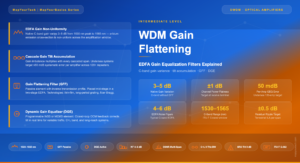
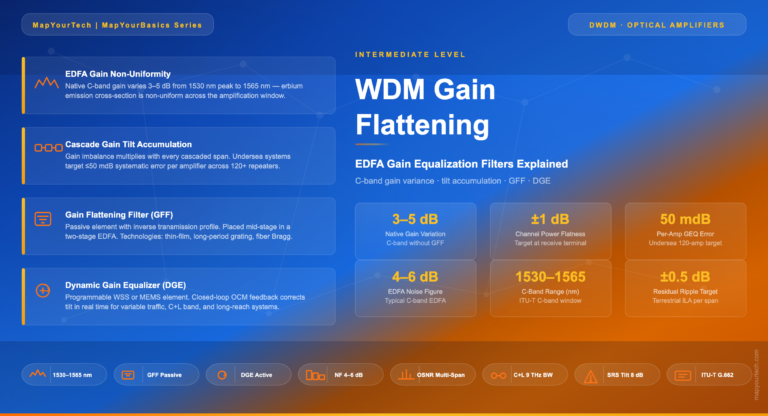
Gain flatness refers to the consistency of gain across the amplifier’s operating wavelength range. Fluctuations in gain can lead to signal distortions, impacting network performance. Techniques such as gain equalization are used to achieve a flat gain profile.
Input Reflectance
Input reflectance is the portion of the incident signal that is reflected back into the amplifier. High input reflectance can lead to signal degradation and instability. Implementing anti-reflective coatings and proper fiber connectors helps minimize input reflectance.
Output Reflectance
Output reflectance refers to the amount of signal reflected back from the output of the amplifier. Excessive output reflectance can lead to signal feedback and instability. Output isolators and terminations are used to manage and reduce output reflectance.
Maximum Reflectance Tolerance at Input/Output
To maintain signal integrity, the maximum acceptable levels of reflectance at both input and output ports must be defined. Exceeding these tolerance levels can result in signal degradation and network disruptions.
Multi-channel Gain Slope
In multi-channel systems, variations in gain levels across different wavelengths can lead to unequal channel performance. Proper management of multi-channel gain slope ensures uniform amplification across all channels.
Polarization Dependent Loss
Polarization dependent loss (PDL) occurs when the amplifier’s performance varies with the polarization state of the incoming signal. Minimizing PDL is crucial to prevent signal quality discrepancies based on polarization.
Gain Tilt
Gain tilt refers to the non-uniform gain across the amplifier’s wavelength range. This can impact signal quality and transmission efficiency. Techniques such as using gain-flattening filters help achieve a more balanced gain distribution.
Gain Ripple
Gain ripple represents small fluctuations in gain across the amplifier’s operating range. Excessive gain ripple can cause signal distortions and affect network performance. Implementing gain equalization techniques minimizes gain ripple.
Conclusion
Understanding and optimizing these performance parameters is essential for ensuring the efficiency, reliability, and overall performance of optical amplifiers in complex communication networks. By carefully managing these parameters, network operators can achieve seamless transmission of data and maximize the potential of optical amplifier technology.

Sanjay Yadav
Optical Networking Engineer & Architect • Founder, MapYourTech
Optical networking engineer with nearly two decades of experience across DWDM, OTN, coherent optics, submarine systems, and cloud infrastructure. Founder of MapYourTech.
Read full bio →
Related Articles on MapYourTech