37 min read
Understanding OpenROADM: Revolutionizing Optical Network Architecture
Introduction
OpenROADM (Open Reconfigurable Optical Add/Drop Multiplexer) represents a paradigm shift in optical networking technology. Developed as a Multi-Source Agreement (MSA), OpenROADM establishes a comprehensive framework for deploying interoperable, software-defined optical networks. This initiative addresses one of the most persistent challenges in telecommunications: vendor lock-in and the lack of standardized interfaces in optical transport networks.
The OpenROADM MSA defines standardized optical interfaces, YANG-based device models, and management protocols that enable network operators to deploy multi-vendor optical networks with confidence. By establishing clear specifications for wavelength division multiplexing (WDM) equipment, OpenROADM facilitates the creation of truly open, disaggregated optical networks where components from different manufacturers can work seamlessly together.
OpenROADM Network Architecture Overview
Figure 1: Complete OpenROADM network architecture showing SDN controller managing multiple device types via NETCONF
The OpenROADM Ecosystem Architecture
OpenROADM Network Architecture
SDN Controller
OpenDaylight
NETCONF/YANG
RESTCONF APIs
ROADMs, ILAs
Transponders
W, Wr, MW
MWi, OSC
The OpenROADM architecture implements a hierarchical structure where software-defined networking principles are applied to optical transport. At the core, standardized YANG data models provide a unified abstraction layer that enables controllers to manage heterogeneous optical equipment through consistent interfaces. This architecture separates the control plane from the data plane, allowing for centralized optimization and automation of optical networks.
Core Network Elements
ROADM (Reconfigurable Optical Add/Drop Multiplexer)
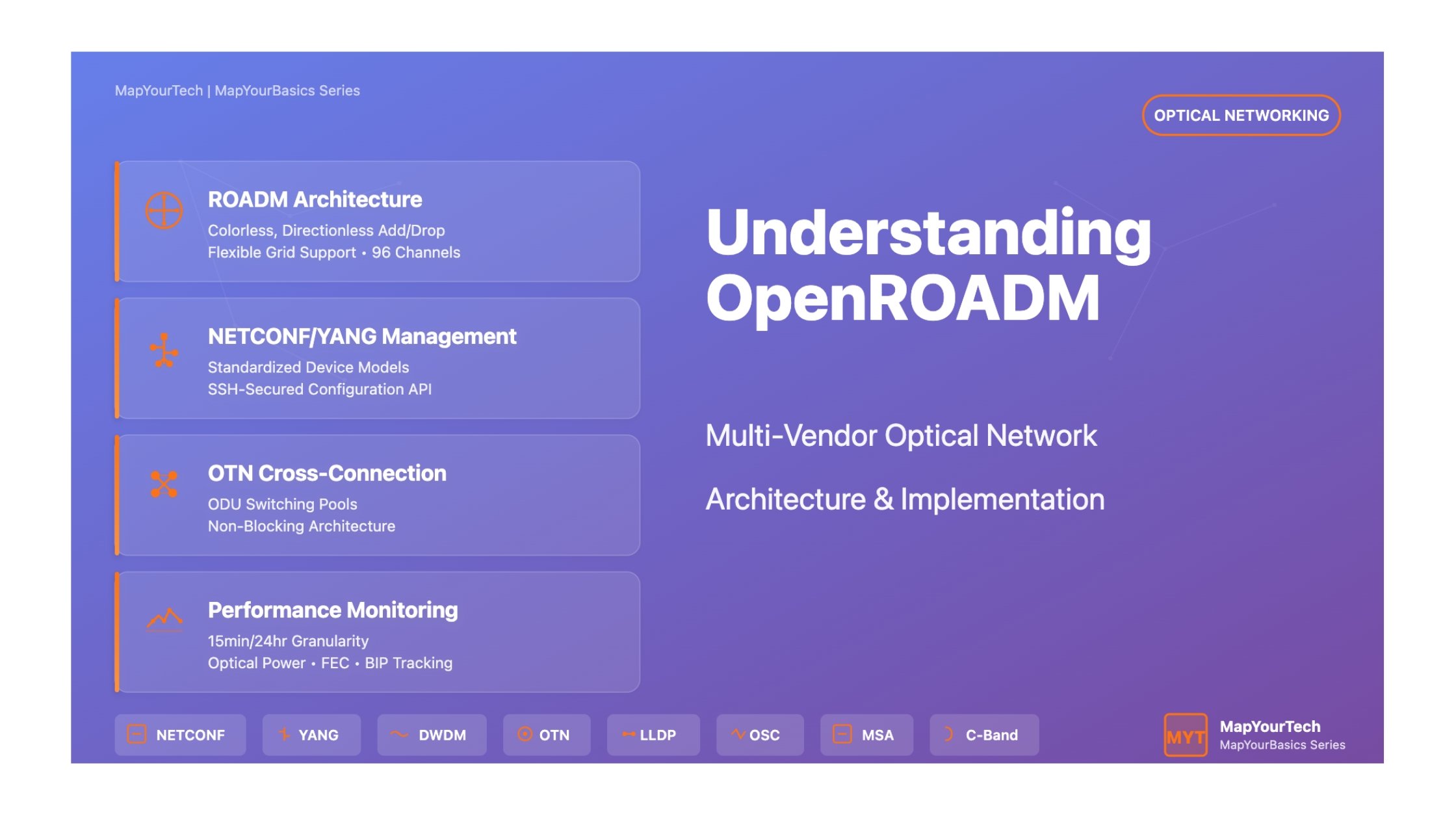
The ROADM serves as the foundation of flexible optical networking. It provides colorless and directionless add/drop functionality, enabling any wavelength to be added or dropped at any port and routed to any direction within the node.
Key Capabilities:
- Colorless: Any wavelength on any port
- Directionless: Route to any degree
- Full C-band support (96 channels @ 50 GHz)
- Flexible grid support (12.5 GHz, 6.25 GHz)
In-Line Amplifier (ILA)
ILAs amplify optical signals across WDM spans without electrical regeneration. They compensate for fiber attenuation and maintain signal quality over extended distances.
Features:
- Multi-wavelength amplification
- Bidirectional operation
- Automatic gain control
- OSC pass-through capability
Transponder
Transponders provide wavelength conversion and signal regeneration. They map client signals (100GE, OTU4) into DWDM wavelengths suitable for long-haul transmission.
Specifications:
- 100GE/OTU4 client interfaces
- Full C-band tunable DWDM output
- QSFP28 client pluggables
- CFP-DCO/CFP2-ACO line pluggables
Muxponder/Switch
Advanced OTN switching platforms that provide flexible cross-connection at ODUk/ODUj levels. These devices support both simple muxponding and complex OTN switching topologies.
Capabilities:
- ODU0/1/2/2e/3/4 switching
- 10x10G to 100G multiplexing
- Non-blocking switching pools
- Flexible client mappings
Standardized Optical Interfaces
OpenROADM Interface Specifications
The MSA defines five critical interface types that ensure multi-vendor interoperability:
- W (Single-Wavelength): Transponder-to-transponder interface for wavelength-level interoperability. Defines optical specifications for full C-band tunable DWDM signals with standardized framing and bit ordering.
- Wr (Single-Wavelength ROADM port): The add/drop port interface where transponder output connects to ROADM. This interface bridges the single-wavelength domain with the multi-wavelength aggregation layer.
- MW (Multi-Wavelength): ROADM-to-ROADM interface carrying multiple DWDM channels. Includes the 1GE Optical Supervisory Channel (OSC) for topology discovery via LLDP, laser safety coordination, and DCN reach-through.
- MWi (Multi-Wavelength ILA): Interface specification for in-line amplifiers, defining optical parameters for ILA-to-ILA and ILA-to-ROADM connections. Maintains consistency with ROADM specifications for seamless span integration.
- OSC (Optical Supervisory Channel): 1000BASE-LX Ethernet wayside channel operating out-of-band from the data channels. Carries management traffic, LLDP topology information, and laser safety control signals.
Management and Control Framework
NETCONF/YANG Protocol Stack
| Layer | Protocol/Standard | Purpose |
|---|---|---|
| Application | NETCONF (RFC 6241) | Configuration and state retrieval |
| Data Modeling | YANG 1.0 (RFC 6020) | Device and service models |
| Transport | SSH v2 (RFC 6242) | Secure communications |
| Encoding | XML | Data serialization |
| Notifications | RFC 5277 | Event streaming |
OpenROADM leverages NETCONF as the primary management protocol, running over secure SSH connections on TCP port 830. The YANG data models provide a structured, hierarchical representation of device configuration and operational state. This approach enables automated provisioning, real-time monitoring, and programmatic control of optical networks.
The YANG models are organized into several functional domains: device-level models describe physical inventory (shelves, circuit-packs, ports), interface models define logical connections (OTS, OMS, OCH, OTU, ODU), and service models enable end-to-end wavelength and OTN service provisioning.
Flexible Grid and Media Channel Architecture
Media Channel (MC) and Network Media Channel (NMC) Relationship
OpenROADM Version 2.x introduces flexible grid support, moving beyond fixed 50 GHz channel spacing to accommodate variable bandwidth services:
Flexible Grid Parameters:
- Slot Width Granularity: 12.5 GHz or 6.25 GHz (vendor dependent)
- Center Frequency Granularity: 6.25 GHz or 3.125 GHz
- Frequency Range: 191.325 THz to 196.125 THz (4.8 THz total)
- Guard Bands: 4 GHz at MC extremities
Media Channel (MC-TTP) and Network Media Channel (NMC-CTP) Spectrum Allocation
Figure 4: Media Channel architecture showing fixed grid (single wavelength) vs flexible grid (multiple wavelengths) configurations
The MC-TTP (Media Channel Trail Termination Point) interfaces are established at each ROADM degree, containing one or more NMC-CTP (Network Media Channel Connection Termination Point) interfaces. The MC defines the total spectral bandwidth, while NMCs represent individual wavelength services within that spectrum.
Formula for MC frequency boundaries:
- min-freq (THz) = 193.1 + (center-freq-granularity × n - slot-width-granularity × m / 2) / 1000
- max-freq (THz) = 193.1 + (center-freq-granularity × n + slot-width-granularity × m / 2) / 1000
Key Benefits and Advantages
Operational and Economic Benefits
- Multi-vendor Interoperability: Deploy best-of-breed equipment from different manufacturers within a single network, eliminating vendor lock-in and fostering competitive pricing.
- Simplified Operations: Unified YANG models and APIs reduce operational complexity. Automation tools can manage heterogeneous equipment through consistent interfaces.
- Faster Service Deployment: Standardized provisioning workflows enable rapid service activation. Pre-defined YANG models eliminate vendor-specific scripting.
- Network Scalability: Modular architecture supports incremental growth. Add degrees, SRGs, or transponders without forklift upgrades.
- Future-proof Investment: OpenROADM specifications evolve through MSA process, ensuring longevity and continued vendor support.
- Reduced Training Requirements: Consistent management interfaces across vendors minimize training overhead for operations teams.
- Enhanced Network Visibility: Standardized performance monitoring and alarm reporting provide comprehensive network insight.
Discovery and Commissioning Process
OpenROADM implements a streamlined "one-touch" commissioning procedure that simplifies network element deployment:
Commissioning Workflow:
- Pre-plan device template loaded into controller (offline)
- Physical equipment installation and power-on
- Device auto-initialization with DHCP client enabled
- Temporary IP address assignment via DHCP
- Controller discovers new IP and attempts NETCONF connection
- Field technician correlates discovered device with planned template
- Controller pushes configuration (node-id, permanent IP, user accounts)
- Device restart and permanent discovery
- OMS link discovery via LLDP over OSC
The LLDP protocol running over the OSC provides automatic topology discovery. Each ROADM degree transmits its node-id (SysName TLV) and OSC interface name (PortID TLV) to neighbors. Controllers correlate transmitted and received LLDP information to build the network topology automatically.
Performance Monitoring and Fault Management
PM Granularities
15-minute, 24-hour, and untimed bins for comprehensive performance tracking
Analog Parameters
Optical power (input/output), OSC power, with min/max/avg statistics
Digital Counters
FEC errors, BIP errors, code violations, errored seconds
TCAs
Configurable threshold crossing alerts for proactive fault detection
The performance monitoring framework supports both current and historical data retrieval. Current PM provides real-time monitoring of ongoing 15-minute, 24-hour, and untimed bins. Historical PM maintains binned values for post-analysis. Controllers can retrieve PM data via NETCONF get operations or through file-based bulk transfer mechanisms.
Alarm management follows ITU-T recommendations with severity levels (critical, major, minor, warning, indeterminate). The device reports over 50 standardized alarm types including LOS (Loss of Signal), LOF (Loss of Frame), high reflection warnings, and equipment faults. Administrative state controls enable selective alarm suppression during maintenance activities.
OTN Switching and Cross-Connection Model
OpenROADM defines a comprehensive OTN switching model supporting ODUk/ODUj cross-connections. Three termination point types provide hierarchical multiplexing:
Termination Point Types:
ODU-TTP (Trail Termination Point): Represents high-order ODU facing the line side. Terminated PM layer with tributary slot capability (PT-20/21/22). Contains MSI table for multiplexing structure.
ODU-CTP (Connection Termination Point): Low-order ODU for cross-connection. Non-terminated path facing line side under OTU or ODU-TTP. Defines cross-connect endpoints.
ODU-TTP-CTP: Combined termination for client interface mapping. Both terminates the path and provides cross-connection capability for client-to-network services.
Switching pools advertise cross-connection capabilities. Non-blocking pools allow unrestricted connections between any ports. Blocking pools define restrictions via multiple non-blocking lists with optional interconnect bandwidth limitations.
Software and Database Management
OpenROADM specifies procedures for software lifecycle management including upload, validation, activation, and rollback. The manifest file (YANG-modeled) provides vendor-specific instructions for:
- Multi-file software transfer and staging sequences
- Activation procedures with optional validation timers
- Automatic reversion to previous software on validation failure
- Database backup and restore operations
- Firmware updates with service-affecting awareness
Database operations support configuration backup to external SFTP servers and restoration with rollback capability. The device validates node-id matching during restoration to prevent accidental configuration of wrong equipment.
Security Considerations
OpenROADM implements multi-layered security measures. NETCONF sessions utilize SSH v2 (RFC 6242) for encrypted communications and strong authentication. The default credentials (openroadm/openroadm) must be changed during commissioning, after which the default account is deleted.
User management supports role-based access control through group membership (currently defining "sudo" group for full access). The architecture assumes security policy enforcement occurs at the controller level rather than individual network elements, aligning with SDN principles.
Physical security includes mandatory laser safety mechanisms. Automatic laser shutdown (ALS) monitors optical return loss and activates within specified timeframes when fiber breaks are detected. Controllers can temporarily disable ALS during maintenance via explicit RPC commands.
Challenges and Considerations
While OpenROADM significantly advances optical networking standardization, implementation presents certain considerations:
Implementation Aspects:
- Vendor-specific Extensions: Some capabilities utilize vendorExtension containers, requiring additional integration effort for multi-vendor deployments.
- Testing Requirements: Comprehensive interoperability testing between vendor combinations is essential before production deployment.
- Performance Variability: While optical specifications are standardized, actual performance may vary based on implementation quality and environmental factors.
- Feature Support Differences: Optional features (unidirectional ODU connections, specific PM types) may not be universally available across all implementations.
- Upgrade Coordination: Multi-vendor networks require careful planning for MSA version migrations to maintain interoperability.
Advanced Interface Configuration and Provisioning
OpenROADM Interface Hierarchy: ROADM and Transponder
Figure 2: Complete interface hierarchy showing ROADM degree/add-drop ports and transponder client/network interfaces
Interface Hierarchy and Creation Workflow
OpenROADM implements a sophisticated interface hierarchy where higher-layer interfaces depend on lower-layer supporting interfaces. Understanding this hierarchy is critical for proper service provisioning:
ROADM Interface Hierarchy (Add Direction):
- NMC-CTP Interface: Created on SRG add/drop port (PP - Port Pair). This interface defines the network media channel connection termination point with specific frequency and width parameters.
- OTS Interface: Optical Transport Section interface on the degree TTP port. This bidirectional interface manages the complete optical spectrum including OSC.
- OMS Interface: Optical Multiplex Section interface built on supporting OTS. This interface represents the DWDM multiplex without the OSC channel.
- MC-TTP Interface: Media Channel Trail Termination Point built on supporting OMS. Defines the spectral boundaries (min-freq, max-freq) for the media channel.
- NMC-CTP Interface: Network Media Channel Connection Termination Point on degree side, built on supporting MC-TTP. Must match frequency and width parameters with the SRG-side NMC-CTP.
- ROADM Connection: Cross-connection established between the two NMC-CTP interfaces, creating the complete add-link path.
Transponder Interface Hierarchy (TX Direction):
- Client Ethernet Interface: 100GBASE-R interface on client port using QSFP28 pluggable optics. Configured with speed, FEC, duplex, MTU, and auto-negotiation parameters.
- Network OCH Interface: Optical Channel interface on network port using CFP-DCO/CFP2-ACO pluggable. Configured with frequency, rate, modulation format (QPSK), and transmit power.
- OTU4 Interface: Optical Transport Unit level 4 interface built on supporting OCH. Provides FEC and frame structure for 100G transport.
- ODU4 Interface: Optical Data Unit level 4 interface built on supporting OTU4. Provides path monitoring, TCM capabilities, and client signal mapping.
This hierarchical structure ensures proper dependency management. Deleting a supporting interface automatically removes dependent interfaces, maintaining configuration consistency. When provisioning services, controllers must create interfaces in the correct bottom-up sequence.
Detailed Provisioning Sequences
End-to-End Wavelength Service Provisioning
Establishing a complete wavelength service across an OpenROADM network involves orchestrated provisioning across multiple network elements. Consider a typical scenario: provisioning a 100G wavelength service from Transponder A through ROADM 1, ROADM 2, to Transponder B.
Phase 1: Transponder A Network Interface Creation (TX)
- Retrieve port capabilities from network port to validate supported frequencies and power ranges
- Set equipment-state of circuit-pack to "not-reserved-inuse"
- Set administrative-state of network port to "inService"
- Create OCH interface with parameters:
- Frequency: 193.1 THz (or desired C-band frequency)
- Rate: 100G
- Modulation format: dp-qpsk
- Transmit power: calculated based on path budget
- Create OTU4 interface on supporting OCH interface
- Create ODU4 interface on supporting OTU4 interface
- Verify output power reaches target value via PM retrieval
Phase 2: ROADM 1 Add-Link Creation
- Verify SRG port capabilities support required frequency
- Create NMC-CTP interface on SRG add port:
- Frequency: 193.1 THz (matching transponder)
- Width: 40 GHz (for 100G signal with guard bands)
- Check if OTS interface exists on degree TTP, create if absent
- Check if OMS interface exists on degree TTP, create if absent
- Create MC-TTP interface on degree TTP:
- Min-freq: 193.075 THz (frequency - 25 GHz)
- Max-freq: 193.125 THz (frequency + 25 GHz)
- Create NMC-CTP interface on degree TTP (matching SRG parameters)
- Create ROADM connection from SRG NMC-CTP to Degree NMC-CTP
- Set optical control mode to "power" and configure target output power
- Monitor PM until output power stabilizes
- Switch optical control mode to "gainLoss" for operational state
Phase 3: ROADM 1 to ROADM 2 Express Link Creation
- On ROADM 1 egress degree (connecting to ROADM 2):
- Create OTS interface on TTP port (RX direction)
- Create OMS interface on supporting OTS
- Create MC-TTP interface with matching spectral parameters
- Create NMC-CTP interface within MC-TTP
- Verify input power is within expected range (span loss + preceding output power)
- On ROADM 2 ingress degree (connecting from ROADM 1):
- Create OTS interface on TTP port (TX direction)
- Create OMS interface on supporting OTS
- Create MC-TTP interface with matching spectral parameters
- Create NMC-CTP interface within MC-TTP
- On ROADM 1: Create ROADM connection from ingress NMC-CTP to egress NMC-CTP
- Configure output power based on span loss calculations
- Monitor and validate output power, then switch to gainLoss mode
Phase 4: ROADM 2 Drop-Link Creation
- On ROADM 2 ingress degree (from span):
- Verify OTS, OMS, MC-TTP, and NMC-CTP interfaces exist from express link creation
- Validate input power is within specification
- On ROADM 2 SRG drop port:
- Create NMC-CTP interface with matching frequency and width
- Set administrative state to inService
- Create ROADM connection from Degree NMC-CTP to SRG NMC-CTP
- Set optical control mode to power and configure target
- Verify SRG output power via PM retrieval
Phase 5: Transponder B Network Interface Creation (RX)
- Verify ROADM 2 SRG output power is within transponder RX port power capability
- Set equipment-state of circuit-pack to "not-reserved-inuse"
- Set administrative-state of network port to "inService"
- Create OCH interface (RX) with matching frequency parameters
- Create OTU4 interface on supporting OCH
- Create ODU4 interface on supporting OTU4
- Verify connection map links network and client ports
Phase 6: Client Interface Creation (Both Transponders)
- Set equipment-state of client circuit-pack to "not-reserved-inuse"
- Set administrative-state of client port to "inService"
- Create 100GE Ethernet interface on client port with parameters:
- Speed: 100000
- FEC: RS-FEC or as required
- Duplex: full
- MTU: 9000 (or as required)
- Auto-negotiation: enabled/disabled as needed
- Verify interface operational state transitions to inService
This complete provisioning sequence establishes an end-to-end 100G wavelength service. The controller must orchestrate these operations across multiple network elements while managing dependencies, validating optical power budgets, and handling any provisioning failures with appropriate rollback mechanisms.
OTN Multiplexing and Cross-Connection Scenarios
10x10G Muxponder Architecture & Tributary Slot Mapping
Figure 3: 10x10G Muxponder showing fixed tributary slot mapping from client ports to ODU4 network line
Muxponder Configuration and Service Mapping
OpenROADM supports complex OTN multiplexing scenarios through its ODU switching model. A common deployment is the 10x10G muxponder, which maps ten 10GE client signals into a single 100G OTU4 line interface. This configuration demonstrates the power and flexibility of the OTN cross-connection framework.
10x10G Muxponder Detailed Configuration
Hardware Configuration:
- 10 client ports with SFP+ pluggables supporting 10GBASE-R
- 1 network port with CFP-DCO supporting 100G DWDM
- OTN switching fabric supporting ODU2/ODU2e into ODU4 multiplexing
Interface Creation Sequence for Client Port 1:
- Create 10GE Ethernet interface on client port 1
- Create ODU2 interface (ODU-TTP-CTP type) for client mapping:
- Supporting interface: 10GE interface
- Mapping: GFP-F or bit-synchronous (ODU2e)
- Payload type: PT=05 (GFP-F) or PT=03 (CBR10G3)
- Create network-side ODU4 interface (ODU-TTP type) on network port (if not already created)
- Create ODU2 interface (ODU-CTP type) on network side:
- Supporting interface: ODU4 interface
- Tributary port number: 1
- Tributary slots: 1-8 (for ODU2)
- Create bi-directional ODU-connection:
- Source interface: client-side ODU2 (ODU-TTP-CTP)
- Destination interface: network-side ODU2 (ODU-CTP)
- Direction: bidirectional
Tributary Slot Mapping for All 10 Clients:
| Client Port | Tributary Port Number | Tributary Slots | Bandwidth |
|---|---|---|---|
| Client 1 | TPN 1 | TS 1-8 | ~10.4 Gbps |
| Client 2 | TPN 2 | TS 9-16 | ~10.4 Gbps |
| Client 3 | TPN 3 | TS 17-24 | ~10.4 Gbps |
| Client 4-9 | TPN 4-9 | TS 25-72 | ~10.4 Gbps each |
| Client 10 | TPN 10 | TS 73-80 | ~10.4 Gbps |
Switching Pool Advertisement:
The muxponder advertises a blocking switching pool with 10 non-blocking lists. Each list contains one client port and the common network port, with interconnect bandwidth set to 0 (preventing client-to-client cross-connections).
OTN Switchponder with Non-Blocking Switching
Advanced switchponder implementations support flexible any-to-any cross-connections between multiple line and client ports. Consider a switchponder with 4x100G line ports and 40x10G client ports supporting non-blocking ODU switching.
Switchponder Architecture and Capabilities
Port Configuration:
- 4 network ports: Each supporting ODU4 (100G)
- 40 client ports: Each supporting ODU2 (10G) or ODU2e (10.3G)
- Total switching capacity: 400G full-duplex
- Non-blocking switching fabric: Any client can connect to any network port up to available bandwidth
Switching Pool Model:
A single non-blocking switching pool with one non-blocking list containing all 44 ports (4 network + 40 client). This configuration indicates that any port can be cross-connected to any other port without restriction, up to the interface bandwidth limits.
Port Capability Advertisement:
- Network ports support ODU4 trail termination (ODU-TTP)
- Client ports support ODU-TTP-CTP for client signal mapping
- All ports support both PM and TCM ODU monitoring
- Proactive delay measurement supported on PM and TCM1-6 layers
Example Cross-Connection Scenario:
Creating a 10G service from Client Port 5 to Network Port 2, then dropping at another node to Client Port 15:
- Node A - Client ingress:
- Create 10GE interface on Client Port 5
- Create ODU2-TTP-CTP for client mapping
- Node A - Network egress:
- Create/verify ODU4-TTP on Network Port 2
- Create ODU2-CTP within ODU4 (select available tributary slots, e.g., TPN 3, TS 17-24)
- Create bi-directional ODU-connection from Client ODU2 to Network ODU2
- Node B - Network ingress:
- Create/verify ODU4-TTP on Network Port (matching tributary slots from Node A)
- Create ODU2-CTP within ODU4
- Node B - Client egress:
- Create 10GE interface on Client Port 15
- Create ODU2-TTP-CTP for client demapping
- Create bi-directional ODU-connection from Network ODU2 to Client ODU2
Performance Monitoring Deep Dive
Comprehensive PM Framework
OpenROADM's performance monitoring framework provides extensive visibility into network health and performance. The system supports multiple PM types across different layers of the optical and OTN hierarchy, with sophisticated binning and threshold mechanisms.
Optical Layer Performance Monitoring
Optical Power Measurements:
| PM Type | Layer | Analog/Digital | Tide Marks |
|---|---|---|---|
| OPOUT-OTS | OTS-IF | Analog | Raw, Min, Max, Avg |
| OPIN-OTS | OTS-IF | Analog | Raw, Min, Max, Avg |
| OPOUT-OMS | OMS-IF | Analog | Raw, Min, Max, Avg |
| OPIN-OMS | OMS-IF | Analog | Raw, Min, Max, Avg |
| OPT-OCH | OCH-IF | Analog | Raw, Min, Max, Avg |
| OPR-OCH | OCH-IF | Analog | Raw, Min, Max, Avg |
| ORL-OTS/OMS | OTS/OMS-IF | Analog | Raw only |
OSC Performance Parameters:
- OPT-OSC / OPR-OSC: OSC transmit and receive power measurements at MW ports, critical for verifying OSC link budget
- CV-PCS: Code violations at PCS layer (8B/10B errors), indicates OSC signal quality issues
- ES-PCS: Errored seconds at PCS layer, tracks periods of significant OSC errors
- SES-PCS: Severely errored seconds, indicates serious OSC degradation
- UAS-PCS: Unavailable seconds, counts time when OSC is completely unavailable
OTN Layer Performance Monitoring
OTU/ODU Performance Parameters:
1. FEC Performance Monitoring:
- pFECcorrErr: Pre-FEC corrected errors, the total number of errors corrected by FEC. This is a critical health indicator - increasing trends suggest degrading optical SNR.
- FECCorrectableBlocks: Count of FEC blocks that contained errors but were successfully corrected. Available in RX direction.
- FECUncorrectableBlocks: Count of FEC blocks with uncorrectable errors. Any non-zero value indicates serious link degradation requiring immediate attention.
2. BIP Error Monitoring:
- pN_EBC (Near-End): Errored block count based on BIP-8 calculation. Monitored at OTU-IF and ODU-IF layers, plus TCM1-6 levels.
- pF_EBC (Far-End): Far-end errored block count received via BEI (Backward Error Indication). Provides visibility into far-end signal quality.
- Both parameters available at PM and TCM layers, enabling segment-level fault isolation
3. Delay Measurement:
- pN_delay: Proactive delay measurement at PM and TCM1-6 layers
- Measured in number of frames between DMValue toggle and received DMp signal toggle
- Enables precise latency tracking for SLA compliance
- Can detect asymmetric routing or fiber path changes
4. Ethernet Layer PM (100GE clients):
| PM Parameter | Description | Direction |
|---|---|---|
| RX/TX Errored Blocks | IEEE 802.3ba errored block count | RX and TX |
| RX/TX BIP Error Counter | Per-lane BIP error accumulation | RX and TX |
| Loss of FEC Alignment | FEC block alignment loss (RS-FEC) | RX |
| High BER | BASE-R PCS high bit error rate | RX and TX |
PM Data Collection and Retrieval Mechanisms
Current PM List Operations
The current PM list provides real-time access to performance data being actively collected across three granularities:
15-Minute Granularity:
- Bins align to UTC time boundaries: :00, :15, :30, :45
- Partial validity during active collection period
- Transitions to complete/suspect when bin completes
- Used for near-real-time monitoring and short-term trend analysis
24-Hour Granularity:
- Bin starts at 00:00:00 UTC, ends at 23:59:59 UTC
- Provides daily performance summaries
- Critical for SLA reporting and long-term trend analysis
- Analog PM records snapshot at bin end time
Untimed Granularity (NA):
- Runs continuously from interface creation or last reset
- No time boundaries, accumulates until cleared
- Used for total error accumulation and long-term statistics
- Only applicable to current PM list (not historical)
Retrieval Example - NETCONF XML:
<get>
  <filter>
    <currentPmlist xmlns="http://org/openroadm/pm">
      <currentPm>
        <resource>
          <device/>
          <resource>
            <circuit-pack-name>1/1</circuit-pack-name>
            <port-name>C1</port-name>
          </resource>
          <resourceType>
            <type>port</type>
            <extension>och</extension>
          </resourceType>
        </resource>
        <granularity>15min</granularity>
      </currentPm>
    </currentPmlist>
  </filter>
</get>
Historical PM Management
Data Model Access (Optional):
Implementations may support direct YANG data tree access to historical bins via NETCONF get operations. This allows querying specific bins by bin-number:
- Bin 1: Most recent completed bin
- Bin 2-96: Previous 15-minute bins (24 hours of history)
- Bin 1-7: Previous 24-hour bins (1 week of history)
File-Based Retrieval (Mandatory):
All implementations must support file-based historical PM retrieval via the collect-historical-pm-file RPC:
<rpc message-id="101" xmlns="urn:ietf:params:xml:ns:netconf:base:1.0">
  <collect-historical-pm-file xmlns="http://org/openroadm/pm">
    <from-bin-number>1</from-bin-number>
    <to-bin-number>96</to-bin-number>
    <granularity>15min</granularity>
  </collect-historical-pm-file>
</rpc>
File-Based Retrieval Workflow:
- Controller issues collect-historical-pm-file RPC with bin range and granularity
- Device validates request and returns RPC response with auto-generated filename
- Device collects requested PM data in background and writes to file
- Device issues historical-pm-collect-results notification upon completion
- Controller initiates file transfer using transfer RPC (upload from device)
- Controller processes PM data from transferred file
- Controller deletes PM file from device to free storage space
Benefits of File-Based Approach:
- Efficient bulk data transfer for large time ranges
- Reduces NETCONF session load and timeout risks
- Enables parallel processing of multiple device PM files
- Supports standardized file formats for analytics platforms
Threshold Crossing Alerts (TCA) Configuration
TCA Framework and Implementation
TCAs provide proactive fault detection by generating notifications when PM values cross configured thresholds. OpenROADM supports both high and low thresholds for analog parameters and high thresholds for digital counters.
TCA Configuration via Potential TCA List:
The potential-tca-list container provides the interface for threshold configuration:
<edit-config>
  <target><running/></target>
  <config>
    <potential-tca-list xmlns="http://org/openroadm/pm">
      <id>OCH-1-1-C1-opticalPowerOutput</id>
      <resource>
        <device/>
        <resource>
          <circuit-pack-name>1/1</circuit-pack-name>
          <port-name>C1</port-name>
        </resource>
        <resourceType>
          <type>port</type>
          <extension>och</extension>
        </resourceType>
      </resource>
      <pmParameterName>
        <type>opticalPowerOutput</type>
        <extension/>
      </pmParameterName>
      <granularity>15min</granularity>
      <threshold-value-high>2.0</threshold-value-high>
      <threshold-value-low>-2.0</threshold-value-low>
      <enable>true</enable>
    </potential-tca-list>
  </config>
</edit-config>
TCA Notification Behavior:
- Analog PM (Raw values):
- Set against 15-minute granularity only
- Transient notification issued when value exceeds high threshold or drops below low threshold
- Maximum one notification per threshold (high or low) per 15-minute period
- If threshold violation continues in subsequent bins, notifications reissue
- Min/max values must align with threshold crossings (if max > high threshold, TCA must have been issued)
- Digital PM (Counters):
- Can be set independently on 15-minute or 24-hour granularity
- High threshold only (counters are non-decreasing)
- Notification issued when counter exceeds threshold within the bin
- One notification per bin period if threshold exceeded
TCA Notification Example:
<notification xmlns="urn:ietf:params:xml:ns:netconf:notification:1.0">
  <eventTime>2025-11-15T14:23:45Z</eventTime>
  <tca-notification xmlns="http://org/openroadm/pm">
    <id>OCH-1-1-C1-opticalPowerOutput</id>
    <resource>
      <device/>
      <resource>
        <circuit-pack-name>1/1</circuit-pack-name>
        <port-name>C1</port-name>
      </resource>
      <resourceType>
        <type>port</type>
        <extension>och</extension>
      </resourceType>
    </resource>
    <pmParameterName>
      <type>opticalPowerOutput</type>
    </pmParameterName>
    <granularity>15min</granularity>
    <threshold-type>high</threshold-type>
    <threshold-value>2.0</threshold-value>
    <pmParameterValue>2.5</pmParameterValue>
  </tca-notification>
</notification>
Practical TCA Configuration Strategies:
- Optical Power: Set thresholds ±1-2 dB from nominal to detect fiber degradation or connector issues
- Pre-FEC Errors: Configure threshold based on baseline + 2x standard deviation to detect degrading optical SNR
- OSC Errors: Very low threshold (near zero) since OSC should be error-free under normal conditions
- OTU/ODU Errors: Threshold based on error rate tolerance (e.g., 10^-9 BER equivalent)
Alarm Management and Correlation
Comprehensive Alarm Framework
OpenROADM defines over 50 standardized alarm types covering optical, OTN, Ethernet, and equipment layers. The alarm system implements ITU-T severity classifications and supports administrative state-based suppression for maintenance scenarios.
Alarm Severity Levels and Interpretation
| Severity | Definition | Typical Examples | Action Required |
|---|---|---|---|
| Critical | Service affecting, immediate action required | Loss of Signal, Equipment Failure | Immediate dispatch |
| Major | Service degradation, urgent action needed | High Reflection, Power Degraded | Urgent investigation |
| Minor | Non-service affecting, attention required | Equipment Mismatch, Fan Failure | Scheduled maintenance |
| Warning | Potential issue, monitoring required | Temperature High, License Expiring | Monitor and plan |
| Indeterminate | Severity cannot be determined | N/A in Version 2.x | Assess situation |
Critical Optical Layer Alarms:
1. Loss of Signal (LOS) Alarms:
- portLossOfLight: Physical layer LOS at port level, indicates no optical input power detected
- lossOfSignal (OTS): Multiplex level LOS including OSC, raised on ROADM degree RX ports
- lossOfSignal (OMS): DWDM multiplex LOS excluding OSC, masked by OTS LOS when both present
- lossOfSignal (OCH): Individual channel LOS, masked by OTS LOS at ROADM, used by controller for service tracking
- lossOfSignalOSC: OSC channel specific LOS, not masked by OTS LOS, indicates OSC failure
2. Reflection and Return Loss Alarms:
- reflectionTooHigh: Raised when measured ORL exceeds threshold (typically < 24 dB indicates problem)
- Can trigger automatic power reduction or automatic laser shutdown based on severity
- Reported on OTS-IF (with OSC) or OMS-IF (without OSC) depending on implementation
- Common causes: dirty connectors, sharp fiber bends, improper splices, back reflections from unterminated fibers
3. Power Level Alarms:
- opticalPowerDegraded: Power level outside expected range but not total loss
- powerOutOfSpecificationHigh/Low: Power levels exceed equipment specifications
- automaticLaserShutdown: Laser shut off due to safety mechanisms (high reflection, fiber break)
- automaticShutoffDisabled: Standing alarm indicating laser safety was manually disabled via RPC
OTN Layer Alarms:
- lossOfFrame (LOF): OTU framing lost, cannot maintain frame alignment
- lossOfMultiframe (LOM): OTU multiframe alignment lost
- backwardsDefectIndication (BDI): Far end detected defect and signaling via backward direction
- degradedEffect (DEG): Signal quality degraded beyond threshold (based on errored block count)
- trailTraceIdentifierMismatch (TTI): Expected vs actual TTI string mismatch
- alarmIndicationSignal (AIS): Upstream failure indication propagated downstream
- openConnectionIndication (OCI): ODU path not connected
- lockedDefect (LCK): Administrative lock signal received
- All OTN alarms available at PM layer and independently at TCM1-6 layers for granular fault isolation
Alarm Correlation and Root Cause Analysis
Typical Alarm Correlation Scenarios
Scenario 1: Fiber Cut Detection
When a fiber is cut between two ROADM nodes, a cascade of alarms occurs. Understanding the correlation helps identify root cause:
- Immediate Alarms (< 100ms):
- OTS LOS at ROADM RX port (downstream of cut)
- Automatic Laser Shutdown at ROADM TX port (upstream of cut, due to high reflection)
- linkDown on OSC interface (LLDP neighbor loss)
- Secondary Alarms (100ms - 1s):
- OMS LOS at ROADM RX (masked if OTS LOS present)
- OCH LOS for all wavelengths at ROADM RX
- Optical Line Fail (composite alarm at ROADM)
- Propagated Alarms (1-10s):
- OCH LOS at transponder network port
- OTU LOF at transponder (loss of framing)
- ODU AIS propagated to client side
- Client interface link down
Root Cause Identification: The combination of OTS LOS at downstream ROADM plus Automatic Laser Shutdown at upstream ROADM pinpoints fiber cut location. All other alarms are consequences.
Scenario 2: Degraded Optical Path
Gradual signal degradation from dirty connectors or fiber stress:
- Early Warning (Days to Weeks Before Failure):
- Pre-FEC error TCA threshold crossing
- Optical power degraded warning
- Gradual increase in BIP errors at OTU/ODU layer
- Degraded Service (Hours Before Failure):
- DEG alarm at OTU layer (error rate threshold exceeded)
- FEC uncorrectable blocks appearing intermittently
- BDI signaled from far end
- Service Failure:
- OTU LOF (cannot maintain FEC decoding)
- OCH LOS (power dropped below threshold)
- Full service outage
Root Cause Identification: The progression from TCA to DEG to LOF indicates gradual degradation rather than sudden failure. Pre-FEC error trends point to optical layer issues (connectors, fiber stress) rather than equipment failure.
Scenario 3: OSC Communication Failure
OSC link failure impacts management but data channels may continue operating:
- Symptoms:
- lossOfSignalOSC alarm (OSC power below threshold)
- linkDown on OSC Ethernet interface
- Loss of LLDP neighbor on OSC
- Unable to reach adjacent node via DCN over OSC
- Data channels (OMS) still operational
- Impact:
- Loss of topology discovery between nodes
- Cannot reach remote node for management (if no alternate DCN path)
- Laser safety coordination impaired
- Services continue but node is partially isolated
- Root Causes: OSC pluggable failure, OSC wavelength attenuated (bad filter), OSC connector dirty, dedicated OSC fiber cut (in systems with separate OSC fiber)
Network Discovery and Topology Management
LLDP-Based Topology Discovery
OpenROADM leverages LLDP (Link Layer Discovery Protocol) running over the OSC for automatic topology discovery. This mechanism enables controllers to build and maintain accurate network topology representations without manual configuration.
LLDP Implementation Details
LLDP TLV Usage:
| TLV Type | Sub-Type | Content | Purpose |
|---|---|---|---|
| Chassis ID (Type 1) | Varies | Device identifier | Identify transmitting device |
| Port ID (Type 2) | 5 or 7 | OSC interface name | Identify specific port |
| TTL (Type 3) | - | Time to live | LLDP age-out timer |
| System Name (Type 5) | - | Node-id | Identify node in network |
LLDP Discovery Workflow:
- Each ROADM/ILA node transmits LLDP frames on all OSC interfaces at regular intervals (typically 30 seconds)
- LLDP frame contains node-id (SysName TLV) and local OSC interface name (PortID TLV)
- Adjacent node receives LLDP frame and stores neighbor information locally
- Device issues lldp-nbr-info-change notification to controller when neighbor information changes (new neighbor, neighbor lost, or neighbor info updated)
- Controller correlates transmitted LLDP information (node A, interface X) with received LLDP information (node B, interface Y) to determine link connectivity: Node A Interface X ↔ Node B Interface Y
- Controller builds complete network topology by aggregating all LLDP neighbor relationships
Example LLDP Neighbor Notification:
<notification xmlns="urn:ietf:params:xml:ns:netconf:notification:1.0">
  <eventTime>2025-11-15T15:30:22Z</eventTime>
  <lldp-nbr-info-change xmlns="http://org/openroadm/lldp">
    <if-name>OSC-DEG1-TTP-TX</if-name>
    <remote-system-name>ROADM-NodeB</remote-system-name>
    <remote-port-id>OSC-DEG2-TTP-RX</remote-port-id>
    <remote-chassis-id>00:11:22:33:44:55</remote-chassis-id>
  </lldp-nbr-info-change>
</notification>
Topology Validation:
Controllers validate discovered topology against planned topology (OMS links provisioned on controller). Mismatches indicate incorrect cabling and generate alarms:
- Expected link not discovered via LLDP → fiber not connected or OSC failure
- Unexpected link discovered → incorrect fiber connection
- Node-id mismatch → wrong equipment installed at site
Rapid Spanning Tree Protocol (RSTP) for DCN
OpenROADM implements RSTP for the Data Communication Network (DCN) to provide loop-free topology for management traffic. Each ROADM operates as a Layer 2 bridge with OAMP and OSC ports participating in spanning tree.
DCN Architecture with RSTP
Bridge Port Configuration:
- OAMP Port: Out-of-band management port, typically connected to operator's management LAN
- OSC Ports: In-band management over DWDM infrastructure, one OSC per degree
- All ports participate in single RSTP bridge instance
- RSTP selects one root bridge and computes loop-free paths
RSTP Benefits for OpenROADM:
- Prevents Layer 2 loops that would cause broadcast storms and network instability
- Enables redundant DCN paths for higher availability
- Automatically reconfigures upon link or node failure (fast convergence < 10 seconds)
- Allows flexible DCN topology design (mesh, ring, hybrid)
RSTP Notifications:
Devices issue notifications for significant spanning tree events:
- rstp-topology-change: Spanning tree topology has changed (port state transitions)
- rstp-new-root: New root bridge elected (significant topology change or root bridge failure)
Controllers monitor these notifications to track DCN topology health and detect potential issues.
Software Lifecycle and Database Management
Software Download and Activation Process
OpenROADM standardizes software upgrade procedures through manifest files and a phased activation approach. This ensures predictable behavior across multi-vendor deployments while allowing vendor-specific implementation details.
Manifest File Architecture
The manifest file is a YANG-modeled document provided by equipment vendors to guide controllers through software operations. It defines a series of instruction-sets, each containing operations to be executed sequentially.
Manifest File Structure:
manifest {
  vendor: "VendorName"
  model: "ModelX-ROADM"
  sw-version: "2.0.5"

  instruction-set[1] {
    from-sw-version: "1.2.1"
    operation[1] {
      instruction: "transfer"
      parameters: {
        action: "download"
        remote-file-path: "sftp://user@server/sw/main_image.pkg"
        local-file-path: "/tmp/main_image.pkg"
      }
    }
    operation[2] {
      instruction: "sw-stage"
      parameters: {
        filename: "/tmp/main_image.pkg"
      }
    }
    operation[3] {
      instruction: "delete-file"
      parameters: {
        filename: "/tmp/main_image.pkg"
      }
    }
    operation[4] {
      instruction: "sw-activate"
      parameters: {
        version: "2.0.5"
        validationTimer: "01:00:00"
        rebootType: "automatic"
      }
    }
  }
}
Software Download Operation Sequence:
- Pre-Download Validation:
- Controller identifies target software version
- Retrieves manifest file for target version from vendor (out-of-band)
- Queries device current software version
- Selects instruction-set matching current version in manifest
- Validates available disk space on device
- File Transfer Phase:
- Controller issues transfer RPC (download action) as specified in manifest
- Device initiates SFTP connection to controller's SFTP server
- Device retrieves software file(s) to local storage
- Device issues transfer-notification upon completion
- Staging Phase:
- Controller issues sw-stage RPC with software filename
- Device validates software package integrity (checksums, signatures)
- Device extracts software components to staging area
- Device may download additional files from SFTP server (sub-packages, configuration files)
- Device prepares for activation (database migration scripts, etc.)
- Device issues sw-stage-notification upon completion
- Optional File Cleanup:
- Controller issues delete-file RPC for downloaded software package
- Frees disk space while staged software remains available
- Activation Phase:
- Controller issues sw-activate RPC with version and optional validationTimer
- Device marks new software version as active
- Device performs automatic reboot (if specified in manifest)
- Device boots into new software version
- If validationTimer specified, software runs in validation mode
- Validation Period (Optional):
- Device operates with new software but maintains rollback capability
- Some provisioning operations may be restricted during validation
- Operator performs validation testing
- validationTimer counts down from specified duration
- Acceptance or Reversion:
- If software acceptable: Controller issues cancel-validation-timer RPC, device commits to new software permanently
- If software problematic: Validation timer expires or controller issues manual revert, device reboots back to previous software version
Service Impact Considerations:
- File transfer and staging: Non-service affecting (NE continues normal operation)
- Activation: Service affecting during reboot (typically 5-15 minutes downtime)
- Validation mode: Services operational but new service creation may be restricted
- Rollback: Service affecting during reboot
Database Backup and Restore Operations
Database Backup Process
Database backup operations preserve device configuration for disaster recovery and migration scenarios:
- Backup Initiation:
- Controller determines backup filename (e.g., ROADM-Node1-20251115-backup.db)
- Controller issues db-backup RPC with filename
- Backup Execution:
- Device creates snapshot of running configuration
- Device serializes database to file format
- Device stores file in local flat directory structure
- Device issues db-backup-notification upon completion (success or failure)
- File Transfer to SFTP Server:
- Controller issues transfer RPC (upload action)
- Device initiates SFTP connection and transfers file
- Device issues transfer-notification upon completion
- Local File Cleanup:
- Controller issues delete-file RPC to remove backup from device
- Backup remains archived on SFTP server
Backup Manifest Example:
manifest {
  vendor: "VendorName"
  model: "ModelX-ROADM"
  sw-version: "2.0.5"

  db-backup-instruction {
    operation[1] {
      instruction: "db-backup"
      parameters: {
        filename: "__LOCAL-FILE-PATH"
      }
    }
    operation[2] {
      instruction: "transfer"
      parameters: {
        action: "upload"
        local-file-path: "__LOCAL-FILE-PATH"
        remote-file-path: "sftp://user@server/backups/__REMOTE-FILENAME"
      }
    }
    operation[3] {
      instruction: "delete-file"
      parameters: {
        filename: "__LOCAL-FILE-PATH"
      }
    }
  }
}
Note: __LOCAL-FILE-PATH and __REMOTE-FILENAME are variables populated by controller at runtime.
Database Restore Process
Database restore enables recovery from configuration corruption or restoration to known-good state:
- File Transfer from SFTP Server:
- Controller issues transfer RPC (download action) with archived backup filename
- Device retrieves database file from SFTP server
- Device stores file locally
- Restore Initiation:
- Controller issues db-restore RPC with filename and optional node-id-check parameter
- Device validates database file integrity
- If node-id-check enabled, device verifies node-id in backup matches current node-id
- Database Restoration:
- Device loads database from file into memory
- Device performs data validation and migration if necessary
- Device issues db-restore-notification
- Activation with Rollback Protection:
- Controller issues db-activate RPC with optional rollbackTimer
- Device commits restored database to persistent storage
- Device performs automatic reboot
- Device boots with restored configuration
- Rollback Period (Optional):
- Device operates with restored database but can rollback
- Some operations restricted during rollback period
- Operator validates restored configuration
- Commit or Rollback:
- If acceptable: Controller issues cancel-rollback-timer RPC, restoration permanent
- If problematic: Timer expires or manual rollback issued, device reverts to pre-restore state
Critical Considerations:
- Node-ID Validation: Essential to prevent restoring wrong node's configuration
- Software Version Compatibility: Restored database must be compatible with current software version
- IP Address Impact: Restored database may contain different IP address, causing connectivity change
- Service Impact: Full service outage during restore and reboot process
Security Architecture and Best Practices
Multi-Layered Security Implementation
OpenROADM implements comprehensive security measures across transport, application, and data layers. While the MSA focuses on device-level security, it assumes operators implement additional network-level protections.
Transport Layer Security
SSH v2 Implementation:
- All NETCONF sessions encrypted using SSH v2 (RFC 6242)
- Strong cipher suites recommended (AES-256, ChaCha20)
- Public key authentication supported in addition to password authentication
- Host key verification prevents man-in-the-middle attacks
SFTP for File Operations:
- All file transfers (software, database, PM files) use SFTP
- Device acts as SFTP client, controller/server acts as SFTP server
- Credentials embedded in URI or configured separately
- Default SFTP port 22, configurable port support optional
Authentication and Authorization
User Account Management:
- Default Account:
- Username: openroadm
- Password: openroadm
- Must be changed during commissioning
- Default account deleted after new accounts created
- Production Accounts:
- Username: 3-32 characters, starts with lowercase letter, letters/numbers only
- Password: 8-128 characters, letters/numbers/special characters (!$%^()_+~{}[].)
- Forbidden characters: \ | ? # @ &
- Currently single group: "sudo" (full access)
Role-Based Access Control Philosophy:
OpenROADM assumes RBAC is enforced at the controller level, not on individual devices. This aligns with SDN architecture where the controller mediates all interactions:
- Controller authenticates users and enforces role-based policies
- Controller uses single technical account for device communication
- Audit trails maintained at controller level
- Devices provide only basic account management
Session Management and Hardening
NETCONF Session Security:
- Each NETCONF session requires separate SSH tunnel
- No shared SSH connections for multiple NETCONF sessions
- Idle timeout configuration recommended to close inactive sessions
- Keep-alive messages prevent unintended timeout of active sessions
Physical Security Considerations:
- Factory reset mechanism must be physically protected (hidden button with clear labeling)
- No craft interface terminal functionality specified (reduces attack surface)
- Physical access to equipment should be controlled per site security policies
Laser Safety Architecture
OpenROADM implements comprehensive laser safety mechanisms to comply with international safety regulations and protect personnel and equipment.
Automatic Laser Shutdown (ALS)
ALS provides rapid laser power reduction or shutdown when dangerous conditions are detected:
Trigger Conditions:
- High Reflection / Low ORL: When optical return loss drops below safe threshold (typically < 24 dB)
- OSC Communication Loss: Cannot coordinate with adjacent node for safe operation
- Fiber Break Detection: Sudden loss of far-end signal indicating possible fiber cut
ALS Response Behavior:
- Data channel lasers reduced to safe power levels or shut off completely
- OSC laser never shut off (required for restoration coordination)
- automaticLaserShutdown alarm raised immediately
- Automatic restoration when safe conditions restored
Manual ALS Disable:
Controllers can temporarily disable ALS during maintenance operations:
<rpc message-id="301">
  <disable-automatic-shutoff xmlns="http://org/openroadm/de/operations">
    <degree-number>1</degree-number>
    <timer>01:00:00</timer>
  </disable-automatic-shutoff>
</rpc>
Critical ALS Disable Rules:
- automaticShutoffDisabled standing alarm raised when ALS disabled
- Mandatory timer parameter (maximum duration vendor-dependent)
- ALS automatically re-enables when timer expires
- Only authorized personnel should disable ALS
- Maintenance personnel must use appropriate laser safety equipment
Automatic Power Reduction (Optional)
Some implementations support gradual power reduction rather than complete shutdown:
- Reduces optical power to safe levels during high reflection events
- Maintains reduced-capacity service rather than complete outage
- automaticPowerReduction alarm indicates reduced power state
- Automatically restores full power when conditions normalize
Future Evolution and Roadmap
The OpenROADM MSA continues evolving through collaborative development. Recent versions have introduced flexible grid support, enhanced OTN capabilities, and refined YANG models. Future directions include:
- Support for higher-speed interfaces (400G, 800G)
- Advanced modulation formats and coherent detection
- AI/ML integration for predictive maintenance
- Enhanced security features and zero-trust architecture
- Improved telemetry and streaming analytics
- Cloud-native management integration
Conclusion
OpenROADM represents a transformative approach to optical network infrastructure, breaking down traditional barriers between equipment vendors and enabling true disaggregation of optical networks. Through standardized interfaces (W, Wr, MW, MWi, OSC), comprehensive YANG-based device models, and sophisticated management protocols via NETCONF, OpenROADM empowers network operators to build flexible, scalable, and cost-effective optical transport networks.
The framework's support for colorless/directionless ROADMs, flexible grid architectures, advanced OTN switching, and comprehensive performance monitoring provides operators with powerful tools for network optimization and service delivery. The standardized discovery and commissioning procedures, combined with detailed provisioning workflows, enable rapid deployment and automation at scale.
As the MSA continues to evolve through collaborative development and vendor implementations mature, OpenROADM is positioned to become the foundational standard for next-generation optical networking, driving innovation while reducing costs and operational complexity for network operators worldwide.
References and Further Reading
- OpenROADM MSA Official Website: http://www.openroadm.org - Access to specifications, white papers, and YANG models
- Open Networking Foundation (ONF) - Transport API: https://opennetworking.org/open-transport/ - Information on optical transport SDN and OpenROADM integration
- IETF NETCONF Working Group: https://datatracker.ietf.org/wg/netconf/documents/ - RFCs and standards for NETCONF/YANG protocols
Related Standards and Specifications
- ITU-T G.698.2: Amplified multichannel dense wavelength division multiplexing applications
- ITU-T G.709: Interfaces for the optical transport network (OTN)
- ITU-T G.798: Characteristics of optical transport network hierarchy equipment functional blocks
- IEEE 802.3: Ethernet standards for client interfaces
- RFC 6020: YANG - A Data Modeling Language for NETCONF
- RFC 6241: Network Configuration Protocol (NETCONF)
For educational purposes in optical networking and DWDM systems
Note: This guide is based on industry standards, best practices, and real-world implementation experiences. Specific implementations may vary based on equipment vendors, network topology, and regulatory requirements. Always consult with qualified network engineers and follow vendor documentation for actual deployments.
Unlock Premium Content
Join over 400K+ optical network professionals worldwide. Access premium courses, advanced engineering tools, and exclusive industry insights.
Already have an account? Log in here