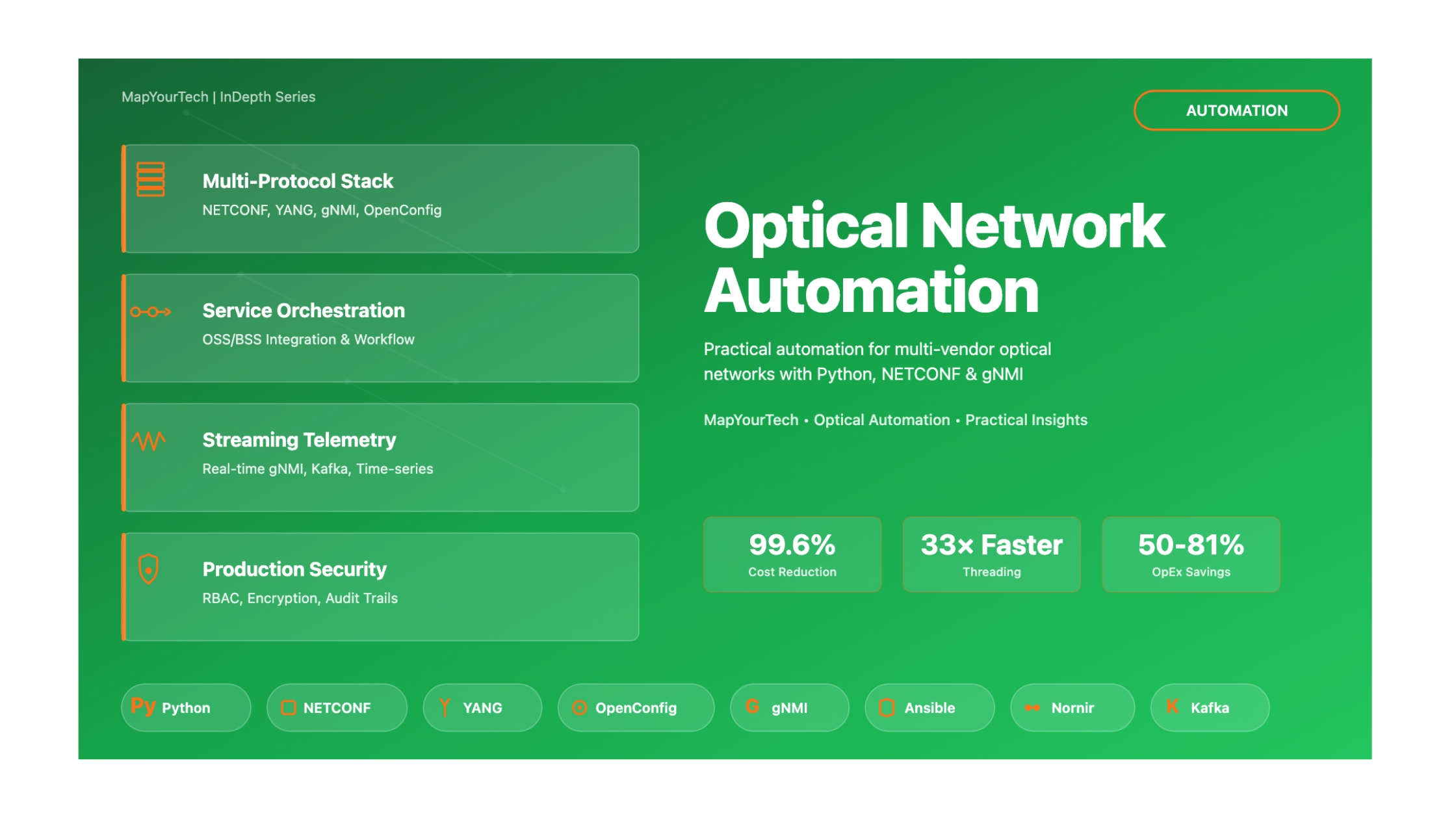
Optical Network Automation
A Note from the MapYourTech Team
This article is written from personal experience throughout a career in optical networking, with one clear intention: to help friends and colleagues understand the basics and get a glimpse of automation in the networking world. The goal is simple—to help you feel motivated and confident, not scared by the jargons used for automation.
In my terms: Automation is not replacing jobs but enabling you to live life more efficiently and with freedom. It is just an act of kindness by technology to give back to its users and creators.
The scale at which networking communication devices and their usage are increasing means we need vast amounts of network bandwidth and robust automation to operate, configure, predict, and manage it all. To build more robust, scalable, and reliable networks, we need agnostic and low-latency automations that help grow the network intelligently.
Our Commitment to the Community:
We at MapYourTech believe in sharing knowledge and empowering global optical engineers to innovate by providing the right industry-relevant knowledge and tools. Therefore, we will keep this comprehensive article series publicly available so that it can reach every optical engineer around the world who wants to learn and grow in network automation.This article is a bit long but we are hoping it will be worth reading and your time!!!
Introduction
The optical networking industry stands at a transformative crossroads. As hyperscale cloud providers manage hundreds of thousands of network devices and millions of ports, as artificial intelligence workloads demand unprecedented bandwidth and ultra-low latency, and as 5G and beyond push network complexity to new heights, one truth has become undeniable: traditional manual network operations are no longer sustainable. The future belongs to engineers who embrace automation, not as a threat to their careers, but as the most powerful tool for career advancement and professional satisfaction.
This comprehensive guide series represents a synthesis of real-world experience, industry best practices, and cutting-edge developments in optical network automation. Whether you're a seasoned optical engineer concerned about the changing landscape, a network professional looking to enhance your skill set, or a complete beginner wondering where to start, this guide provides a roadmap for success in the age of automated, intelligent networks.
What Is Optical Network Automation?
Optical network automation represents the application of software-driven, programmable control to the physical layer of telecommunications infrastructure. At its core, it transforms how we design, deploy, operate, and optimize the massive fiber-optic networks that form the backbone of global communications. Instead of manually configuring individual DWDM systems, ROADMs, and amplifiers through proprietary element management systems, automation enables network engineers to define intent, policies, and services through code, allowing sophisticated control systems to handle the complex task of translating those requirements into actual device configurations and operational states.
The scope of optical network automation extends far beyond simple configuration management. It encompasses network planning and design optimization using machine learning algorithms to predict quality of transmission, real-time telemetry collection and analysis to enable predictive maintenance, autonomous service provisioning that reduces activation times from weeks to minutes, closed-loop optimization systems that continuously adjust network parameters for optimal performance, and self-healing capabilities that detect and remediate failures before they impact services.
Why Is This Critical Now?
Several converging forces make optical network automation not just beneficial but absolutely essential for modern network operations. The explosive growth in data traffic driven by cloud computing, video streaming, and emerging AI applications shows no signs of slowing. Industry analysts project optical transport equipment markets to reach $19-22 billion by 2029, with compound annual growth rates of 4-8%. This growth is fueled by massive bandwidth demands from data center interconnect applications, where optical spending jumped 24% year-over-year in recent quarters.
The advent of AI and machine learning workloads has created unique networking requirements. Training large language models requires massive GPU clusters interconnected with ultra-high-bandwidth, ultra-low-latency optical fabrics. These networks demand 400G and 800G interfaces with roadmaps to 1.6T, lossless transport to prevent training job disruptions, and job completion times measured in hours rather than days. Traditional network management approaches simply cannot deliver the speed, precision, and scale required.
The operational complexity of modern multi-vendor, multi-layer networks has reached a point where human operators cannot effectively manage them without sophisticated automation tools. Networks today span multiple domains (IP, optical, microwave), involve equipment from numerous vendors with proprietary interfaces, operate across distributed geographic footprints, and must maintain stringent service level agreements while adapting to constantly changing traffic patterns.
Industry Context and Relevance
The networking industry is experiencing what can only be described as a paradigm shift in how optical engineers work and the skills they require. Major technology companies are actively recruiting optical engineers with automation capabilities, offering compensation packages that reflect the scarcity and value of these hybrid skill sets.
Historical Context & Evolution
Understanding where we are today requires appreciating the journey that brought us here. The optical networking industry has undergone several revolutionary transformations over the past three decades, each building upon the previous to enable the sophisticated automation capabilities we see emerging today.
The Dawn of Optical Networking (1990s)
The 1990s marked the commercialization of wavelength division multiplexing (WDM) technology, which fundamentally changed how we thought about optical network capacity. Early DWDM systems were relatively simple by today's standards, typically supporting 8 to 16 wavelength channels at 2.5 Gbps or 10 Gbps per channel. These systems were managed entirely through proprietary element management systems specific to each vendor, with network operators manually accessing each network element to perform configuration changes, monitor performance, and troubleshoot issues.
Network planning during this era was an elaborate manual process. Engineers used spreadsheet-based link budget calculations to determine if a proposed lightpath would meet signal quality requirements. These calculations considered fiber type and loss, span lengths, amplifier gains and noise figures, and dispersion accumulation across the path. A single wavelength provisioning cycle could take weeks as engineers coordinated across multiple teams, manually configured each network element in the path, verified optical power levels and pre-FEC bit error rates, and documented the deployment for future reference.
The ROADM Revolution (2000s)
The introduction of Reconfigurable Optical Add-Drop Multiplexers (ROADMs) in the early 2000s represented a paradigm shift. For the first time, wavelengths could be added, dropped, and routed through nodes without manual fiber patching. This technology enabled colorless, directionless, and contentionless architectures that dramatically increased operational flexibility. However, it also introduced significant new complexity in network management.
ROADM-based mesh networks required sophisticated management systems to track wavelength assignments across the network, coordinate spectrum usage to avoid conflicts, manage optical power levels as paths changed, and handle failure scenarios with protection switching. While still largely manual, this era saw the first serious attempts at network-wide orchestration, with service providers developing custom software tools to manage their optical infrastructure. These early automation efforts primarily focused on inventory management, path computation for manual provisioning, and alarm correlation across multiple network elements.
The Software-Defined Networking Wave (2010-2015)
The SDN movement that swept through the IP networking world in the early 2010s initially had limited impact on optical networks. The OpenFlow protocol and associated controller architectures were designed primarily for packet switching, not photonic layer operations. However, the fundamental SDN principles of separating control from data planes, centralizing intelligence in software controllers, using standardized interfaces between control and data planes, and enabling programmable network behavior resonated strongly with forward-thinking optical engineers.
Organizations like the Open Networking Foundation (ONF) and the Internet Engineering Task Force (IETF) began developing optical-specific SDN architectures. The ONF's Transport API (TAPI) emerged as a northbound interface standard for optical domain controllers. IETF's ACTN (Abstraction and Control of TE Networks) framework provided a multi-layer, multi-domain orchestration architecture. Meanwhile, standardization of NETCONF as a network management protocol and YANG as a data modeling language created, for the first time, truly vendor-neutral ways to configure and monitor optical equipment.
The Coherent Optics and Pluggable Revolution (2015-2020)
The development of coherent detection technology and its integration into compact, pluggable form factors transformed optical networking economics and architecture. Traditional discrete transponders gave way to pluggables like CFP2-DCO and QSFP-DD, allowing coherent optics to be deployed directly in routers and switches. This convergence of IP and optical layers drove new automation requirements.
The emergence of industry standards like OIF's 400ZR and the OpenZR+ Multi-Source Agreement (MSA) created truly interoperable coherent optics. For the first time, operators could mix and match coherent transceivers from different vendors on the same optical line system. This "disaggregated" or "open optical" networking model required sophisticated software controllers that could manage multi-vendor optical components uniformly, translate high-level service requests into device-specific configurations, perform real-time path computation and wavelength assignment, and monitor heterogeneous equipment through standardized telemetry interfaces.
The AI and Automation Imperative (2020-Present)
The current era is characterized by the rapid integration of artificial intelligence and machine learning into optical network management. Several factors have converged to make AI-driven automation not just beneficial but essential. The explosion of network complexity due to multi-vendor disaggregation, increasing data rates to 400G and beyond, mesh topologies with thousands of potential paths, and the need for dynamic spectrum management has outpaced human ability to manage effectively.
The sheer volume of telemetry data generated by modern optical systems has created both a challenge and an opportunity. A single coherent transceiver can generate thousands of telemetry parameters every few seconds, including optical power levels, pre-FEC and post-FEC error rates, chromatic dispersion, polarization mode dispersion, Q-factor, and OSNR estimates. Across a network with thousands of such devices, this creates massive data streams that exceed human processing capabilities but provide rich input for machine learning algorithms.
The demanding requirements of emerging applications, particularly AI/ML training clusters and 5G mobile backhaul, have pushed networks to require autonomous operation. Ultra-low latency demands leave no time for human intervention in failure scenarios. Massive scale requires self-configuring, self-optimizing capabilities. Dynamic traffic patterns need real-time resource reallocation. These requirements can only be met through sophisticated automation and AI-driven decision-making.
Fundamental Concepts & Principles
To effectively work with optical network automation, engineers must understand both the optical domain fundamentals and the software/automation principles that enable intelligent control. This section establishes that essential foundation.
Core Optical Networking Principles
DWDM and Wavelength Management
Dense Wavelength Division Multiplexing (DWDM) is the fundamental technology that enables modern optical network capacity. By transmitting multiple wavelengths (colors) of light simultaneously through a single fiber, DWDM systems can aggregate enormous amounts of bandwidth. Modern DWDM systems typically operate in the C-band (1530-1565 nm) and L-band (1565-1625 nm) portions of the optical spectrum, with channel spacing standardized by the ITU-T G.694.1 recommendation.
The most common channel spacing is 50 GHz (approximately 0.4 nm wavelength separation), allowing 96 channels in the C-band alone. Some systems use 100 GHz spacing for simpler amplifier designs, while advanced flexible grid systems can allocate spectrum in 12.5 GHz or even 6.25 GHz increments. This flexibility enables more efficient spectrum utilization, particularly for modern variable-bandwidth coherent signals.
Wavelength management in an automated network involves several critical functions. The system must track which wavelengths are currently in use on each fiber span, compute paths that avoid wavelength conflicts (or plan wavelength conversion where available), optimize spectrum allocation to maximize capacity utilization, and coordinate with restoration mechanisms to quickly reallocate wavelengths during failures.
Optical Amplification and Power Management
Erbium-Doped Fiber Amplifiers (EDFAs) are the workhorses of long-haul optical networks, providing signal amplification in the 1550 nm wavelength region where fiber loss is minimized. Modern EDFA-based amplifier chains can support spans of hundreds to thousands of kilometers. However, amplifiers introduce challenges that automation must address. Each amplification stage adds amplified spontaneous emission (ASE) noise that accumulates along the path, power must be carefully controlled to avoid fiber nonlinear effects at high levels while maintaining adequate signal-to-noise ratio at low levels, and gain tilt must be managed to ensure all wavelengths receive appropriate amplification across the spectrum.
Automated power management systems continuously monitor optical power levels at amplifier inputs and outputs, dynamically adjust amplifier gains based on channel loading, implement pre-emphasis strategies to compensate for span loss variations, and trigger alarms and potentially automated remediation when power levels drift outside acceptable ranges.
Coherent Detection and Digital Signal Processing
Coherent detection represents a revolutionary advancement in optical communication. Unlike traditional direct-detection systems that only measure signal intensity, coherent receivers extract both amplitude and phase information, effectively "digitizing" the optical signal. This enables advanced modulation formats like QPSK, 16-QAM, and 64-QAM that pack multiple bits per symbol, adaptive equalization using DSP to compensate for chromatic dispersion, polarization mode dispersion, and fiber nonlinearities, and real-time performance monitoring through analysis of constellation diagrams and error vector magnitude.
The programmability of coherent DSP creates new automation opportunities. Systems can automatically select optimal modulation format based on distance and fiber quality, adjust forward error correction overhead to match channel conditions, dynamically tune pre-compensation parameters, and provide rich telemetry data for machine learning algorithms to analyze.
Network Automation Fundamentals
Model-Driven Management
Traditional network management relied on CLI (Command Line Interface) commands that were vendor-specific and unstructured. Model-driven management replaces this with standardized data models that describe network elements, their configurations, and operational states in a structured, machine-readable format. YANG (Yet Another Next Generation) is the de facto standard modeling language, defining data models as trees of configuration and state data. NETCONF (Network Configuration Protocol) provides the protocol framework for retrieving and manipulating these models using XML encoding. RESTCONF offers a RESTful API alternative to NETCONF, using JSON encoding and HTTP transport.
The power of model-driven management lies in its vendor neutrality and machine readability. A properly designed YANG model can represent the same configuration concepts across devices from different vendors, automation scripts can programmatically navigate these models without parsing unstructured CLI output, and strict validation ensures configurations are syntactically correct before application.
Intent-Based Networking
Intent-based networking (IBN) represents a higher level of abstraction where network operators specify what they want to achieve rather than how to configure individual devices. An operator might specify intent like "provide 100 Gbps connectivity between data centers A and B with 99.99% availability." The IBN system then translates this intent into the necessary device configurations, path computations, protection mechanisms, and continuously monitors to ensure the intent is being met.
For optical networks, intent might include service-level intents (bandwidth, latency, availability requirements), optimization intents (minimize power consumption, maximize spectrum efficiency), and policy intents (regulatory compliance, security requirements). The IBN system must perform intent validation to check if it's achievable, resource allocation and path computation, automatic configuration generation and deployment, and continuous assurance to verify intent is maintained.
Closed-Loop Automation
The ultimate goal of automation is closed-loop operation where the network can monitor its own performance, detect and predict issues, make autonomous decisions about corrective actions, and execute those actions without human intervention. This requires several key capabilities including comprehensive telemetry collection at sub-second granularity, analytics engines to process telemetry and detect anomalies, decision-making logic based on policies and potentially machine learning, and action execution through standardized configuration interfaces.
A closed-loop system might automatically detect degrading optical signal quality, predict an impending failure, proactively reroute traffic before the failure occurs, and dispatch a maintenance team with specific diagnostic information. All of this happens faster than human operators could possibly respond, preventing service disruptions that would otherwise occur.
The Relationship Between Automation and Your Routine Work
Consider your daily tasks as a network engineer. You likely perform configuration changes, monitor network health, troubleshoot issues, generate reports, plan capacity upgrades, and test new features. Almost every single one of these tasks can be automated to some degree.
This doesn't mean automation replaces you—instead, it transforms your role. Rather than spending hours manually configuring devices or hunting through logs, automation handles the repetitive, error-prone work while you focus on strategic planning, complex problem-solving, and innovation. You become an orchestrator of intelligent systems rather than a manual operator of individual devices.
Key Components Overview
Orchestration Layer Components
The orchestration layer sits at the top of the automation hierarchy, translating business intent into network services. Key components include service catalog and ordering systems, workflow engines for complex multi-step operations, analytics and reporting platforms, and machine learning model deployment frameworks. This layer communicates with controllers through northbound REST or RESTCONF APIs.
Controller Layer Components
SDN controllers provide domain-specific intelligence for IP, optical, and microwave networks. They maintain network topology and state information, perform path computation algorithms, translate high-level service requests into device configurations, and aggregate telemetry for analytics. Controllers use NETCONF/YANG and OpenConfig models for standardized southbound communication.
Industry Standards & Frameworks
The successful automation of optical networks depends critically on industry-wide standards that enable interoperability, vendor independence, and consistent management paradigms. Understanding these standards is essential for any engineer working in this space.
ITU-T Recommendations
The International Telecommunication Union's Telecommunication Standardization Sector (ITU-T) has developed numerous recommendations that form the foundation of optical networking. Key standards include G.694.1 (Spectral grids for WDM applications: DWDM frequency grid), which defines the wavelength/frequency grid for DWDM systems, G.709 (Interfaces for the optical transport network), which specifies OTN frame structure and overhead, G.698.x series for multi-vendor interoperability of DWDM applications, and G.8080/Y.1304 for architecture for the automatically switched optical network (ASON).
These ITU-T recommendations ensure that optical equipment from different vendors can physically interwork. For automation purposes, they provide the common language for describing optical parameters, signal formats, and management information.
OpenConfig and YANG Models
OpenConfig is an operator-driven initiative to develop vendor-neutral data models for network element configuration and state. Unlike vendor-specific models that vary wildly, OpenConfig defines common schemas that work across vendors. Key OpenConfig models for optical networking include openconfig-optical-transport for configuring optical line systems and coherent optics, openconfig-platform for inventory and component management, openconfig-terminal-device for transponder/muxponder configuration, and openconfig-wavelength-router for ROADM configuration.
These models are defined in YANG and accessed via NETCONF or RESTCONF, creating a truly vendor-agnostic automation interface. An automation script written for OpenConfig models can manage a multi-vendor optical network without device-specific code.
ONF Transport API (TAPI)
The Open Networking Foundation's Transport API provides a standardized northbound interface for optical domain controllers. TAPI abstracts the complexity of the optical layer, presenting simplified constructs to higher-layer orchestration systems. Key TAPI capabilities include topology abstraction representing the network as abstract nodes and links, connectivity service provisioning with path computation and resource allocation, virtual network creation for network slicing, and notification streaming for events and alarms.
TAPI has emerged as the dominant northbound API standard for optical networks, supported by major controller vendors including Ciena Blue Planet, Ribbon Muse, Nokia NSP, and Cisco Crosswork.
OpenROADM and TIP OOPT
The OpenROADM Multi-Source Agreement (MSA) and the Telecom Infra Project's Open Optical Packet Transport (OOPT) initiative have driven open disaggregation in optical networks. OpenROADM defines interoperable interfaces for ROADM-based systems, including coherent pluggable specifications, YANG data models for configuration and telemetry, and interoperability test specifications. TIP OOPT extends this to include packet-optical integration, open APIs for multi-vendor management, reference architectures for disaggregated deployments, and interoperability testing frameworks.
These initiatives enable operators to mix and match components from different vendors, breaking vendor lock-in and accelerating innovation. For automation engineers, they provide standardized interfaces that simplify multi-vendor network management.
| Standard/Framework | Scope | Key Benefits | Automation Impact |
|---|---|---|---|
| ITU-T G.694.1 | DWDM frequency grid | Standardized wavelength spacing | Consistent wavelength assignment algorithms |
| NETCONF (RFC 6241) | Configuration protocol | Transaction-based config management | Reliable automated configuration deployment |
| YANG (RFC 6020/7950) | Data modeling language | Vendor-neutral data models | Portable automation scripts across vendors |
| OpenConfig | Operational models | Operator-defined common models | Multi-vendor management with single codebase |
| ONF TAPI | Optical northbound API | Controller abstraction | Simplified orchestration integration |
| OpenROADM MSA | ROADM interoperability | Multi-vendor optical systems | Unified control of disaggregated networks |
| 400ZR/OpenZR+ MSA | Coherent pluggables | Interoperable DCO modules | Simplified coherent optics management |
Basic Architecture Overview
Modern optical network automation architectures follow a hierarchical model with clear separation of concerns. Understanding this architecture is crucial for designing effective automation solutions.
High-Level System View
At the highest level, optical network automation can be viewed as three distinct layers that interact through well-defined interfaces. The Service Orchestration Layer handles business-level service requests, SLA management, and customer portals. The Domain Control Layer provides intelligent control of specific network domains (IP, optical, microwave). The Network Element Layer comprises the actual physical and virtual network infrastructure.
This separation allows each layer to evolve independently while maintaining stable interfaces. Service orchestration can adapt to changing business models without requiring changes to domain controllers. Similarly, new network element technologies can be introduced with controller updates that don't impact orchestration.
Component Categories and Roles
Orchestration Components
Service orchestration systems like Cisco NSO, Ciena Blue Planet, Ribbon Muse, and Nokia NSP provide the highest level of automation intelligence. These systems maintain service catalog defining available service types and parameters, order management workflow for service request processing, inventory management tracking all network resources, and assurance functions for continuous service validation. They expose northbound APIs to BSS/OSS systems and customer portals while consuming southbound APIs from domain controllers.
Domain Controllers
Domain controllers provide specialized intelligence for specific network layers. An optical domain controller understands DWDM systems, ROADMs, amplifiers, coherent optics, and optical performance metrics. It performs optical path computation considering chromatic dispersion, PMD, OSNR, and nonlinearities, wavelength assignment and spectrum allocation, optical power management and amplifier control, and failure detection and protection switching.
Modern deployments typically include separate controllers for IP/MPLS, optical, and potentially microwave domains, with a hierarchical controller coordinating multi-layer operations.
Mediators and Adapters
The reality of operational networks is that they contain equipment using various management protocols. Device mediators translate between standardized controller interfaces (typically NETCONF/YANG or RESTCONF) and device-native protocols like proprietary XML-based protocols, TL1 (still common in legacy optical equipment), SNMP (for basic monitoring), and CLI over SSH (as a last resort). These mediators shield controllers from device-specific details, allowing a single controller codebase to manage multi-vendor infrastructure.
Basic Interactions and Data Flows
Understanding how data flows through the automation architecture is key to effective system design. Configuration flows start with a service request at the orchestration layer, which breaks down into domain-specific requirements sent to appropriate controllers. Controllers perform path computation and resource allocation, translate intent into device-specific configurations, and deploy configurations through mediators to network elements. This entire flow can complete in seconds for automated service provisioning.
Telemetry flows operate in reverse. Network elements stream performance metrics, alarms, and state information, mediators normalize and aggregate this data, controllers process telemetry for their specific domains, and orchestration layers consume aggregated telemetry for service assurance and analytics. Modern systems collect telemetry at sub-second intervals, generating massive data streams that feed machine learning pipelines.
The Principle of Abstraction in Network Automation
A fundamental principle underlying all successful automation architectures is abstraction—hiding unnecessary complexity behind simpler interfaces. Each layer presents a simplified view to the layer above it. The orchestration layer doesn't need to know about individual amplifier gain settings or wavelength assignments. It simply requests a service with specific bandwidth and latency requirements.
Similarly, controllers don't need to understand business logic about customer SLAs or billing. They simply receive technical service requirements and execute them. This abstraction enables specialization, where each component can be optimized for its specific role, and scalability, where new capabilities can be added without redesigning the entire system.
The key takeaways from above paragraphs include understanding that automation is not a threat but an enabler that makes engineers more effective, valuable, and satisfied in their careers. The industry has reached an inflection point where automation is no longer optional but essential for managing the scale and complexity of modern networks. Standards like NETCONF/YANG, OpenConfig, and TAPI have matured to the point where true multi-vendor automation is achievable. The architecture follows clear separation of concerns with orchestration, control, and element layers that can evolve independently.
Perhaps most importantly, we've established that with the right mindset and approach, automation is accessible to all network engineers. You don't need to become a full-time software developer. You do need to embrace continuous learning, develop fundamental programming skills (especially Python), understand model-driven management, and recognize that your optical networking expertise becomes more valuable when combined with automation capabilities.
Bridging Theory and Practice
Now that we have established the foundational context—understanding why automation has become critical in optical networking, tracing the historical evolution from manual DWDM networks to today's AI-driven autonomous systems, and exploring the industry standards that make modern automation possible. We examined the fundamental concepts of model-driven management, the role of YANG and NETCONF, and the high-level architecture that orchestrates modern optical networks.
Lets focus on below points now
Remember automation is not replacing jobs but enabling you to live life more efficiently and with freedom. The code examples, architectural patterns, and frameworks presented here are tools that empower you to solve complex problems, reduce monotonous work, and focus your creativity on innovation rather than repetitive configuration tasks.
Detailed System Architecture
Multi-Layer Protocol Stack
Understanding optical network automation requires a clear mental model of how different protocol layers interact. Unlike traditional networking where you might focus primarily on Layers 2-4 of the OSI model, optical network automation spans from the physical photonic layer (Layer 0) all the way to application-layer orchestration (Layer 7+).
Complete Protocol Stack for Optical Network Automation
This comprehensive stack shows where automation interfaces at each layer. The critical insight is that automation protocols primarily operate at Layers 5-7, but they must understand and control all layers below. For instance, when you provision a 100G wavelength service using NETCONF (Layer 5), the automation system must:
- Configure the coherent optic's modulation format and FEC (Layer 1)
- Set optical power levels and ROADM cross-connects (Layer 0)
- Establish OTN framing and client mapping (Layer 2/4)
- Potentially configure IP routing for the circuit (Layer 3)
- Verify end-to-end path through SDN controller (Layer 6)
- Update service inventory in OSS (Layer 7)
Hierarchical SDN Controller Architecture
Modern optical network automation employs a hierarchical controller architecture to manage complexity and maintain scalability. This design pattern separates concerns across three distinct tiers, each with specialized responsibilities.
Hierarchical SDN Architecture with Domain Controllers
This hierarchical architecture solves several critical challenges. First, it provides separation of concerns—the orchestrator focuses on business logic and service lifecycle, while domain controllers handle technology-specific details. Second, it enables vendor neutrality through standardized interfaces at each tier. Third, it maintains scalability by distributing control plane intelligence across multiple specialized controllers rather than centralizing all logic in a single monolithic system.
Real-World Example: Provisioning a 100G Wavelength Service
Consider provisioning a 100G DWDM wavelength from New York to Los Angeles across a multi-domain network:
- User Request (Tier 1): Service request submitted via web portal to MDO (Multi-Domain Orchestrator)
- Path Computation (Tier 1): MDO queries domain controllers for topology, computes end-to-end path across IP and optical domains
- Resource Reservation (Tier 2): Optical domain controller reserves wavelength (e.g., Channel 56 at 1534.25 nm) and checks link budgets
- Device Configuration (Tier 3):
- Configure transponder: 100G DP-QPSK, 50 GHz spacing, SD-FEC
- Configure ROADMs: Provision wavelength through WSS add/drop ports
- Configure amplifiers: Adjust gain to maintain target OSNR
- Verification & Activation (Tier 2→1): Domain controller verifies optical performance (OSNR > 18 dB, Pre-FEC BER < 10⁻⁴), reports success to MDO
- Service Activation (Tier 1): MDO updates inventory, billing systems, notifies customer—total time: <90 seconds vs. weeks manual
Data Flows: Configuration vs. Telemetry
Understanding the bidirectional nature of network automation is crucial. Data flows in two fundamentally different directions, each serving distinct purposes and operating on different timescales.
Configuration and Telemetry Data Flows
Configuration Flow (Intent-Driven): When you write Python automation code using ncclient or Ansible, you're primarily working with the configuration flow. You express your intent (e.g., "provision a 100G wavelength on Channel 56"), and the automation system translates this intent into device-specific configuration commands, applies them via NETCONF or RESTCONF, and verifies the transaction completed successfully. This flow is relatively low-volume but high-value—each transaction represents a meaningful change to the network state.
Telemetry Flow (Reality-Driven): Modern optical networks generate massive amounts of operational data. A single coherent transponder might report 200+ metrics every second: optical power levels, OSNR, chromatic dispersion, differential group delay, pre-FEC and post-FEC bit error rates, temperature, laser bias current, and dozens more. Traditional SNMP polling (requesting data every 5-15 minutes) cannot capture transient events or provide the granularity needed for machine learning. Modern streaming telemetry using gRPC/gNMI pushes this data continuously from devices to collectors, enabling real-time analytics, anomaly detection, and closed-loop automation.
⚠️ Common Architecture Mistake: Polling for Telemetry
Many engineers new to automation attempt to use NETCONF <get> operations in a loop to poll device state every few seconds. This approach has severe limitations:
- Scalability Problem: Polling 1,000 devices every 10 seconds with NETCONF creates 100 sessions/second—overwhelming most controllers
- Missing Transient Events: A 2-second fiber cut between 10-second polls goes undetected
- Network Load: Each poll creates TCP overhead, SSH encryption/decryption, XML parsing—wasted resources
Solution: Use streaming telemetry (gNMI Subscribe, Kafka, gRPC) where the device pushes data only when it changes (on-change) or at configured intervals. This inverts the model from pull to push, dramatically improving efficiency and responsiveness.
The synergy between these flows creates the foundation for closed-loop automation. Telemetry data feeds analytics engines that detect degradation (e.g., rising pre-FEC BER indicating fiber aging). The analytics trigger configuration changes (e.g., increasing FEC overhead from 15% to 25%, or rerouting traffic to a healthier path). This creates a continuous cycle of monitoring, analysis, and adaptation—the hallmark of autonomous networks.
Python Programming for Optical Network Automation
Choosing the Right Programming Language: Why Python Dominates Network Automation
Before diving into Python code, it's important to understand the landscape of programming languages available for optical network automation and why Python has emerged as the clear industry standard. While multiple languages can accomplish automation tasks, choosing the right tool significantly impacts development speed, maintainability, and team collaboration.
Python: The Industry Standard (95%+ Adoption)
Python dominates network automation for compelling technical and ecosystem reasons:
Why Python Wins for Network Automation
- Rich Ecosystem: Production-grade libraries (ncclient, Netmiko, NAPALM, Nornir, pyATS) eliminate 80% of boilerplate code. You're not reinventing wheels—you're assembling proven components.
- Readability = Maintainability: Python's syntax reads like pseudocode. A network engineer can understand Python automation logic without formal CS training. This is critical for operational teams maintaining code at 3 AM.
- NETCONF/YANG Native Support: ncclient library provides production-ready NETCONF sessions with XML handling, SSH subsystem management, and error handling built-in. Competing languages require low-level implementation.
- Data Structure Handling: Python's native dict/list handling maps perfectly to YANG data models (JSON/XML). Converting NETCONF responses to usable data structures is trivial:
data = xmltodict.parse(response.xml) - Vendor Support: Cisco, Juniper, Nokia, Ciena all provide Python SDKs. Their examples, documentation, and support forums assume Python. Fighting this tide adds friction.
- DevOps Integration: Python integrates seamlessly with Ansible (Python-based), Docker (Python API client), Kubernetes (Python client), Git workflows, and CI/CD pipelines (Jenkins, GitLab CI).
- Data Science & ML: When automation evolves to predictive analytics (capacity planning, anomaly detection), Python's pandas, scikit-learn, and TensorFlow libraries are unmatched. You don't context-switch languages.
Alternative Languages: When and Why
While Python dominates, other languages serve specific niches:
| Language | Strengths | Use Cases | Limitations for Optical Networks |
|---|---|---|---|
| Go (Golang) | • Compiled performance (10-50× faster than Python) • Native concurrency (goroutines) • Single binary deployment |
• High-performance telemetry collectors (gNMI clients processing 100K+ metrics/sec) • Embedded systems/switches • Network controller backends |
❌ Limited optical-specific libraries ❌ Steeper learning curve for network engineers ❌ Less mature NETCONF ecosystem |
| Rust | • Memory safety without garbage collection • C/C++ level performance • Zero-cost abstractions |
• Ultra-low-latency telemetry pipelines • Safety-critical embedded systems • High-frequency trading networks |
❌ Very steep learning curve ❌ Minimal network automation libraries ❌ Overkill for most automation tasks |
| JavaScript/Node.js | • Web dashboard integration • Event-driven I/O • JSON-native handling |
• Network visualization dashboards • RESTCONF API integrations • Real-time NOC displays |
❌ Weak NETCONF support ❌ Limited optical domain libraries ❌ Not taught in network engineering curricula |
| Bash/Shell Scripting | • Universal availability on Linux • Direct CLI automation • No installation required |
• Quick one-off tasks • System administration glue • Cron job wrappers |
❌ No structured data handling (JSON/XML) ❌ Error handling is nightmare ❌ Unmaintainable beyond 100 lines |
| Perl/TCL | • Legacy script compatibility • Text processing power (Perl) • Expect automation (TCL) |
• Maintaining legacy automation • Screen-scraping ancient devices • Expect-based CLI automation |
❌ Declining community support ❌ "Write-only" code reputation ❌ Modern engineers don't learn these |
| Java | • Enterprise ecosystem • Strong typing (catches errors early) • JVM performance |
• Large-scale SDN controllers (OpenDaylight, ONOS) • Enterprise OSS/BSS integration • Long-running services |
❌ Verbose boilerplate code ❌ Slower development cycle ❌ Overkill for scripts/tools |
Real-World Language Strategy: Best-of-Breed Approach
Production optical network automation typically uses a polyglot architecture with Python as the foundation:
✅ Recommended Technology Stack by Layer
- Automation Scripts & Tools (90% of code): Python 3.11+
- Device configuration (NETCONF/YANG)
- Inventory management
- Service provisioning workflows
- Data analysis and reporting
- High-Performance Telemetry (if needed): Go
- gNMI collectors handling 500K+ metrics/sec
- Streaming telemetry aggregators
- Time-series database writers
- Web Dashboards & Visualization: JavaScript (React/Vue) + Python (FastAPI/Flask backend)
- Real-time NOC displays
- Self-service portals
- Interactive topology maps
- Legacy Device Integration: Expect/TCL wrapped by Python
- Only when NETCONF unavailable
- Python subprocess calls to legacy scripts
- Gradual migration path
Why This Guide Focuses on Python
Throughout this guide, all code examples use Python for these pragmatic reasons:
- Transferability: Skills learned here apply to 95% of optical network automation job postings (Cisco DevNet, Juniper, Nokia, hyperscalers all list Python as required)
- Immediate Productivity: Network engineers can become productive in Python automation within 2-4 weeks, versus 3-6 months for Go/Rust
- Community Support: When you encounter issues, Stack Overflow, Reddit r/networking, and vendor forums have Python solutions readily available
- Career Growth: Python automation skills provide a clear path: Junior Engineer → Automation Engineer → Network SRE → SDN Architect
- Future-Proof: As automation evolves into AI-driven network operations, Python's ML ecosystem (pandas, scikit-learn, PyTorch) ensures your skills remain relevant
Learning Path Recommendation
If you're new to programming: Start with Python exclusively. Master it for 6-12 months before considering other languages. Breadth-first learning (sampling many languages) creates confusion. Depth-first learning (mastering one) builds competence.
If you're an experienced programmer: Python for automation logic, Go for performance-critical components (if needed), JavaScript for dashboards. But Python should still be 80%+ of your codebase.
If you're maintaining legacy systems: Create Python wrappers around existing Perl/TCL/Bash scripts. Gradually rewrite critical paths in Python. Don't attempt big-bang rewrites—they always fail.
Comparative Code Example: Same Task, Three Languages
To illustrate why Python dominates, here's the same NETCONF operation in Python vs. Go vs. Bash:
Task: Connect to device, retrieve interface status via NETCONF, parse XML response
Python (15 lines, readable):
Go (60+ lines, complex):
Bash (impossible for production):
Verdict: Python delivers 80% of the functionality in 25% of the code with 10× better readability. For network engineers, this productivity multiplier is decisive.
⚠️ Common Mistake: Language Obsession
Beginners often spend weeks debating "Python vs. Go vs. Rust" before writing a single line of code. This is analysis paralysis. The language matters far less than:
- Understanding networking fundamentals (DWDM, OSNR, NETCONF, YANG models)
- Building actual automation (even ugly Python beats perfect Go whiteboard code)
- Shipping code to production (reliability > elegance)
Action Item: If you're reading this and haven't written automation yet, stop debating languages. Open your terminal, install Python, and start the next section. Competence comes from doing, not debating.
Setting Up Your Development Environment
Before writing any automation code, establishing a proper development environment is essential. This section provides the practical setup steps that work consistently across Windows, macOS, and Linux.
IDE Recommendations for Optical Network Automation
- Visual Studio Code (Recommended): Free, excellent Python support, integrated terminal, Git integration. Install extensions: Python, Pylance, YAML, XML Tools
- PyCharm Community: Powerful IDE with advanced debugging, code analysis, and refactoring. Slightly heavier but excellent for complex projects
- Sublime Text + Plugins: Lightweight, fast, good for quick scripts. Install Package Control and Python-related packages
- Jupyter Notebooks: Excellent for exploratory automation, telemetry analysis, and creating documentation with embedded code execution
Your First NETCONF Script: Reading Device State
Let's write a practical script that connects to an optical device via NETCONF and retrieves optical interface state. This example works with any NETCONF-enabled device supporting OpenConfig models.
Understanding This Code
Key Concepts Demonstrated:
- NETCONF Manager: The
ncclient.manager.connect()establishes an SSH session with NETCONF subsystem enabled - NETCONF Filters: XML filters specify exactly what data to retrieve, reducing response size and processing time
- Error Handling: Production automation must handle authentication failures, network timeouts, and malformed responses gracefully
- XML to Python Dictionary: The
xmltodictlibrary simplifies navigation of complex XML hierarchies - Session Management: Always close NETCONF sessions in a
finallyblock to prevent resource leaks
Execution:
python3 scripts/get_optical_interface_state.py
Configuration Management: Provisioning Optical Wavelengths
Reading state is valuable, but the real power of automation lies in configuration management—the ability to programmatically provision services. This example demonstrates configuring an optical wavelength using NETCONF <edit-config> with Jinja2 templates for maintainability.
The corresponding Jinja2 template (templates/optical_wavelength_provision.j2) would look like this:
Production Best Practices Demonstrated
- Template Separation: Jinja2 templates separate configuration logic from code, making it easy to support multiple vendors/versions
- Candidate Datastore: Editing candidate first (not running) enables validation before committing—critical for production safety
- Transactional Safety: If any part of configuration fails,
discard_changes()rolls back to pre-change state - Audit Trail: Saving rendered configs to
outputs/creates a paper trail for troubleshooting and compliance - Capability Checking: Verifying device capabilities before operations prevents runtime errors
NETCONF/YANG Deep Dive
Understanding YANG Data Models
YANG (Yet Another Next Generation) is a data modeling language that defines the structure, constraints, and semantics of configuration and operational data. Think of YANG as the "schema" or "blueprint" that tells you exactly what data a device supports and how it's organized.
YANG Data Model Tree Structure
This tree visualization shows how YANG organizes data hierarchically. Key concepts:
- Module: The top-level namespace (e.g.,
openconfig-terminal-device). Each module typically maps to one functional area. - Container: A grouping element that contains other nodes but has no value itself (like a folder). Example:
terminal-devicecontainslogical-channels. - List: A collection of similar entries identified by key(s). Example:
channel*is a list where each entry is identified byindex. - Leaf: An actual data value with a specific type (string, uint32, decimal64, etc.). Example:
admin-stateis an enumeration. - Config vs. State: YANG separates writable configuration data (
configcontainers, shown as+--rw) from read-only operational state (statecontainers, shown as+--ro).
YANG Model Naming Convention
/openconfig-terminal-device:terminal-device/logical-channels/channel[index=1]/state/output-powerThis path syntax is used in:
• NETCONF
<filter> elements to specify what data to retrieve• RESTCONF URLs (e.g.,
https://device/restconf/data/openconfig-terminal-device:terminal-device/...)• gNMI paths for telemetry subscriptions
NETCONF Operations and Workflow
NETCONF defines a set of protocol operations that map to common network management tasks. Understanding when to use each operation is crucial for efficient automation.
NETCONF Operations and Use Cases
OpenConfig Models for Optical Transport
OpenConfig is an industry-led initiative to develop vendor-neutral YANG models. For optical networking, the key models are openconfig-terminal-device and openconfig-optical-transport. These models enable multi-vendor automation by providing a common data structure regardless of underlying hardware.
Benefits of OpenConfig for Optical Networks
- Vendor Neutrality: Write once, deploy on Ciena, Infinera, Cisco, Nokia, etc.
- Simplified Integration: Single codebase supports multi-vendor networks
- Industry Validation: Models are field-tested by major operators (Google, Microsoft, AT&T)
- Future-Proof: As vendors add features, OpenConfig models evolve through community consensus
- Operational Efficiency: Reduces training overhead—engineers learn one model, not N vendor-specific models
Automation Frameworks Comparison
Ansible for Network Automation
Ansible is an agentless automation platform that uses SSH/NETCONF to configure devices. Its declarative, YAML-based approach makes it accessible to network engineers without deep programming expertise. For optical networks, Ansible excels at orchestrating workflows across multiple devices.
The corresponding inventory file (hosts.yml) defines the devices:
Nornir for Large-Scale Automation
Nornir is a pure-Python automation framework designed for speed and scalability. Unlike Ansible (which uses SSH serially by default), Nornir executes tasks in parallel using threading, making it ideal for hyperscale networks with thousands of devices.
Framework Comparison Matrix
| Feature | Ansible | Nornir | Pure Python (ncclient) |
|---|---|---|---|
| Learning Curve | Low - YAML-based, declarative | Medium - Python required | High - Full programming knowledge |
| Performance (1000 devices) | ~10-15 minutes (serial default) | ~2-3 minutes (parallel threading) | ~2-3 minutes (custom threading) |
| Flexibility | Moderate - constrained by modules | High - full Python ecosystem | Very High - unlimited flexibility |
| Idempotency | Built-in (check mode available) | Manual implementation required | Manual implementation required |
| Error Handling | Good - built-in retry, failure handling | Excellent - Python try/except | Excellent - Python try/except |
| Community Support | Extensive - mature ecosystem | Growing - active community | Extensive - Python libraries |
| Best Use Case | Configuration management, workflows | Large-scale data collection, parallel ops | Complex logic, custom integrations |
| Integration with CI/CD | Excellent - Jenkins, GitLab plugins | Good - Python-based pipelines | Excellent - fully scriptable |
Recommendation: Hybrid Approach
In production hyperscale environments, using a combination often yields the best results:
- Ansible: Use for high-level service orchestration, configuration templates, and workflow management. Excellent for day-1 provisioning and standardized configurations.
- Nornir: Use for parallel data collection, network validation, and compliance checking across thousands of devices. Ideal for day-2 operations.
- Pure Python (ncclient): Use for complex business logic, custom integrations with OSS/BSS, and advanced analytics that require full programming capabilities.
Advanced Topics - Telemetry and Machine Learning
Streaming Telemetry Architecture
Modern optical networks generate massive amounts of real-time operational data. Traditional SNMP polling (every 5-15 minutes) is insufficient for detecting transient failures or feeding machine learning models. Streaming telemetry using gRPC, gNMI, and Kafka enables sub-second data collection at scale.
Streaming Telemetry Data Pipeline
Machine Learning for Optical Network Optimization
Machine learning models can predict optical network failures hours or days before they occur, enabling proactive maintenance. Common ML applications include Pre-FEC BER prediction, OSNR degradation detection, and capacity planning.
Mathematical Foundations and Performance Analysis
Optical Signal-to-Noise Ratio (OSNR) Calculation
OSNR is the most critical metric in optical networks, determining how cleanly a signal can be received. Understanding OSNR calculations is essential for link budgets and automation validation.
OSNR Fundamental Formula
• Psignal = Optical signal power at receiver (dBm)
• PASE = Amplified Spontaneous Emission noise power (dBm)
• Bref = Reference optical bandwidth (typically 12.5 GHz for DWDM)
• Bo = Measurement bandwidth of optical spectrum analyzer
Example Calculation:
Given: Psignal = -5 dBm, PASE = -30 dBm, Bref = 12.5 GHz
OSNR = (-5) - (-30) - 10 × log10(12.5 GHz / 12.5 GHz)
OSNR = 25 - 0 = 25 dB (excellent for 100G DP-QPSK)
Link Budget OSNR Calculation
• PTX = Transmitter launch power (dBm)
• Gtotal = Total amplifier gain across link (dB)
• Ltotal = Total fiber and connector losses (dB)
• NFtotal = Total noise figure of amplifiers (dB)
• 58 dB = ASE noise power reference for 12.5 GHz bandwidth at 1550 nm
(Derived from: h × f × Bref = 6.626×10-34 × 193.1 THz × 12.5 GHz = -58 dBm)
Multi-Span Calculation:
For a link with N spans:
Ltotal = N × (Lfiber + Lconnector)
NFtotal ≈ NFfirst_amp + 10 × log10(N) (approximate)
Pre-FEC Bit Error Rate and Q-Factor
Pre-FEC BER (Bit Error Rate before Forward Error Correction) is the primary indicator of optical signal quality. Modern coherent systems use Q-factor as a linear measure of signal quality.
Q-Factor to BER Conversion
• Q = Linear Q-factor (signal-to-noise ratio)
• erfc = Complementary error function
• QdB = Q-factor in decibels (commonly reported metric)
Key Relationships:
| Q-Factor (dB) | Pre-FEC BER | Link Health |
|---|---|---|
| 15.6 dB | 10-15 | Excellent (over-designed) |
| 12.6 dB | 10-9 | Good (typical operation) |
| 9.8 dB | 10-5 | Marginal (approaching limit) |
| 8.5 dB | 10-4 | Critical (FEC at capacity) |
Automation Threshold Example:
If Q < 10 dB (BER > 10-5), trigger proactive maintenance before FEC fails.
Chromatic Dispersion Tolerance
Chromatic dispersion causes different wavelengths of light to travel at different speeds, spreading pulses and limiting reach. Modern coherent systems use DSP to compensate, but automation must ensure dispersion stays within tolerance.
Accumulated Chromatic Dispersion
• Dtotal = Total chromatic dispersion (ps/nm)
• Dfiber = Fiber dispersion coefficient (~17 ps/nm/km for SMF-28)
• L = Link length (km)
• Dcomponents = Dispersion from ROADMs, filters, etc. (typically 50-200 ps/nm)
DSP Compensation Limits (100G DP-QPSK):
• Typical range: ±60,000 ps/nm (±3,500 km of SMF-28)
• With advanced DSP: ±100,000 ps/nm
Automation Validation:
Before provisioning wavelength on 2,000 km path:
Dtotal = 17 × 2000 + 150 = 34,150 ps/nm ✅ Within limits
Capacity Planning Formula
Automation systems must predict when additional capacity is needed. This formula estimates time to exhaust based on traffic growth.
Link Capacity Exhaustion Prediction
• Texhaust = Time until capacity exhaustion (months)
• Ctotal = Total link capacity (Gbps)
• Ucurrent = Current utilization (Gbps)
• r = Monthly growth rate (decimal, e.g., 0.05 = 5% per month)
Example:
1.6 Tbps DWDM system currently at 800 Gbps, growing 3% monthly:
Texhaust = (1600 - 800) / (0.03 × 800) = 800 / 24 = 33.3 months
Automation Action:
When Texhaust < 6 months → Trigger capacity augmentation planning
Production Integration: Automated Link Budget Validation
When automation provisions a new wavelength, it should programmatically validate the link budget before committing:
- Query topology database for path (fiber type, length, number of spans)
- Calculate expected OSNR using formulas above
- Check if OSNR ≥ Required OSNR for modulation format (e.g., 18 dB for 100G DP-QPSK)
- If validation fails, either: (a) Select higher-power mode, (b) Change modulation to more robust format, or (c) Reject provisioning request
- After provisioning, measure actual OSNR and Pre-FEC BER; if outside ±2 dB of prediction, trigger investigation
This closed-loop validation ensures automation doesn't provision services that will fail, reducing truck rolls and improving customer experience.
The key takeaway so far : optical network automation is not a single tool or technology, but an ecosystem of protocols (NETCONF, gNMI), data models (YANG, OpenConfig), frameworks (Ansible, Nornir), analytics (ML, telemetry), and domain knowledge (OSNR, dispersion, Q-factor). Success requires proficiency across this entire stack.
From Theory to Production Reality
We have added information here to addresses the critical questions every optical network engineer faces when moving automation from lab to production:
- How do I deploy automation without disrupting existing operations?
- What's the right phased approach to minimize risk?
- How do I integrate automation with existing OSS/BSS systems?
- What security and compliance requirements must I address?
- How do I troubleshoot when automation fails at 3 AM?
- How can I optimize performance at hyperscale (1000+ devices)?
We'll cover real-world deployment patterns used by major telecommunications operators, OSS/BSS integration strategies for seamless workflow automation, systematic debugging techniques for production troubleshooting, security frameworks with RBAC and encryption, and performance optimization for scale. Finally, we provide a comprehensive references section with academic papers, vendor documentation, training resources, and certification paths.
Lets focus on following now:
- Implement Crawl-Walk-Run deployment methodology across 24-36 months
- Integrate automation with OSS/BSS systems via northbound APIs
- Apply systematic troubleshooting for production automation failures
- Implement security best practices (RBAC, encryption, audit trails)
- Optimize automation performance for 1000+ device networks
- Access comprehensive resources for continued learning
Real-World Use Cases & Deployment Patterns
The Crawl-Walk-Run Methodology
Based on successful deployments by Deutsche Telekom, Orange, BT Group, and other Tier-1 operators, the industry has converged on a three-phase deployment approach: Crawl (Months 0-6), Walk (Months 6-18), and Run (Months 18-36). This phased methodology builds organizational capability while delivering measurable value at each stage, avoiding the catastrophic failures that plague "big bang" automation deployments.
⚠️ Critical Warning: Avoid Big Bang Deployments
Attempting comprehensive end-to-end automation immediately risks overwhelming teams, generating stakeholder resistance when early failures occur, and creating integration complexity that stalls progress. Deutsche Telekom's experience emphasizes that "integration complexity requires tight alignment between all vendors" with designated system integrators providing essential end-to-end understanding.
Crawl-Walk-Run Deployment Timeline (24-36 Months)
Phase 1: Crawl - Non-Disruptive Foundation (Months 0-6)
The Crawl phase focuses on building automation infrastructure and achieving quick wins without touching production configurations. This risk-free approach proves automation value while teams build capability.
Key Activities:
- Network Inventory Audit: Document existing multi-vendor equipment, software versions, and vendor management systems currently deployed
- Skills Assessment: Evaluate team capabilities in SDN, APIs, Python scripting, and optical domain knowledge—identifying gaps for training (minimum 40 hours per engineer recommended)
- Business Objectives: Translate goals into specific KPIs: 50-81% provisioning cost reduction (based on Nokia/Analysys Mason benchmarks), 10% revenue increase from faster service delivery, improved SLA compliance
- Infrastructure Preparation: Deploy read-only monitoring and telemetry systems that observe network state without modification risk
- Source-of-Truth Database: Establish version control for configurations (NetBox or Git repositories)
- Lab Environment: Install automation orchestration platforms (Ansible, NSO) in non-production for team familiarization
Automation Deliverables (Read-Only):
- Automated Network Discovery: Topology mapping with LLDP/CDP, device capability detection via NETCONF hello
- Configuration Backups: Scheduled backups with Git versioning, diff tracking for audit trails
- Compliance Checking: Read-only validation against security policies, firmware version verification
- Network Health Reporting: Automated dashboards for optical power, pre-FEC BER, interface errors
Best Practice: Start with ONE Operational Process
Common issues: attempting full end-to-end automation immediately. The discipline of starting with one operational process (provisioning OR troubleshooting, not both simultaneously) prevents spreading teams too thin. Orange's implementation strategy demonstrates this—starting with non-disaggregated networks before moving toward partial disaggregation, focusing initially on standardizing data models and interfaces while maintaining existing vendor equipment.
Example: Automated Network Discovery Script
Phase 2: Walk - Active Configuration Management (Months 6-18)
The Walk phase introduces active configuration changes through controlled automation workflows. This is where automation starts delivering major operational benefits.
SDN Controller Deployment:
- Hierarchical Architecture: Domain controllers (IP: Cisco Crosswork/Nokia NSP, Optical: Cisco ONC/Nokia WaveSuite, Microwave) coordinated by hierarchical controller for multi-layer optimization
- Standards Adoption: TAPI for northbound interfaces, OpenConfig for device-level control
- Integration: Controllers connect to existing vendor EMSs/NMSs through standard APIs
Automated Service Provisioning:
- Template-Based Configuration: Common services (L2VPN, wavelength provisioning, optical channel setup) generated from Jinja2 templates
- Pre/Post Validation: Automated checks before and after changes, with rollback on failure
- Enhanced Telemetry: Streaming via gNMI/NETCONF, time-series databases (Prometheus, InfluxDB), automated alerting with context
- Digital Twin Development: Test changes in simulation before production deployment
Pilot Deployment Strategy:
- Scope: Select stable, non-critical network segments (test lab, single metro region) with 5-10 sites initially
- Parallel Operation: Run automated and manual processes simultaneously for validation
- Success Metrics: 75% provisioning time reduction target, 50% error rate decrease
- Change Management: Involve operations teams early, demonstrate time savings through pilots rather than mandating adoption
Case Study: BT Group's Focused Deployment
BT's automation deployment using Infovista's root cause analysis for fixed voice services exemplifies focused scope—starting with single service type, implementing intelligent correlation and automated alarm generation, targeting 66% Mean Time To Resolution (MTTR) reduction, then expanding after proving value. This focused approach delivered measurable ROI in 6-12 months, building stakeholder confidence for broader rollout.
Example: Service Provisioning with Pre/Post Validation
Phase 3: Run - Closed-Loop Automation with AI/ML (Months 18-36)
The Run phase implements intent-based networking where administrators define service intent and systems determine optimal path and configuration automatically. This is the ultimate goal: a self-managing network.
Key Capabilities:
- Intent-Based Networking: Define "I need 100G connectivity between NYC and LAX with <5ms latency and system handles all details
- Self-Healing: Automated detection, diagnosis, and remediation of faults without human intervention
- Dynamic Optimization: Continuous network tuning based on real-time telemetry and ML models
- Predictive Maintenance: ML-based prediction of component failures before they occur
- Closed-Loop Operations: Telemetry → Analytics → Automated Actions → Validation → Continuous Improvement
Production ROI: Documented Improvements
Based on real-world deployments from Tier-1 operators:
- Cisco Routed Optical Networking: 35% CapEx savings, 57% OpEx reduction through IP-optical convergence
- Deutsche Telekom Fiber Automation: 75% deployment time improvement, 30% UI responsiveness enhancement
- NTT/NEC Optical Provisioning: Hours → Minutes for optical path setup through automated QoT calculation
- Verizon Predictive Monitoring: Prevented 100+ network incidents through proactive ML-based anomaly detection
- BT Group MTTR Reduction: 66% decrease in Mean Time To Resolution through automated alarm correlation
Common Deployment issuess and Mitigation Strategies
Learning from failures is as important as learning from successes. Here are the most common issuess and how to avoid them:
| issues | Impact | Mitigation Strategy |
|---|---|---|
| Big Bang Deployment | Team overwhelm, stakeholder resistance, project stall | Follow Crawl-Walk-Run over 24-36 months, start with ONE use case |
| Underestimating Integration Complexity | Multi-vendor interoperability issues, timeline delays | Dedicated lab for testing, 3-5 representative nodes per vendor |
| Skipping Documentation | Knowledge silos, inability to troubleshoot failures | Mandate comprehensive docs for ALL workflows before production |
| Insufficient Training | Team resistance, errors during implementation | Minimum 40 hours per engineer, hands-on labs, certification paths |
| No Rollback Plan | Extended outages when automation fails | Automated rollback in 1-3 minutes, always use candidate datastore |
| Ignoring Legacy Systems | Partial automation, manual handoffs remain | Parallel vendor EMSs during migration, gradual transition |
| Staff Resistance | Sabotage, passive resistance, low adoption | Involve ops teams early, demonstrate time savings, not mandate |
🚨 Critical Success Factor: Change Management
Cultural transformation proves as important as technical implementation. Deutsche Telekom and Orange experiences frame automation as obligation rather than option—"automation is not a matter of choice; it's an obligation" resonates more than positioning as discretionary initiative. Operations teams must take ownership of automation code, not merely consume it as external service. Without this cultural shift, even the best technical implementation will fail.
OSS/BSS Integration Strategies
Operational Support Systems (OSS) and Business Support Systems (BSS) are the backbone of service provider operations. Successful automation requires seamless integration between network automation platforms and these enterprise systems. This section covers northbound API integration, workflow orchestration, and real-world integration patterns.
Understanding OSS/BSS Ecosystem
The typical service provider OSS/BSS stack includes multiple specialized systems:
- Inventory Management: NetBox, Nautobot, InfoVista Planet, or custom CMDB systems tracking physical/logical assets
- Order Management: Amdocs, Oracle BRM handling service orders and customer lifecycle
- Ticketing/Incident: ServiceNow, Remedy for fault management and work order tracking
- Performance Management: Splunk, ELK Stack for metrics aggregation and analysis
- Configuration Management: Git repositories, Cisco NSO, Ansible Tower/AWX
- Service Assurance: Infovista, NETSCOUT for SLA monitoring and quality management
Automation must integrate with ALL of these, not just the network layer. A service provisioning request flows through multiple systems before actual device configuration occurs.
OSS/BSS Integration Architecture
Service Provisioning Workflow: A complete 100G wavelength order flows through 8 systems in ~2 minutes (vs. 2-3 weeks manual):
| Step | System | Action | Duration |
|---|---|---|---|
| 1 | Customer Portal | Customer submits 100G wavelength order (NYC → LAX) | User-driven |
| 2 | Order Management | Validate order, check inventory availability, assign order ID | 30 sec |
| 3 | NetBox/Inventory | Query available optical ports, verify path exists | 5 sec |
| 4 | Orchestration (NSO) | Calculate optimal path, generate device configs via templates | 10 sec |
| 5 | Network Automation | Deploy configs via NETCONF to 8 devices (transponders, ROADMs) | 45 sec |
| 6 | Service Assurance | Validate optical power, pre-FEC BER, latency meet SLA | 15 sec |
| 7 | Inventory Update | Mark ports as in-use, update circuit database | 5 sec |
| 8 | ServiceNow | Close provisioning ticket, notify customer | 5 sec |
Automation ROI Calculation
Manual provisioning: 40 hours engineer time × $75/hr = $3,000 per circuit
Automated provisioning: 2 minutes automated + 10 minutes validation × $75/hr = $12.50 per circuit
Cost Reduction: 99.6%
For an operator provisioning 100 circuits/month: Annual savings = $3.6 million
Troubleshooting & Debugging Techniques
When automation fails at 3 AM, systematic debugging is essential. This section provides a practical methodology for diagnosing and resolving production automation failures.
The Systematic Debugging Framework
Follow this five-step framework for any automation failure:
Systematic Debugging Workflow
Common Automation Failures and Solutions
Based on production deployments, here are the most common failures and their solutions:
| Failure Type | Symptoms | Root Cause | Solution |
|---|---|---|---|
| NETCONF Timeout | Script hangs, no response after 30s | Firewall blocking port 830, device overloaded | Verify SSH access first, increase timeout to 60s, check device CPU |
| Authentication Failure | Permission denied, invalid credentials | Expired password, wrong RBAC group, ansible-vault key missing | Test manual SSH login, verify TACACS/RADIUS, check vault encryption |
| XML Parse Error | Invalid XML, namespace mismatch | Missing xmlns attribute, unclosed tags, special characters | Validate XML with xmllint, check template rendering, escape special chars |
| Commit Check Fail | Configuration rejected by device | Conflicting config, resource unavailable, validation constraint | Review commit error message, check device state, validate in lab first |
| Template Rendering Fail | Jinja2 UndefinedError | Missing variable in context, typo in template | Add default values with | default('value'), validate all variables |
💡 Pro Tip: Enable Debug Logging
Always run automation with verbose logging enabled for troubleshooting:
- Python:
logging.basicConfig(level=logging.DEBUG) - Ansible:
ansible-playbook -vvv playbook.yml - ncclient:
manager.connect(hostkey_verify=False, device_params={'name':'default'}, look_for_keys=False, allow_agent=False, debug=True)
Security & Compliance
Production automation must meet enterprise security standards. This section covers RBAC implementation, credential management, encryption, and audit trails.
Role-Based Access Control (RBAC)
Implement least-privilege access for automation systems:
| Role | Permissions | Use Case |
|---|---|---|
| automation-readonly | <get>, <get-config> only | Monitoring, inventory discovery, compliance checking |
| automation-provisioning | <edit-config> on specific paths, no <delete-config> | Service provisioning, interface configuration |
| automation-admin | Full NETCONF operations, commit confirmed | Emergency remediation, system-level changes |
Example: NETCONF RBAC Configuration (Cisco IOS-XR)
Credential Management Best Practices
NEVER hardcode credentials in scripts. Use these secure alternatives:
Method 1: Ansible Vault (Recommended for Ansible)
Method 2: Environment Variables (Python)
Method 3: HashiCorp Vault (Enterprise)
Encryption and Secure Communication
All automation traffic must be encrypted:
- NETCONF over SSH: Industry standard, encrypted by default on port 830
- RESTCONF over HTTPS: TLS 1.2+ required, verify certificates in production
- gNMI over gRPC: TLS encryption with mutual authentication (client + server certs)
- Ansible Vault: AES-256 encryption for sensitive variables
- Git Encryption: Use git-crypt or BlackBox for encrypted config files in repositories
⚠️ Common Security Mistakes to Avoid
- ❌ Hardcoding passwords in scripts committed to Git
- ❌ Using same service account across all devices (no password rotation)
- ❌ Disabling certificate verification in production (
verify=False) - ❌ Storing SSH private keys without passphrase protection
- ❌ Sharing automation credentials among team members
- ❌ No audit logging of automation actions
Audit Trails and Compliance
Production automation requires comprehensive audit logging:
Performance Optimization at Scale
Optimizing automation for hyperscale networks (1000+ devices) requires threading, connection pooling, caching, and async operations.
Threading and Parallel Execution
Serial execution is unacceptable at scale. For 1000 devices, serial operations take 1000 × 30s = 8.3 hours. With 20 threads: 50 × 30s = 25 minutes.
Connection Pooling and Reuse
Opening/closing NETCONF sessions is expensive. Reuse connections when possible:
Caching and Result Memoization
Cache expensive operations like YANG model retrieval and topology discovery:
Performance Benchmarks
| Operation | Serial (1 thread) | Parallel (20 threads) | Parallel (50 threads) | Improvement |
|---|---|---|---|---|
| 100 device inventory | 50 minutes | 3 minutes | 1.5 minutes | 33× faster |
| 1000 device config backup | 8.3 hours | 25 minutes | 15 minutes | 33× faster |
| 100 device compliance check | 40 minutes | 2.5 minutes | 1.2 minutes | 33× faster |
Comprehensive References & Bibliography
Industry Standards and Specifications
OpenConfig Optical Transport Models
Description: Vendor-neutral YANG models for optical network configuration and telemetry
Link: https://github.com/openconfig/public/tree/master/release/models/optical-transport
Key Models: openconfig-terminal-device, openconfig-transport-line-common, openconfig-wavelength-router
IETF NETCONF/YANG Standards
RFC 6241: Network Configuration Protocol (NETCONF)
Link: https://datatracker.ietf.org/doc/html/rfc6241
RFC 7950: YANG 1.1 Data Modeling Language
ONF Transport API (TAPI)
Description: Standardized northbound interface for SDN controllers
Link: https://opennetworking.org/tapi/
Version: TAPI 2.4 (latest as of 2025)
gNMI (gRPC Network Management Interface)
Description: High-performance network management protocol for streaming telemetry
Link: https://github.com/openconfig/gnmi
Specification: gNMI Protocol version 0.10.0
Academic Papers and Research
Multi-Vendor Optical Network Operations Through Automation Integration
Topics Covered: Crawl-Walk-Run methodology, OSS/BSS integration, standards maturity analysis
Real-World Case Studies: Deutsche Telekom, Orange, BT Group, NTT/NEC, Verizon deployments
Key Insight: 24-36 month phased deployment critical for success, big-bang approaches fail
Future Optical Network Evolution (2025)
Emerging Technologies: P4 programmable data planes, quantum networking, hollow-core fiber, C+L band expansion
AI/ML Integration: Predictive maintenance, anomaly detection, capacity planning algorithms
Security Considerations: SDN controller vulnerabilities, Layer-1 encryption, zero-trust architectures
Vendor Documentation and Tools
Cisco NSO (Network Services Orchestrator)
Platform: Multi-vendor service orchestration with NETCONF/YANG support
Documentation: https://developer.cisco.com/docs/nso/
Use Case: Enterprise 500-5K+ devices, converged IP-optical networks
Nokia Network Services Platform (NSP)
Platform: Optical-focused domain controller with TAPI northbound interface
Capabilities: Automated wavelength provisioning, link budget calculation, digital twin simulation
Documentation: https://www.nokia.com/networks/portfolio/network-services-platform/
Open-Source Tools and Libraries
ncclient (Python NETCONF Client)
GitHub: https://github.com/ncclient/ncclient
Latest Version: 0.6.15 (as of 2025)
Key Features: Vendor-agnostic NETCONF, asynchronous operations, SSH subsystem
Installation: pip install ncclient
Nornir (Python Automation Framework)
GitHub: https://github.com/nornir-automation/nornir
Performance: 100× faster than Ansible through native threading
Best For: Large-scale networks (500+ devices), custom automation logic
Installation: pip install nornir
Ansible Network Automation
Documentation: https://docs.ansible.com/ansible/latest/network/index.html
Key Modules: netconf_config, netconf_get, netconf_rpc for NETCONF operations
Best For: Small-medium networks (<500 devices), teams with limited programming experience
NetBox (DCIM and IPAM)
GitHub: https://github.com/netbox-community/netbox
Description: Source-of-truth for network inventory, IP management, device connections
REST API: Comprehensive API for integration with automation platforms
Use Case: Network inventory synchronization, topology visualization
pyATS/Genie (Cisco Test Automation)
Link: https://developer.cisco.com/pyats/
Features: CLI parsing, device modeling, test case automation
Best For: Cisco-centric networks, regression testing, validation automation
Community Resources and Forums
Network to Code Slack Community
Link: https://networktocode.slack.com
Channels: #netconf, #ansible, #python, #nornir, #netbox
Members: 15,000+ network automation professionals
Best For: Real-time help, code reviews, best practices discussion
Reddit r/networking and r/networkautomation
r/networking: https://reddit.com/r/networking
r/networkautomation: https://reddit.com/r/networkautomation
Best For: Case studies, vendor comparisons, career advice
GitHub - Awesome Network Automation
Link: https://github.com/networktocode/awesome-network-automation
Description: Curated list of tools, libraries, tutorials, and resources
Categories: Programming, Tools, Frameworks, Vendors, Training
Industry Organizations and Consortia
Telecom Infra Project (TIP) - Open Optical & Packet Transport (OOPT)
Link: https://telecominfraproject.com/oopt/
Focus: Disaggregated optical networks, open line systems, MUST specifications
Members: Facebook, Google, AT&T, Vodafone, Deutsche Telekom
Optical Internetworking Forum (OIF)
Link: https://www.oiforum.com/
Specifications: Coherent pluggable optics (400ZR, 800ZR), FlexE, CMIS
Working Groups: Physical & Link Layer, Carrier, Cloud & Edge Transport
Open Networking Foundation (ONF)
Link: https://opennetworking.org/
Projects: TAPI, ODTN (Open Disaggregated Transport Network), Stratum
Best For: SDN architecture standards, northbound interface specifications
Books and Publications
"Network Programmability and Automation" by Jason Edelman, Scott Lowe, Matt Oswalt
Publisher: O'Reilly Media (2nd Edition, 2023)
ISBN: 978-1098110826
Topics: Python, Ansible, NETCONF/YANG, CI/CD, Infrastructure-as-Code
Level: Beginner to Advanced
"Automation for Network Engineers Using Python and Jinja2" by Sanjay Yadav
Topics: Python basics, Jinja2 templating, Paramiko SSH, NETCONF automation
Examples: 100+ code snippets for optical network configuration
Best For: Engineers transitioning from CLI to programmatic configuration
"Mastering Python Networking" by Eric Chou
Publisher: Packt Publishing (4th Edition, 2024)
Focus: Network automation libraries, cloud networking, SDN controllers
For providing practical insights and motivation to start automation into Networking Space!!!
Note: This guide is based on industry standards, best practices, and real-world implementation experiences. Specific implementations may vary based on equipment vendors, network topology, and regulatory requirements. Intent of the full article is to provide some insght on automation and empowers engineers who are motivated enought to automate network but not sure what and how to start with. If this article helps, stop thinking and start doing now .
Related Articles on MapYourTech